Photo size
how much space is photos taking up on my imac
iMac 21.5″, macOS 13.5
how much space is photos taking up on my imac
iMac 21.5″, macOS 13.5
Hi there OLDONEINPHOENIX,
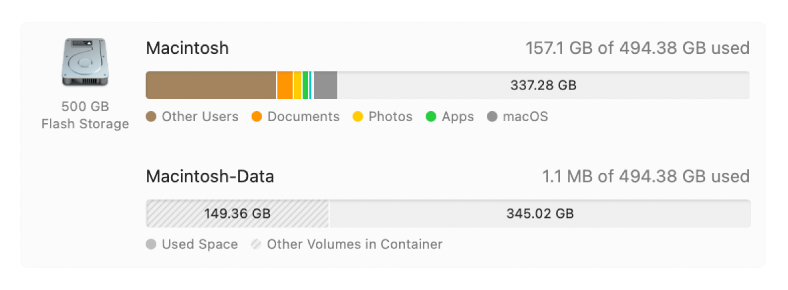
To see the amount of storage your photos is using on your Mac, follow these steps from See used and available storage space on your Mac:
1. On your Mac, choose Apple menu> System Settings, then click General
in the sidebar. (You may need to scroll down.)
2. Click Storage on the right, then click All Volumes.
Move the pointer over a color to see the amount of space each category uses. Light gray space represents free storage space.
4.
If you use iCloud Photos and would like to optimize your photo storage, follow the steps outlined here: Optimize storage in Photos on Mac
If you are trying to accomplish something else, please provide more details so that we can continue to assist.
Cheers!
Photo size