Spotlight Privacy keeps adding my Dropbox folder even after I remove it from the list

Spotlight Privacy keeps adding my Dropbox folder even after I remove it from the list of folders to prevent spotlight from indexing. In other words, I cannot remove my Dropbox folder and thus Spotlight will not index nor search this folder where my files exist. This only happened with the last few OS updates....


MacBook Pro 15″, macOS 10.14

Posted on Sep 5, 2023 11:54 AM

Reply
3 replies

Sep 6, 2023 10:32 AM in response to ashtontech

Hello ashtontech,


Rebuilding your index may help with this behavior. We see you may have already checked out the support article that explains this process. Rebuild the Spotlight index on your Mac - Apple Support. To confirm, you followed this guidance?


"macOS Ventura or later

  1. Choose Apple menu  > System Settings.
  2. Click Siri & Spotlight in the sidebar, then scroll down and click Spotlight Privacy on the right.
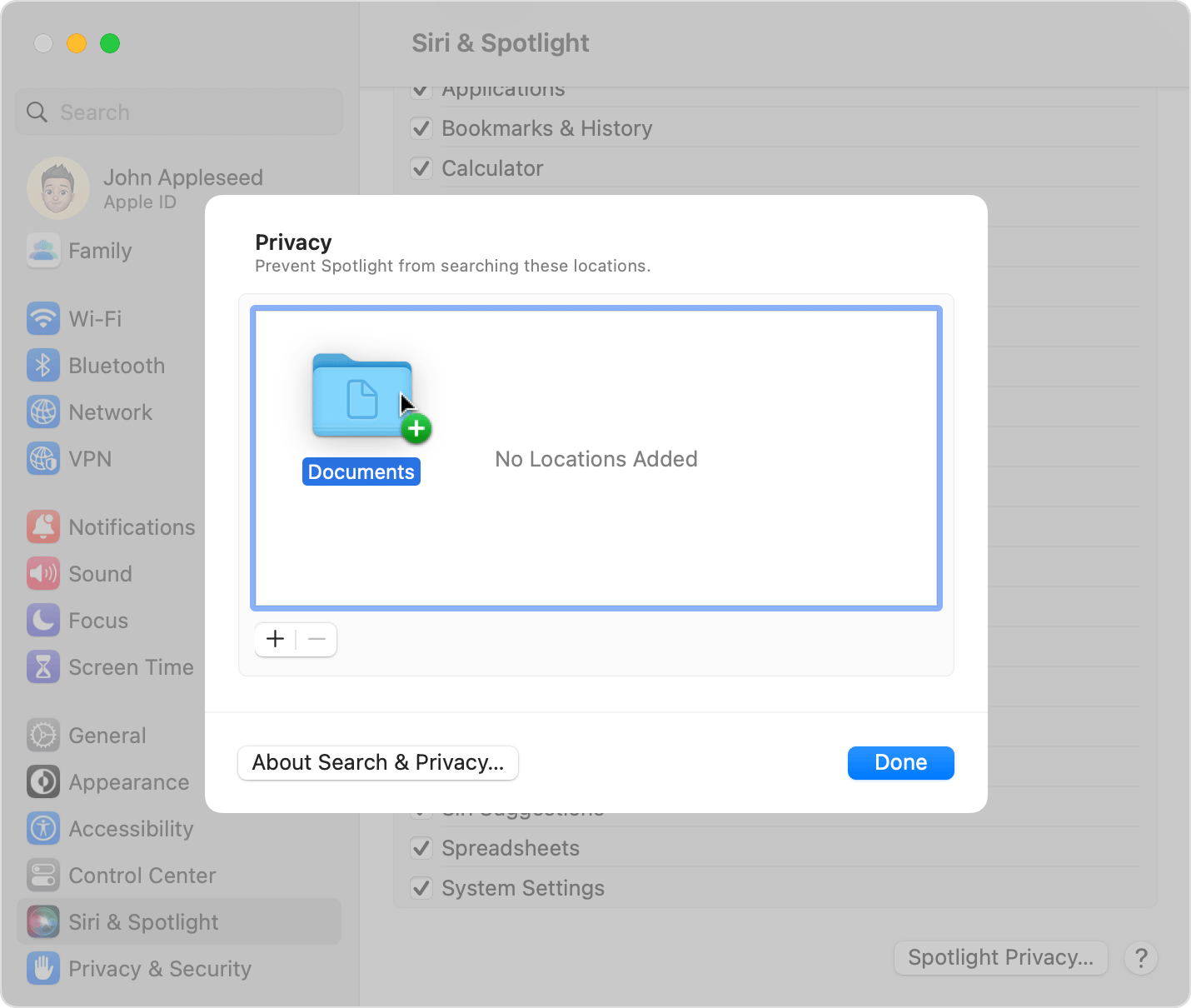
  3. Drag the disk or folder that you want to index again to the list of locations that Spotlight is prevented from searching. Or click the add button (+) and select the disk or folder to add.*
  4. Folder named Documents dragged into the Spotlight Privacy window
  5. From the same list of locations, select the disk or folder that you just added. Then click the remove button (–) to remove it from the list.
  6. Click Done, then quit System Settings. Spotlight will reindex the contents of the disk or folder. This can take some time, depending on the amount of information being indexed."


We hope this helps. Let us know if we can assist with anything else at all. Take care.

Sep 6, 2023 11:18 AM in response to ryane77

Yes I have followed those instructions. When I hit the + to add the folder nothing happens because it's already there. Then when I click on it and hit the - button it disappears momentarily then it reapers in the list of folders to exclude. Now there is a little lock icon on the folder (supposedly related to some Dropbox or system feature locking this folder) so could that have something to do with this problem?

Thanks,

This thread has been closed by the system or the community team. You may vote for any posts you find helpful, or search the Community for additional answers.

Spotlight Privacy keeps adding my Dropbox folder even after I remove it from the list

Welcome to Apple Support Community
A forum where Apple customers help each other with their products. Get started with your Apple Account.