Hey Dunder_23,
Welcome to Apple Support Communities.
We suggest starting with making sure your MacBook Pro is up-to-date. The latest macOS version is 13.5.2. If you do not have that version, follow the steps below to update. The steps are also available in this article: Update macOS on Mac.
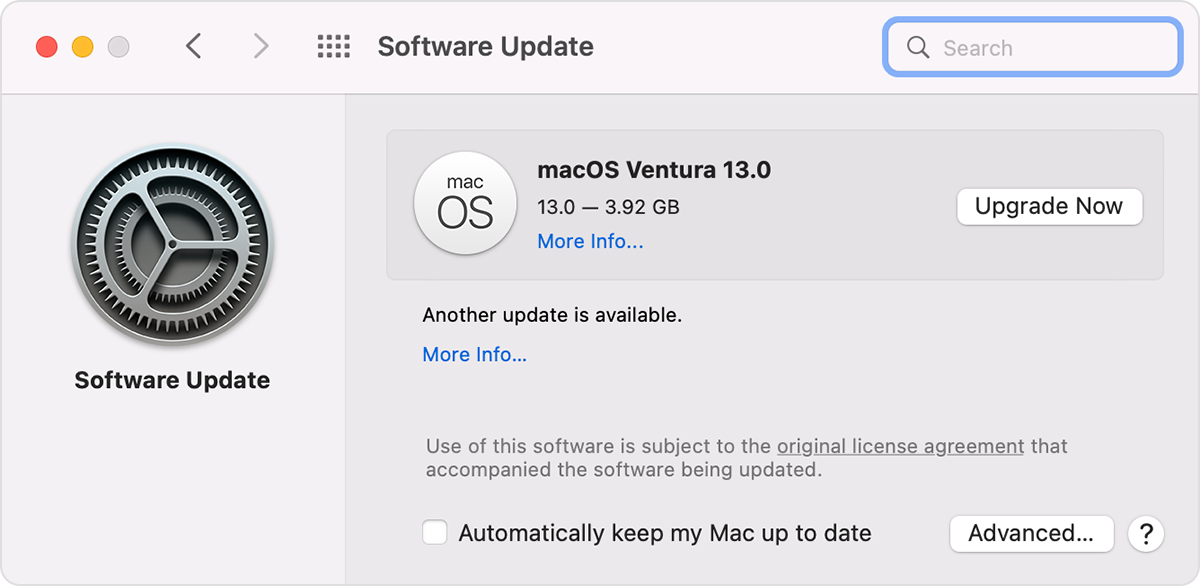
To check for new software, open Software Update. It's in System Settings (or System Preferences), which you can open from the Apple menu in the corner of your screen:
* Choose Apple menu > System Settings. Click General on the left side of the System Settings window, then click Software Update on the right.
* Or choose Apple menu > System Preferences, then click Software Update.
If Software Update finds new software, click the button to install it. You will be asked to enter your administrator password. During installation, your Mac might show a progress bar or blank screen several times, and you should avoid putting it to sleep or closing its lid.
If Software Update says that your Mac is up to date, then no new software is currently available for your Mac model. Software Update shows only software that is compatible with your Mac.
If you still do not have the option, test in a different user account. This will help determine if issue is specific to your user account or if it is system wide. If you do not have a second user account set up, you can create a test one by following the steps here: Add a user or group on Mac.
If the issue doesn't occur in the test user account, there may be software and/or settings that are causing it.
If you experience the same issue in both user accounts, we recommend contacting Apple Support for further assistance. You can reach them here:Get Support.
Take care.


