If you are referring to this article where they are referring to iOS 16 --> List of available trusted root certificates in iOS 16, iPadOS 16, macOS 13, tvOS 16, and watchOS 9 - Apple Support (IN)
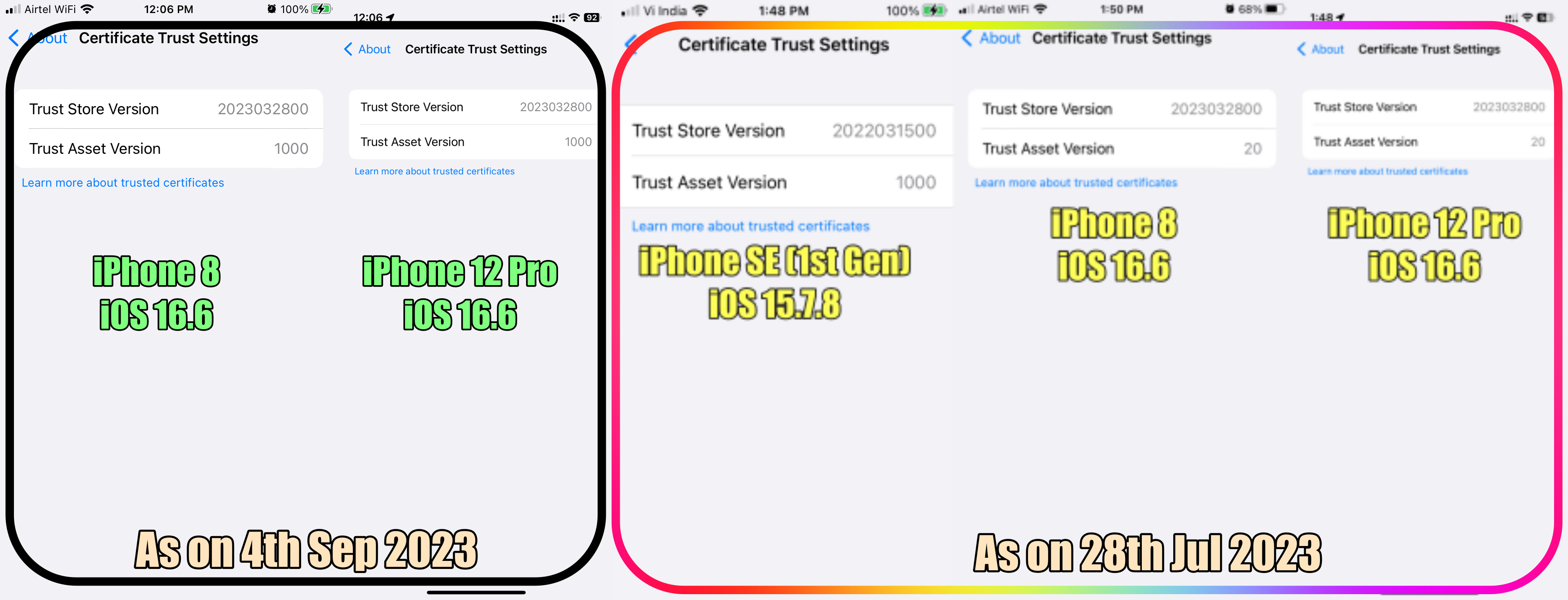
iOS 16, 16.3, 16.5/16.6 have different Store Versions and Asset Versions. Please go through my entire post
For iOS 15.7.8 and iOS 16.6 refer to the pic below

This is the trust store version for iOS 16.5 - 2023032800. Please see the pic below on iOS 16.5 iPhone 12 Pro.
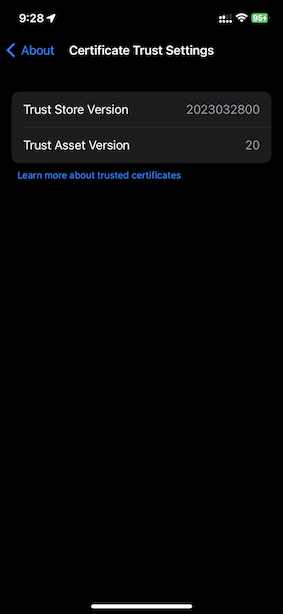

Learn about Available trusted root certificates for Apple operating systems - Apple Support
This is part of iOS updates which can be clearly seen below
All my devices, iPhone 8 (iOS 16.0), iPhone 12 Pro (iOS 16.1.1) & iPhone 13 Pro on iOS 16.1.1 also iPad Pro on iPadOS 16.1 are with Trust Store Version: 2022070700 and Trust Asset Version 18
iPhone SE (1st Gen) iOS 15.7 2022031500 and Trust Asset Version 18
Earlier, iPhone 8, SE (1st Gen), iPhone 12 Pro & iPhone 13 Pro on iOS 15.6.1 also iPad Pro on iPadOS 15.6.1 all are with Trust Store Version: 2022031500 and Trust Asset Version 17
iPhone 6 iOS 12.5.5 Trust Store Version 2018121000, Does not have Trust Asset Version
After updating my iPhone 6 to iOS 12.5.6 it still has Trust Store Version 2018121000, Does not have Trust Asset Version
There is an old discussion thread on Trust Asset Versions that may help you understand --> Trust asset version 11. - Apple Community
Please check the iOS versions on each device again
Learn about Available trusted root certificates for Apple operating systems - Apple Support
This is part of iOS updates which can be clearly seen below
iPhone 12 Pro iOS 16.3 Trust Store Version: 2022070700 and Trust Asset Version 20
iPhone 8 iOS 16.2 Trust Store Version: 2022070700 and Trust Asset Version 20
iPad Pro 9.7" iOS 16.2 Trust Store Version: 2022070700 and Trust Asset Version 20
iPhone 13 Pro iOS 16.2 Trust Store Version: 2022070700 and Trust Asset Version 20
I may have missed Asset Version 19
All my devices, iPhone 8 (iOS 16.0), iPhone 12 Pro (iOS 16.1.1) & iPhone 13 Pro on iOS 16.1.1 also iPad Pro on iPadOS 16.1 are with Trust Store Version: 2022070700 and Trust Asset Version 18
iPhone SE (1st Gen) iOS 15.7 2022031500 and Trust Asset Version 18
Earlier, iPhone 8, SE (1st Gen), iPhone 12 Pro & iPhone 13 Pro on iOS 15.6.1 also iPad Pro on iPadOS 15.6.1 all are with Trust Store Version: 2022031500 and Trust Asset Version 17
iPhone 6 iOS 12.5.5 Trust Store Version 2018121000, Does not have Trust Asset Version
After updated my iPhone 6 to iOS 12.5.6 it still has Trust Store Version 2018121000, Does not have Trust Asset Version
There is an old discussion thread on Trust Asset Versions that may help you understand --> Trust asset version 11. - Apple Community


