Notification on Apple Watch that move ring has closed, but not closed in the app on watch or iPhone

Several times, specifically while exericising (actively moving more), I'll get a watch notification that my move ring has closed. After exercising, I'll open the app on either my watch or phone (both will show the same information), the move ring is far from closed. I've tried closing the apps, restarting the devices, nothing working.


Both phone and watch are up-to-date, I do not share my activity with any other accounts, and my Health app is synced.

Apple Watch Series 7, watchOS 9

Posted on Sep 9, 2023 10:54 AM

Reply
Question marked as Top-ranking reply

Posted on Sep 10, 2023 1:14 PM

Hi mnyjms,


Calibrating your Apple Watch improves the accuracy of your distance, pace, and calorie measurements, which may help with the behavior you've described. This article will walk you through how to do that: Calibrate your Apple Watch for improved Workout and Activity accuracy

1. While wearing your Apple Watch, go to a flat, open outdoor area that offers good GPS reception and clear skies.
2. If you have Apple Watch Series 2 or later, you just need your Apple Watch.* If you have Apple Watch Series 1 or earlier, bring your iPhone for GPS. Hold your iPhone in your hand, or wear it on an armband or waistband.
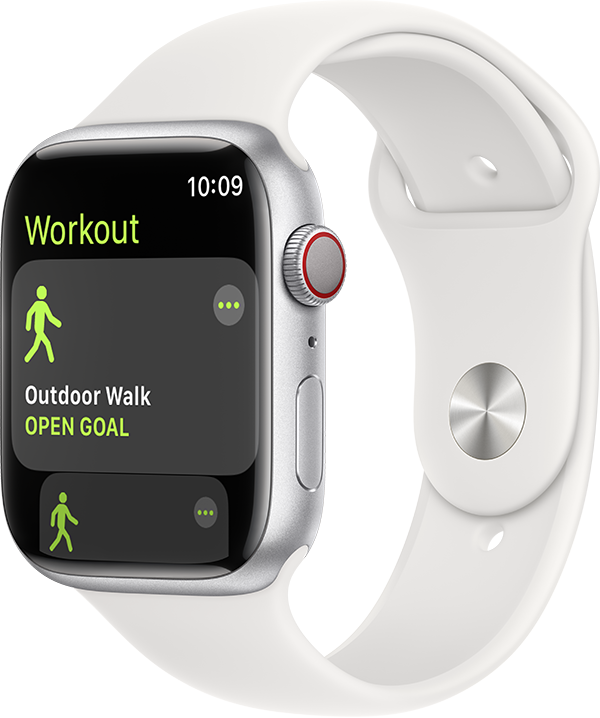
3. Open the Workout app, then tap Outdoor Walk or Outdoor Run. To set a goal before starting, tap the ... icon.
Outdoor Walk workout on watch with white band.
4. Walk or run at your normal pace for about 20 minutes.

If the issue continues, reach out to Apple Support directly so they can look into this with you further. They can be contacted here: Get Support or by calling the most applicable phone number from this list: Contact Apple for support and service.


Regards.

Similar questions

1 reply
Question marked as Top-ranking reply

Sep 10, 2023 1:14 PM in response to mnyjms

Hi mnyjms,


Calibrating your Apple Watch improves the accuracy of your distance, pace, and calorie measurements, which may help with the behavior you've described. This article will walk you through how to do that: Calibrate your Apple Watch for improved Workout and Activity accuracy

1. While wearing your Apple Watch, go to a flat, open outdoor area that offers good GPS reception and clear skies.
2. If you have Apple Watch Series 2 or later, you just need your Apple Watch.* If you have Apple Watch Series 1 or earlier, bring your iPhone for GPS. Hold your iPhone in your hand, or wear it on an armband or waistband.
3. Open the Workout app, then tap Outdoor Walk or Outdoor Run. To set a goal before starting, tap the ... icon.
Outdoor Walk workout on watch with white band.
4. Walk or run at your normal pace for about 20 minutes.

If the issue continues, reach out to Apple Support directly so they can look into this with you further. They can be contacted here: Get Support or by calling the most applicable phone number from this list: Contact Apple for support and service.


Regards.

This thread has been closed by the system or the community team. You may vote for any posts you find helpful, or search the Community for additional answers.

Notification on Apple Watch that move ring has closed, but not closed in the app on watch or iPhone

Welcome to Apple Support Community
A forum where Apple customers help each other with their products. Get started with your Apple Account.