
I cant log back in on my iCloud
I accidentally deleted my messages app and now im
not able to log back in my iCloud
iPhone 12 Pro, iOS 16
I accidentally deleted my messages app and now im
not able to log back in my iCloud
iPhone 12 Pro, iOS 16
Welcome Dianacastillo,
We understand that you are unable to access iCloud on your device. To clarify, is your Apple ID greyed out in Settings? If so, we'd like to provide you with some direction that may help to resolve this issue:
"If you go to Settings on your iPhone or iPad and you can't click your Apple ID, you might have restrictions turned on. Learn how to check if you turned on restrictions for your Apple ID, and how to turn them off.
Content & Privacy Restrictions are a part of Screen Time designed to prevent children from making unwanted changes to their account. If you turned this on for any other reason and want to make changes to your account, you can use these steps on your iPhone or iPad.

If you can't click your Apple ID

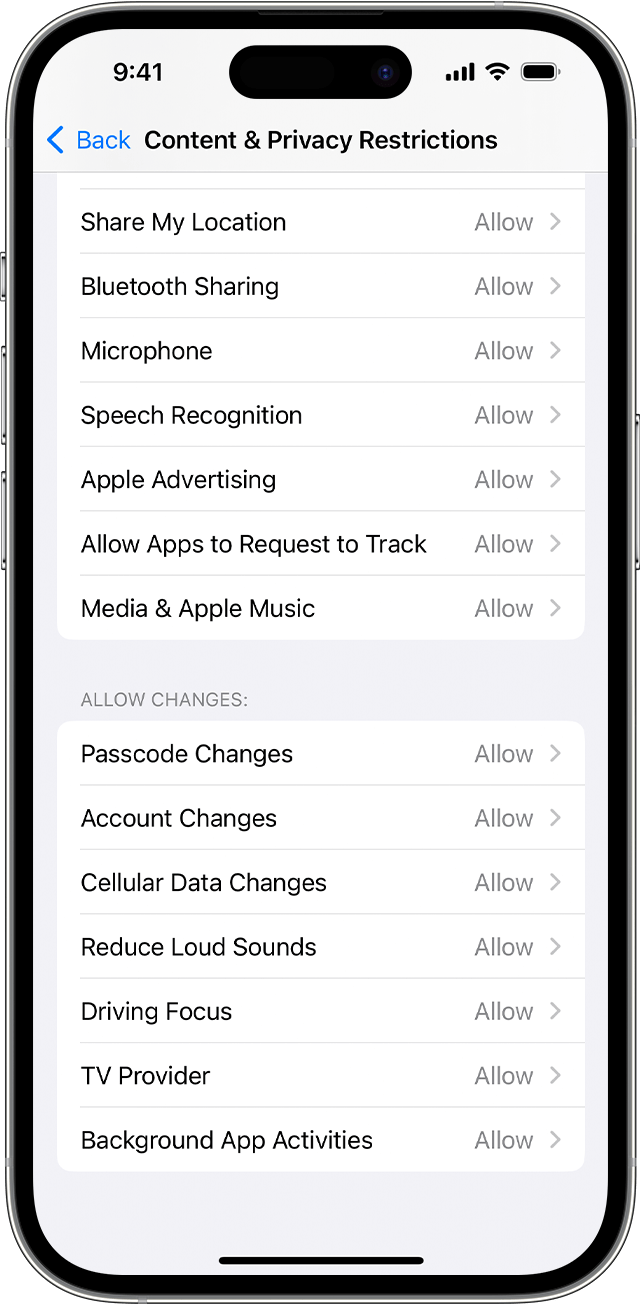
If you can't click other options in Settings
More details here: If your Apple ID is greyed out in Settings
If you're having another issue, please let us know what happens when trying to access iCloud? For example, do you receive an error message? Having these details will allow us determine the next best steps to take.
Thanks for connecting with Apple Support Communities.
All the best.
Welcome Dianacastillo,
We understand that you are unable to access iCloud on your device. To clarify, is your Apple ID greyed out in Settings? If so, we'd like to provide you with some direction that may help to resolve this issue:
"If you go to Settings on your iPhone or iPad and you can't click your Apple ID, you might have restrictions turned on. Learn how to check if you turned on restrictions for your Apple ID, and how to turn them off.
Content & Privacy Restrictions are a part of Screen Time designed to prevent children from making unwanted changes to their account. If you turned this on for any other reason and want to make changes to your account, you can use these steps on your iPhone or iPad.
If you can't click your Apple ID
If you can't click other options in Settings
More details here: If your Apple ID is greyed out in Settings
If you're having another issue, please let us know what happens when trying to access iCloud? For example, do you receive an error message? Having these details will allow us determine the next best steps to take.
Thanks for connecting with Apple Support Communities.
All the best.
I cant log back in on my iCloud

