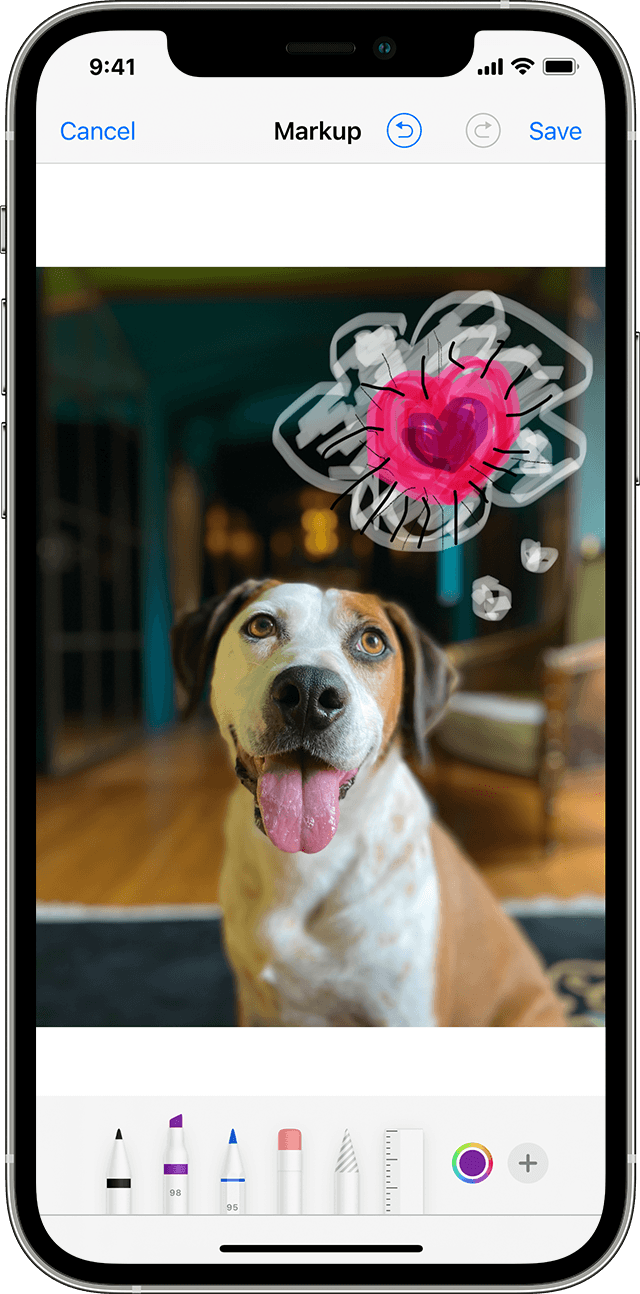
Last 2 days no Markup tools

For the past 2 days I am not always getting the usual available options when I use Markup. There is no + button at the bottom of screen anymore (so no choice of pen, highlighter, add text etc)

Note I have iOS 16.5.1 / iPhone 14 Pro Max

Is it just me or is it happening to others too?

iPhone 14 Pro Max, iOS 16

Posted on Sep 16, 2023 11:04 PM

Reply
1 reply

Sep 16, 2023 11:09 PM in response to OldernSillier

Please read the article --> Use Markup on your iPhone, iPad or iPod touch - Apple Support (IN)


Messages

  1. Open Messages and tap the compose button  to start a new conversation. Or go to an existing conversation.

  2. Tap the Photos button  and select a photo.
  3. Tap the photo in the message, then tap Markup. From here, you can add a sketch to the photo, or tap the plus button  for other Markup options.
  4. Tap Save, then tap Done.
  5. Tap the Send button .


This thread has been closed by the system or the community team. You may vote for any posts you find helpful, or search the Community for additional answers.

Last 2 days no Markup tools

Welcome to Apple Support Community
A forum where Apple customers help each other with their products. Get started with your Apple Account.