
landscape mode.
my text app is stuck in landscape mode. I've tried locking it in portrait mode but it doesn't change.
iPhone SE, iOS 16
my text app is stuck in landscape mode. I've tried locking it in portrait mode but it doesn't change.
iPhone SE, iOS 16
Hi Salisbury314,
It sounds like you're app is stuck in landscape mode. If you've used this app in portrait mode before, try closing the app and reopening to test. If needed, the steps below found in the article here can assist: Close an app on your iPhone or iPod touch - Apple Support
"How to close an app
You should close an app only if it’s unresponsive. The way you close an app depends on the type of device that you have. Find your iPhone or iPod touch model below, then follow the steps. Or learn how to close an app on your iPad.
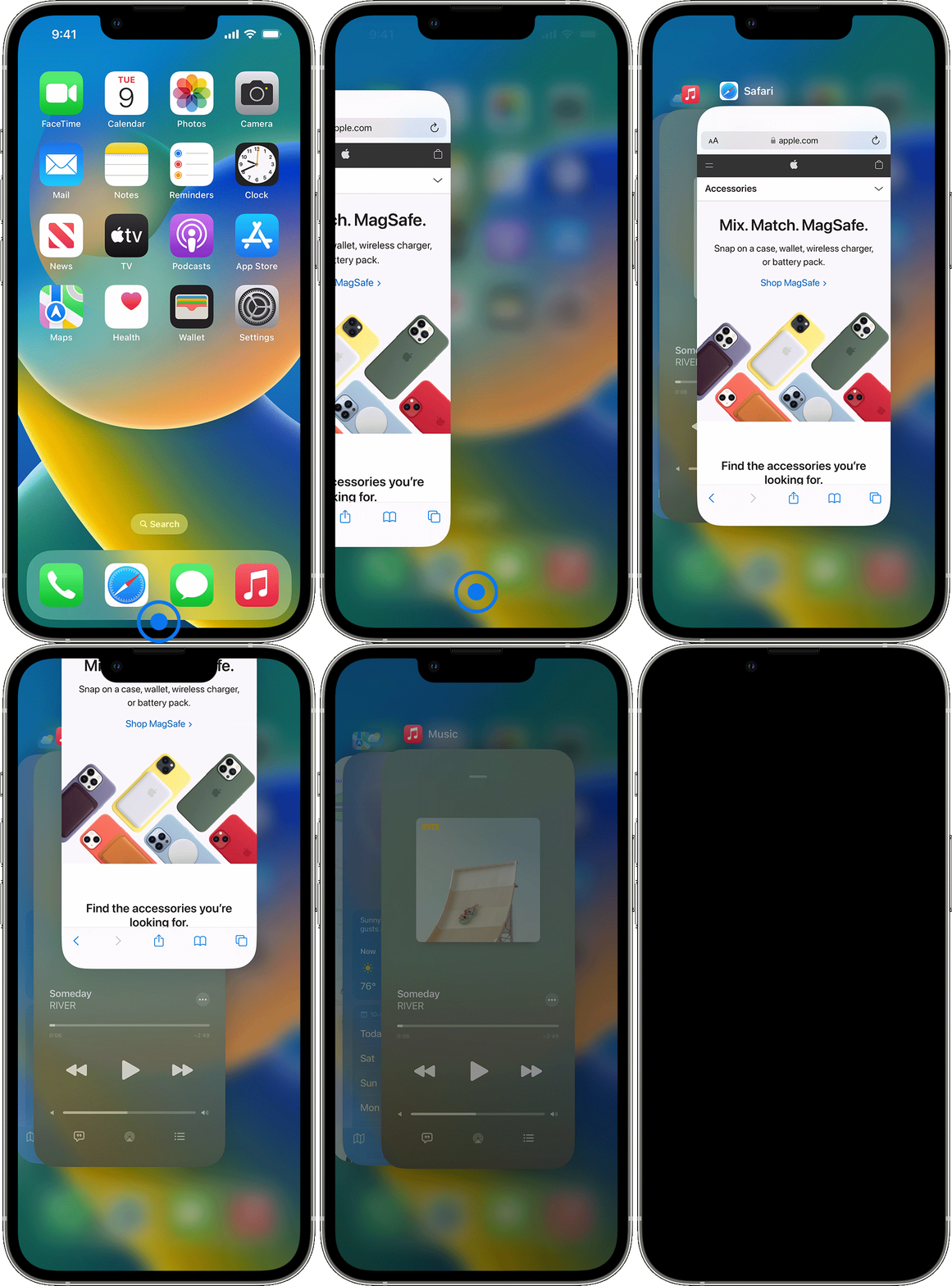
iPhone X and later
If the issue continues, try a normal restart of your iPhone. Restart your iPhone
Then check your settings with the article you started from and test. Rotate the screen on your iPhone or iPod touch - Apple Support
Best.
Hi Salisbury314,
It sounds like you're app is stuck in landscape mode. If you've used this app in portrait mode before, try closing the app and reopening to test. If needed, the steps below found in the article here can assist: Close an app on your iPhone or iPod touch - Apple Support
"How to close an app
You should close an app only if it’s unresponsive. The way you close an app depends on the type of device that you have. Find your iPhone or iPod touch model below, then follow the steps. Or learn how to close an app on your iPad.
iPhone X and later
If the issue continues, try a normal restart of your iPhone. Restart your iPhone
Then check your settings with the article you started from and test. Rotate the screen on your iPhone or iPod touch - Apple Support
Best.
landscape mode.

