Can’t find older pictures in iCloud
when I bought new iPhone and all was transferred, my old pictures disappeared.. I cannot find them and they were precious
iPad, iPadOS 16
when I bought new iPhone and all was transferred, my old pictures disappeared.. I cannot find them and they were precious
iPad, iPadOS 16
Hi Jo6635,
Thanks for posting in Apple Support Communities.
With your photos missing after you purchased a new iPhone, make sure you have iCloud Photos enabled in Settings > your name > iCloud. Check that your photos aren't hidden. Continue with details from If you're missing photos or videos in the Photos app - Apple Support.
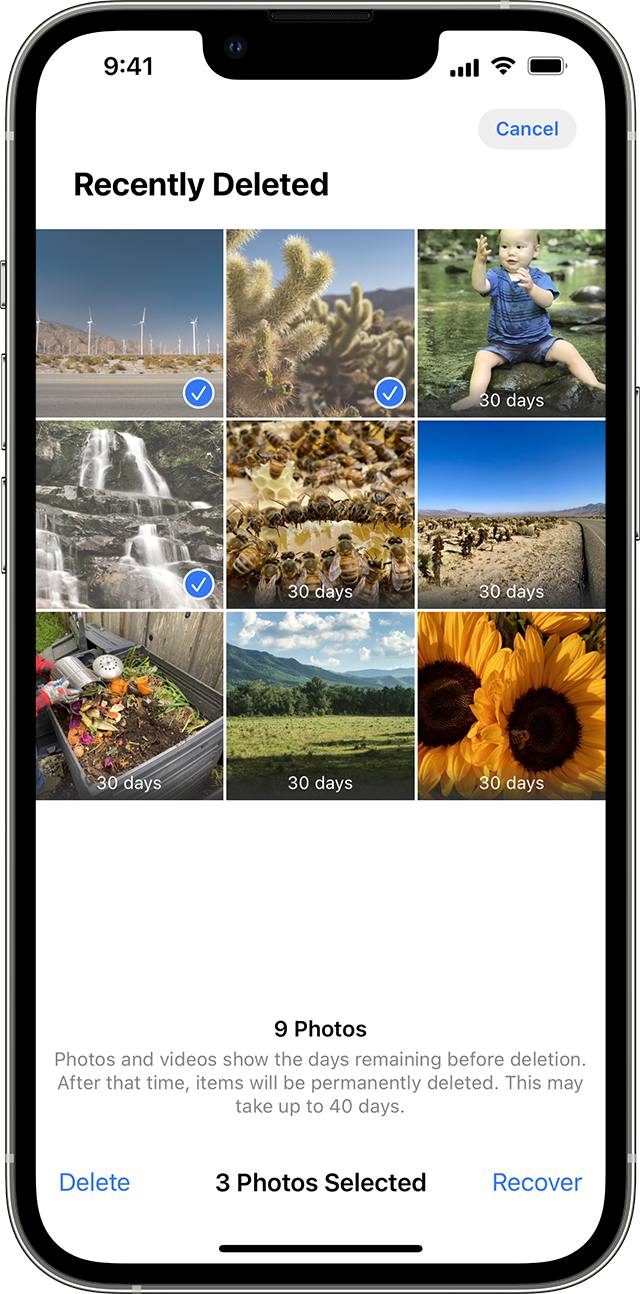
Check your Recently Deleted album
If you accidentally deleted your photo or video, it goes to the Recently Deleted album. Go to Photos > Albums, and tap Recently Deleted in the Utilities section.
On your iPhone or iPad
1. In iOS 16, iPadOS 16.1, or later, use Face ID or Touch ID to unlock your Recently Deleted album.
2. Tap a photo or video, then tap Recover. To recover multiple photos, tap Select, select your photos or videos, then tap Recover.
3. Confirm that you want to recover the photos or videos.
Regards.
Can’t find older pictures in iCloud