How do I Read Epub on Mac ?

I am seeking assistance to resolve difficulties in reading Epub files on Mac. I am uncertain about the appropriate method to read Epub files and require guidance to understand and implement the correct procedure on my Mac device. Any help would be highly appreciated.

Posted on Sep 24, 2023 8:29 AM

Reply
Question marked as Top-ranking reply

Posted on Oct 18, 2023 1:41 AM

Candy666 wrote:

I am seeking assistance to resolve difficulties in reading Epub files on Mac. I am uncertain about the appropriate method to read Epub files and require guidance to understand and implement the correct procedure on my Mac device. Any help would be highly appreciated.


Totally get the confusion. Reading EPUB files on a Mac isn’t always super straightforward. Here’s a quick and easy way to do it:
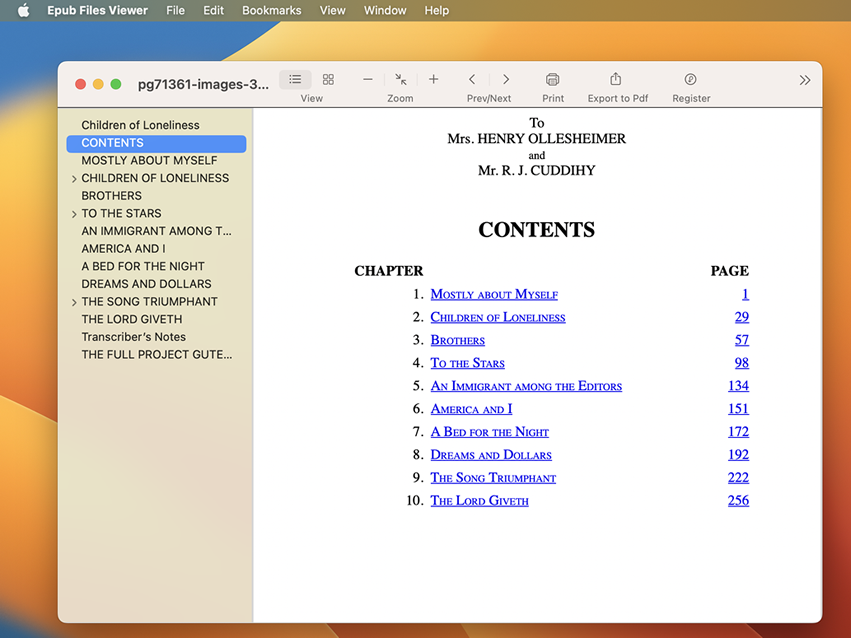


  1. Apple Books: Your Mac actually has a built-in app called Apple Books (previously known as iBooks). Just drag and drop your EPUB file into the app, and you should be able to read it there!


2. Other EPUB readers: If for some reason you don’t fancy Apple Books, there are other apps like Tunesbro ePub Reader or Adobe Digital Editions. Both are free and they let you read EPUB files smoothly.


3. Converting EPUB: If you want to convert the EPUB to a PDF for easier reading or sharing, tools like Calibre can help with that too.


Remember, when in doubt, dragging and dropping your EPUB file into Apple Books is probably the quickest way to start reading. Hope that helps! Happy reading! 😊


More ways: ****


[Edited by Moderator]

2 replies
Question marked as Top-ranking reply

Oct 18, 2023 1:41 AM in response to Candy666

Candy666 wrote:

I am seeking assistance to resolve difficulties in reading Epub files on Mac. I am uncertain about the appropriate method to read Epub files and require guidance to understand and implement the correct procedure on my Mac device. Any help would be highly appreciated.


Totally get the confusion. Reading EPUB files on a Mac isn’t always super straightforward. Here’s a quick and easy way to do it:


  1. Apple Books: Your Mac actually has a built-in app called Apple Books (previously known as iBooks). Just drag and drop your EPUB file into the app, and you should be able to read it there!


2. Other EPUB readers: If for some reason you don’t fancy Apple Books, there are other apps like Tunesbro ePub Reader or Adobe Digital Editions. Both are free and they let you read EPUB files smoothly.


3. Converting EPUB: If you want to convert the EPUB to a PDF for easier reading or sharing, tools like Calibre can help with that too.


Remember, when in doubt, dragging and dropping your EPUB file into Apple Books is probably the quickest way to start reading. Hope that helps! Happy reading! 😊


More ways: ****


[Edited by Moderator]

This thread has been closed by the system or the community team. You may vote for any posts you find helpful, or search the Community for additional answers.

How do I Read Epub on Mac ?

Welcome to Apple Support Community
A forum where Apple customers help each other with their products. Get started with your Apple Account.
