Ever since I logged out my apple id from my media/purchases, I haven’t been able to sign in back. Anytime i try to login back this is the message i get. Please help
iPhone 11 Pro Max
iPhone 11 Pro Max
Hi Emmanuel_5364,
To help us get a better understanding of the issue, we’d like to ask a few questions.
1. Does this happen only when trying to sign into your account on that device, or does the same error appear on multiple devices?
2. Do you receive the same error when connected to another network?
The above details will help us plan how to proceed.
Please also check out this link, which outlines how to sign into your Apple ID account, and may be helpful: Sign in with your Apple ID
Sign in on your iPhone or iPad
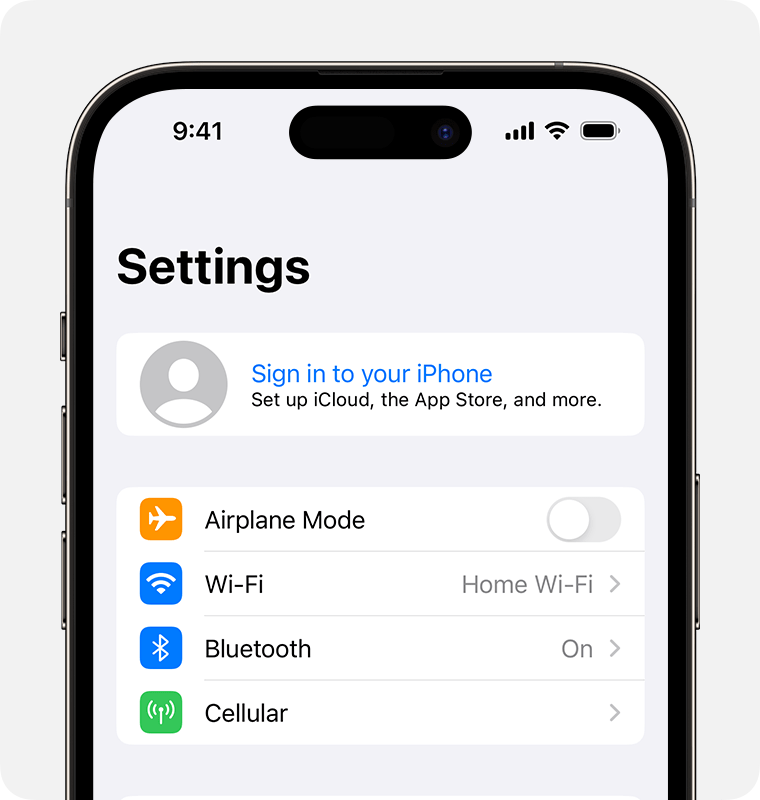
1. Open the Settings app.
2. Tap Sign in to your [device].
3. Enter your Apple ID (or an email address or phone number that you use with Apple services) and your password.
4. If prompted, enter the six-digit verification code sent to your trusted device or phone number and complete sign in.
When you're signed in with your Apple ID, you can find the email addresses and phone numbers that you can use to sign in, as well as add additional email addresses and phone numbers: Settings > your name > Sign-In & Security.
If you're already signed in to iCloud on the iPhone paired with your Apple Watch, you will automatically be signed in to that Apple ID. Learn more about how to set up and sign in to your Apple Watch.
Thanks!
Ever since I logged out my apple id from my media/purchases, I haven’t been able to sign in back. Anytime i try to login back this is the message i get. Please help