
Sticky keys
Macbook Pro has some keys that are sticking how do I clean or fix?
The Apple Support Community will permanently close on November 20, 2026. Starting today, the site will no longer accept new posts and is available in a read-only state.
You can continue to find trusted guidance and support on the official Apple Support site.
We want to thank the community members who have contributed their time and expertise to help others with their Apple products.
The Apple Support Community will permanently close on November 20, 2026. Starting today, the site will no longer accept new posts and is available in a read-only state.
You can continue to find trusted guidance and support on the official Apple Support site.
We want to thank the community members who have contributed their time and expertise to help others with their Apple products.
Macbook Pro has some keys that are sticking how do I clean or fix?
Greetings LauraSPQR,
We'd like to provide you with the steps to clean your keyboard with compressed air. This may be able to correct the issue that you're having with the keys sticking:
"As you follow these steps, remember to use the straw included with the compressed air to control airflow, and keep the end of the straw about a half-inch away from the keyboard as you spray. Also remember to not invert the air can while you're spraying.
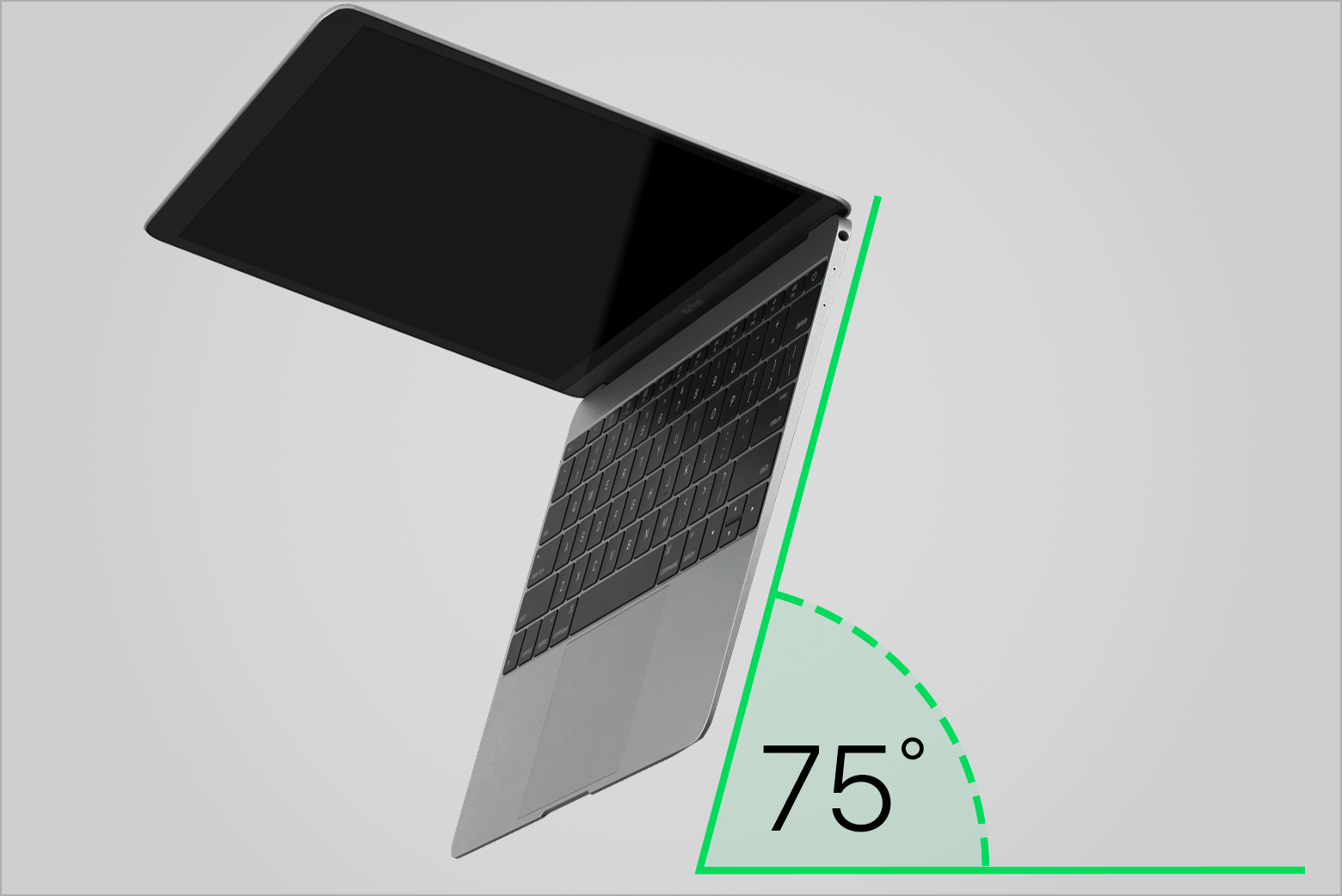
1. Hold your Mac notebook at a 75-degree angle, so it's not quite vertical.
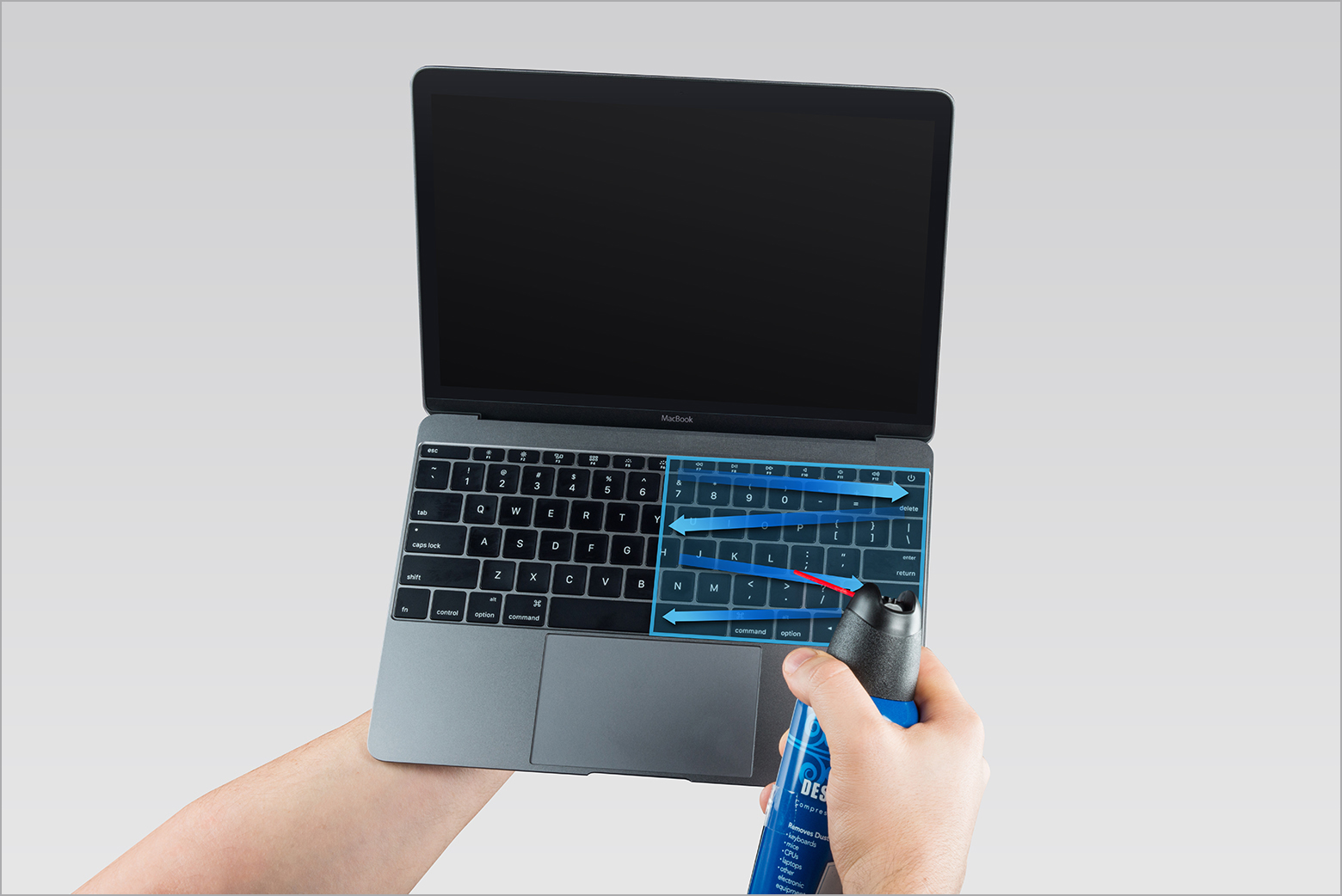
2. Use compressed air to spray the keyboard, or just the affected keys, in a left-to-right motion.
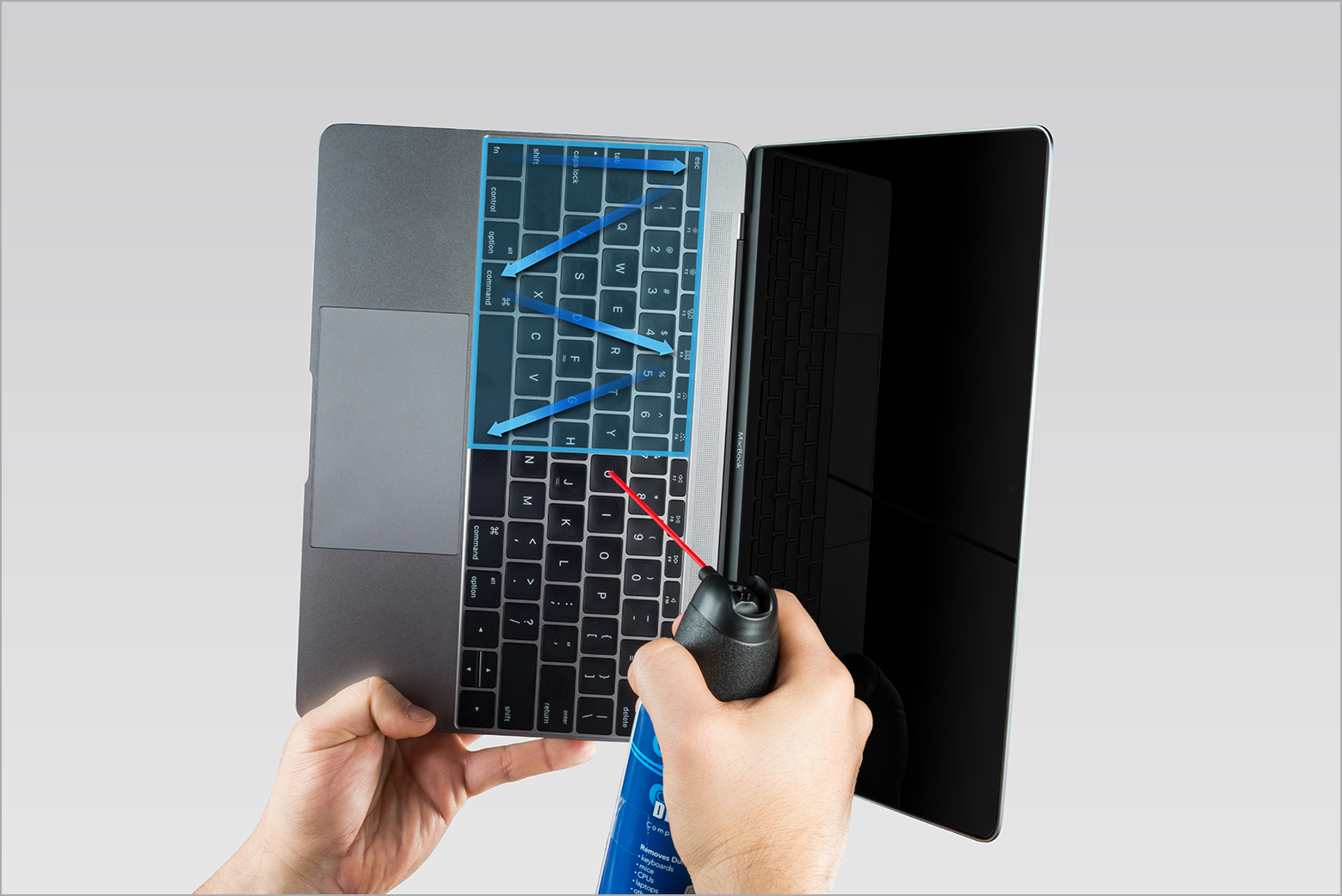
3. Rotate your Mac notebook to its right side and spray the keyboard again, from left to right.
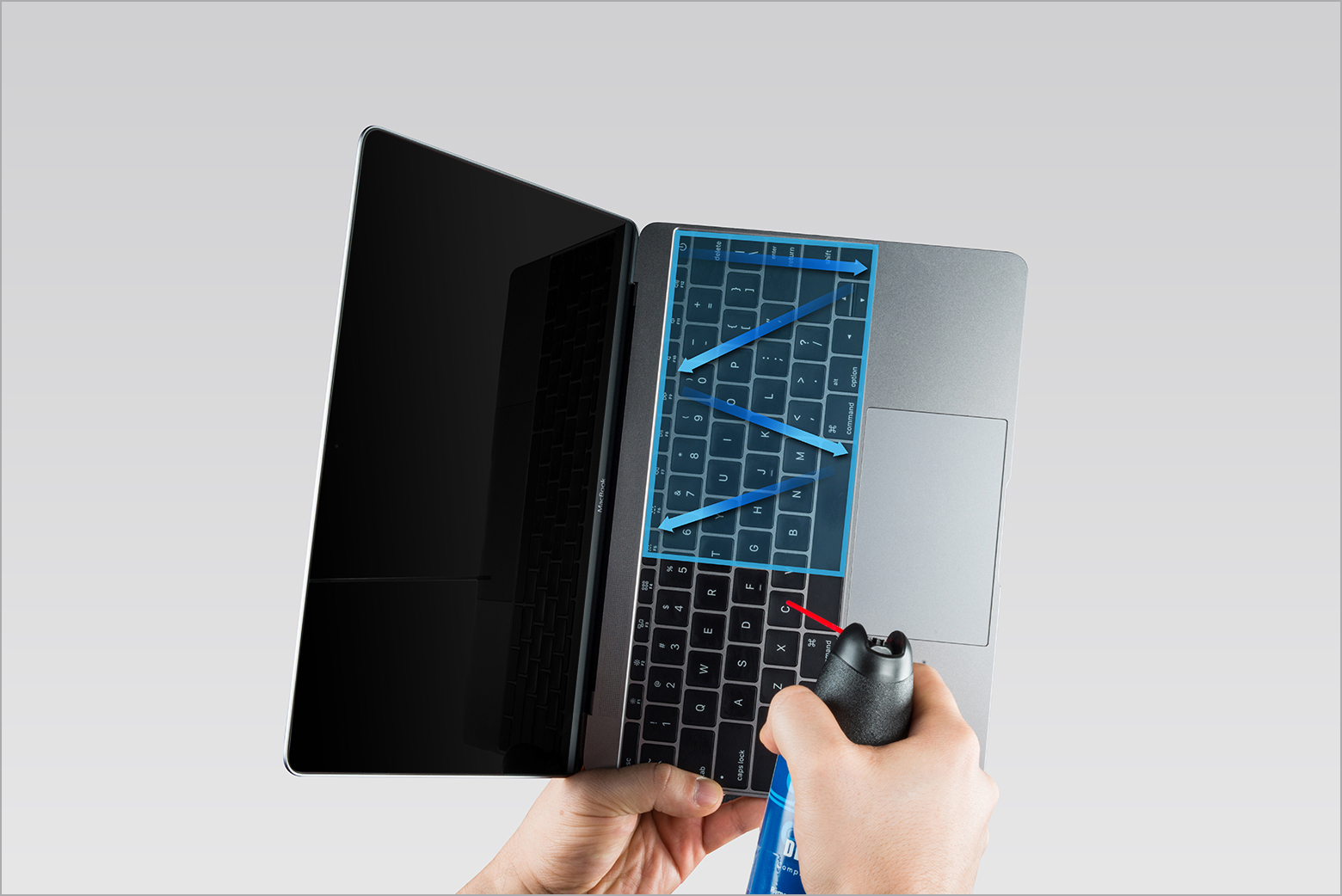
4. Repeat the action, this time with your Mac notebook rotated to its left side.
 "
More details here: How to clean the keyboard of your MacBook or MacBook Pro
All the best.
Greetings LauraSPQR,
We'd like to provide you with the steps to clean your keyboard with compressed air. This may be able to correct the issue that you're having with the keys sticking:
"As you follow these steps, remember to use the straw included with the compressed air to control airflow, and keep the end of the straw about a half-inch away from the keyboard as you spray. Also remember to not invert the air can while you're spraying.
1. Hold your Mac notebook at a 75-degree angle, so it's not quite vertical.
2. Use compressed air to spray the keyboard, or just the affected keys, in a left-to-right motion.
3. Rotate your Mac notebook to its right side and spray the keyboard again, from left to right.
4. Repeat the action, this time with your Mac notebook rotated to its left side.
"
More details here: How to clean the keyboard of your MacBook or MacBook Pro
All the best.
Thank you
Sticky keys

