iphone 12 screen went blank and can't turn on
I was watching Youtube on my iphone 12 (13 months old) and screen went black, and i can't get phone to turn on again. Have tried a force restart several times with no luck. HELP!
Windows, Windows 10
I was watching Youtube on my iphone 12 (13 months old) and screen went black, and i can't get phone to turn on again. Have tried a force restart several times with no luck. HELP!
Windows, Windows 10
Hi jontennis,
Since the screen on your iPhone 12 went blank and now won't turn on, we recommend that you try the steps here: If your iPhone won't turn on or is frozen - Apple Support
To perform the recommended troubleshooting steps via the link above, complete the steps in the section titled "If your screen is black or frozen."
On your iPhone 8 or later, including iPhone SE (2nd and 3rd generation)
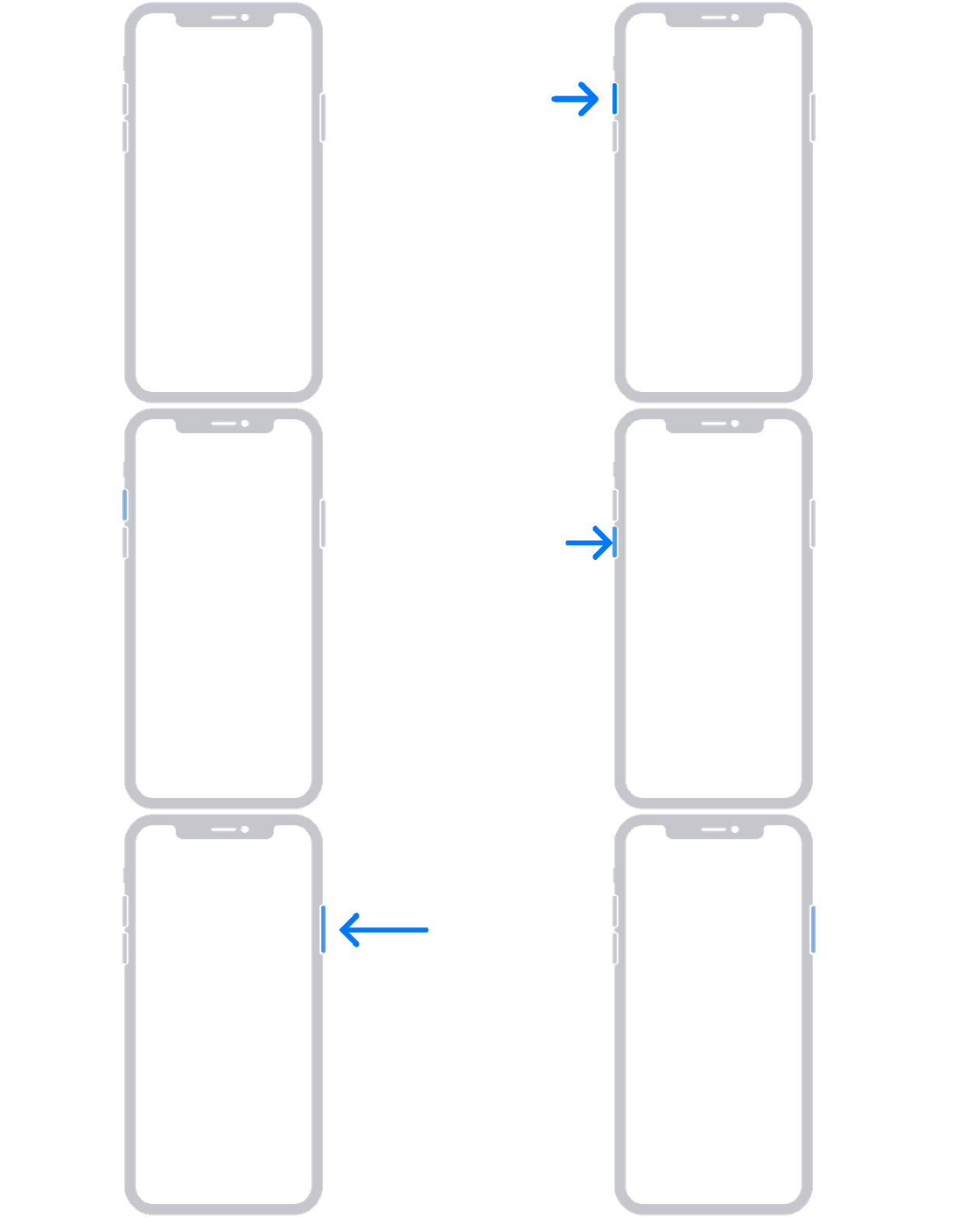
1. Press and quickly release the volume up button.
2. Press and quickly release the volume down button.
3. Press and hold the side button until you see the Apple logo.
4. If your phone doesn't turn on, follow these steps to check your hardware and charge your phone. You might need to charge for up to an hour.
We recommend the steps above because they will show you what to do if your screen is black or if your iPhone won't turn on.
If you’re still experiencing the same issue, then we recommend that you contact Apple Support directly so that they can work with you to find a solution.
You can reach them by clicking here: Get Support or calling the most local number in your region: Contact Apple for support and service.
Thank you for participating in the Apple Support Communities.
Cheers!
Hi jontennis,
Since the screen on your iPhone 12 went blank and now won't turn on, we recommend that you try the steps here: If your iPhone won't turn on or is frozen - Apple Support
To perform the recommended troubleshooting steps via the link above, complete the steps in the section titled "If your screen is black or frozen."
On your iPhone 8 or later, including iPhone SE (2nd and 3rd generation)
1. Press and quickly release the volume up button.
2. Press and quickly release the volume down button.
3. Press and hold the side button until you see the Apple logo.
4. If your phone doesn't turn on, follow these steps to check your hardware and charge your phone. You might need to charge for up to an hour.
We recommend the steps above because they will show you what to do if your screen is black or if your iPhone won't turn on.
If you’re still experiencing the same issue, then we recommend that you contact Apple Support directly so that they can work with you to find a solution.
You can reach them by clicking here: Get Support or calling the most local number in your region: Contact Apple for support and service.
Thank you for participating in the Apple Support Communities.
Cheers!
iphone 12 screen went blank and can't turn on