Problem in my AirPods
My AirPods is not working properly neither your advice nor your dealer fixed the problem,
I am not satisfied of your product
iPhone XS Max, iOS 17
My AirPods is not working properly neither your advice nor your dealer fixed the problem,
I am not satisfied of your product
iPhone XS Max, iOS 17
Hi Waelsakr,
If you're experiencing an issue with your AirPods, we want to help.
To help us assist you, can you let us know more about the issue you're having with your AirPods? For example, are your AirPods not connecting, or something else? That information will help us proceed.
If your AirPods aren't connecting, please check out this link, which may be helpful: If your AirPods or AirPods Pro won't connect
If you can't connect to your iPhone or iPad
1. Update your iPhone or iPad to the latest version of iOS or iPadOS.
2. Put both AirPods in the charging case and make sure that both AirPods are charging.
3. To make sure that Bluetooth is on, go to Settings > Bluetooth.
4. If your AirPods are connected, make sure that they're selected as your audio device. If your AirPods appear in the list of devices but they don't connect, go to the next step.
5. Close the lid, wait 15 seconds, then open the lid.
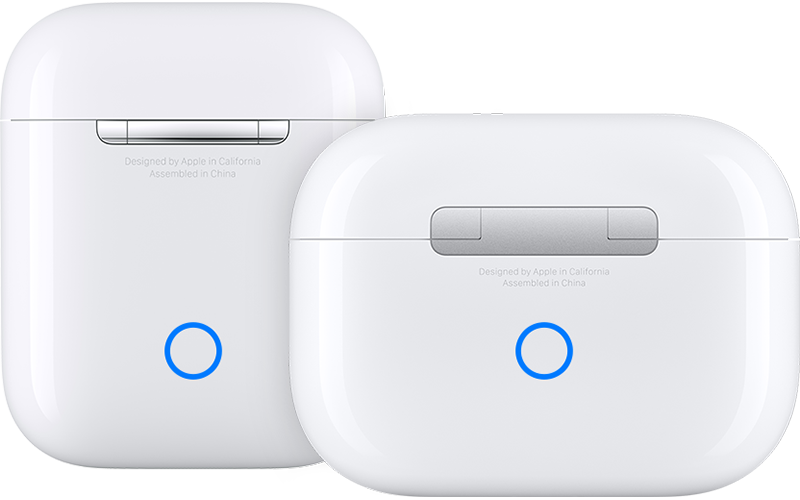
6. Press and hold the setup button on the back of the charging case for up to 10 seconds. The status light on the front of the charging case should flash white, which means that your AirPods are ready to connect.
7. Hold the charging case, with your AirPods inside and the lid open, next to your iPhone or iPad.
8. Follow the steps on the screen of your iPhone or iPad.
9. If you still can't connect, reset your AirPods or contact Apple Support.
Thanks!
Problem in my AirPods