apple watch ultra lost connection with iPhone 15 Pro Max

The watch can be connected with iPhone when using wireless network at home.
But when going out, Apple watch ultra will disconnection with iPhone 15 Pro Max.
When checking the Bluetooth settings, watch is connected with iPhone normally. 
Even turning on and off airplane mode on watch and phone has no effect.
The same thing happened after resetting five times.


Posted on Sep 28, 2023 8:31 PM

Reply
2 replies

Oct 1, 2023 1:14 PM in response to panest

Hello panest,


What do you mean by the same thing happens after resetting five times? How did you reset the Apple Watch and iPhone exactly? Did you unpair them? Do you have cellular plan with the Apple Watch Ultra?


If this happens again, we would ensure you've taken all related steps in: If your Apple Watch isn't connected or paired with your iPhone


If your Apple Watch isn't connected or paired with your iPhone

If you see a red iPhone icon on your Apple Watch, or you're trying to pair and can't find the "i" icon, try to connect your devices again. 

Check your Apple Watch connection

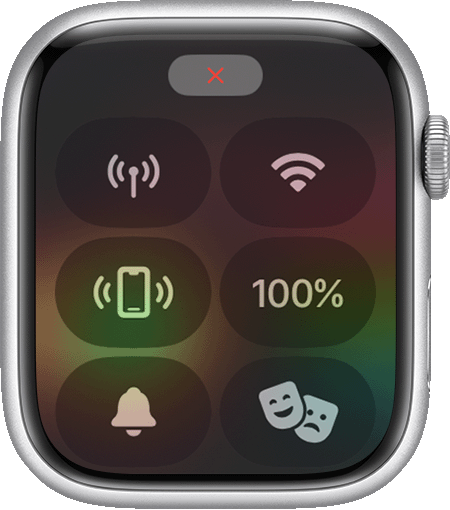
If you don't get notifications, messages, or calls on your Apple Watch, your Apple Watch and iPhone might not be connected. When your devices disconnect, the red iPhone icon  or the red X icon  appears on your watch face. You can also check your connection in Control Center.

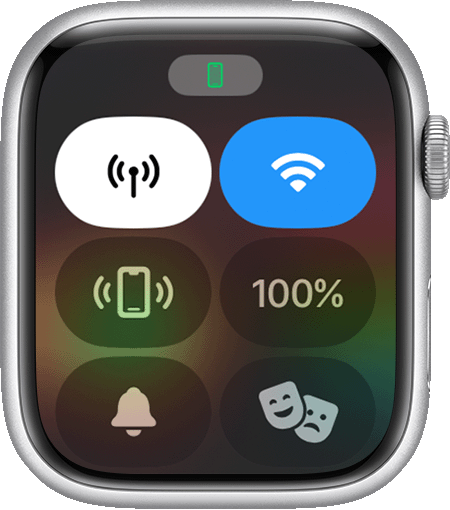
When your Apple Watch connects again, the green iPhone icon  appears.

First, bring your Apple Watch and paired iPhone close together. If you still see that the devices are disconnected and need help, try the steps below. After each step, see if your devices can connect.

Disconnected status on Apple Watch Screen. 
 
Connection status on Apple Watch screen. 
 
Try to connect your Apple Watch and iPhone again

1. Keep your Apple Watch and paired iPhone close together to make sure that they're in range.

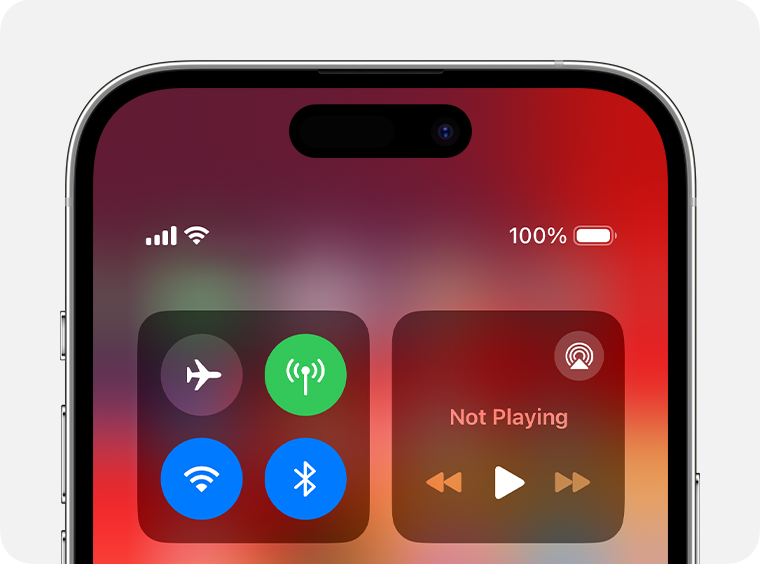
2. On your iPhone, make sure that Airplane Mode is off and that Wi-Fi and Bluetooth are on. To check, open Control Center
Control Center on iPhone 14

3. If you see the Airplane Mode icon  on your watch face, Airplane Mode is on. Open Control Center, then turn off Airplane Mode. 

4. Restart your Apple Watch and restart your iPhone.
Unpair your devices, then pair them again

If your Apple Watch still can't connect, unpair it from your iPhone, then pair your Apple Watch and iPhone again.
Contact us

If you still need help, contact Apple Support.


As mentioned at the bottom, if you continue to have issues, then it would be best to contact Apple Support directly here: Get Support They would need to take it from here.


Take care.

Oct 1, 2023 4:17 PM in response to destiny241

Hi destiny241

What do you mean by the same thing happens after resetting five times? Watch can't connect to the iPhone at the outside.

How did you reset the Apple Watch and iPhone exactly? Only watch. Reset iPhone is to pain. ><

Did you unpair them? Yes, try once.

Do you have cellular plan with the Apple Watch Ultra? Nope.


Apple Watch Ultra at home:


Apple Watch Ultra at outside without wifi :


This thread has been closed by the system or the community team. You may vote for any posts you find helpful, or search the Community for additional answers.

apple watch ultra lost connection with iPhone 15 Pro Max

Welcome to Apple Support Community
A forum where Apple customers help each other with their products. Get started with your Apple Account.