Sharing apple music
My daughter has a family subscription for apple music. We have family share on our phones, but we can’t see her music on the other family member phones. How can we see the music?
iPhone 13 Pro, iOS 16
My daughter has a family subscription for apple music. We have family share on our phones, but we can’t see her music on the other family member phones. How can we see the music?
iPhone 13 Pro, iOS 16
Hi Mayo70,
To share music with your family, we recommend that you follow the steps here: Set up Family Sharing - Apple Support
To perform the recommended troubleshooting steps via the link above, complete the steps in the section titled "Start a family group."
On your iPhone or iPad
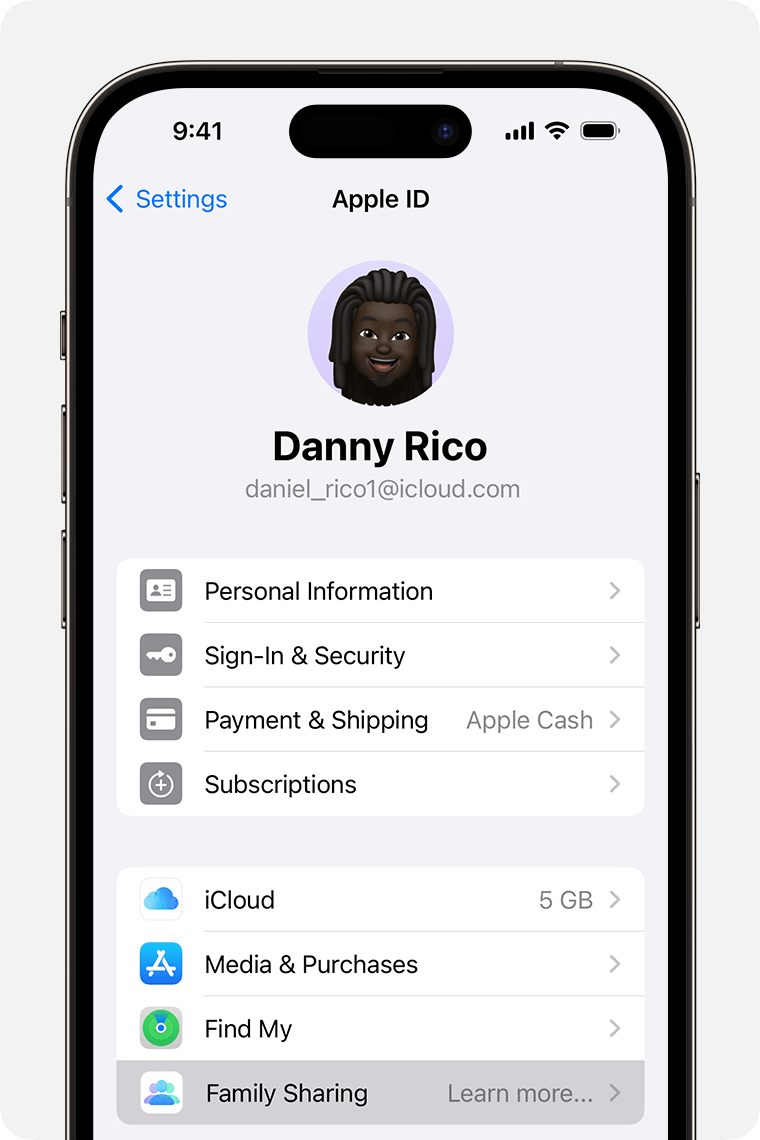
1. Go to Settings.
2. Tap your name.
3. Tap Family Sharing, then tap Set Up Your Family.
4. Follow the onscreen instructions to set up your family and invite your family members.
We recommend the steps above because they will show you how to start a family group so that you can share your music.
If you’re still experiencing the same issue where you can't find the music your family is sharing, please follow the steps here: If you can't find your family's shared apps and content - Apple Support
Please let us know the outcome after giving the above steps a try.
Thanks for using the Apple Support Communities.
Cheers!
Sharing apple music