
Changing to iCloud.com
Is there. a need to change from me.com to iCloud.com?
MacBook Pro 13″, macOS 14.0
Is there. a need to change from me.com to iCloud.com?
MacBook Pro 13″, macOS 14.0
Hi pietrina,
Thanks for contacting Apple Support Communities!
We understand that you'd like to know if you're required to change the email address associated with your Apple ID.
You don't have to change your email address to an iCloud email address if you don't want to. If you do choose to change your Apple ID email address, this resource will guide you through the process: Change your Apple ID - Apple Support
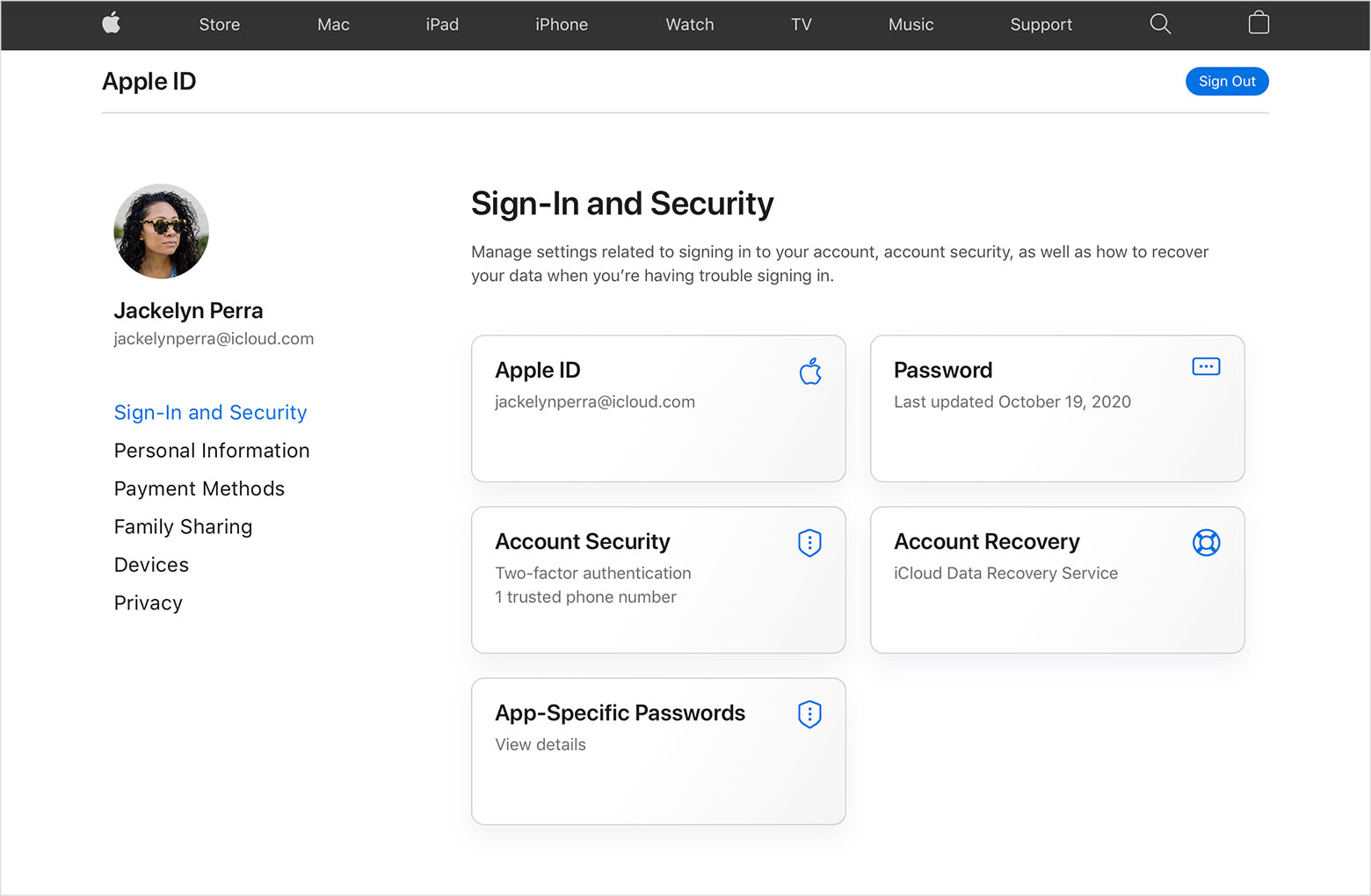
3. Enter the email address that you want to use as your Apple ID.
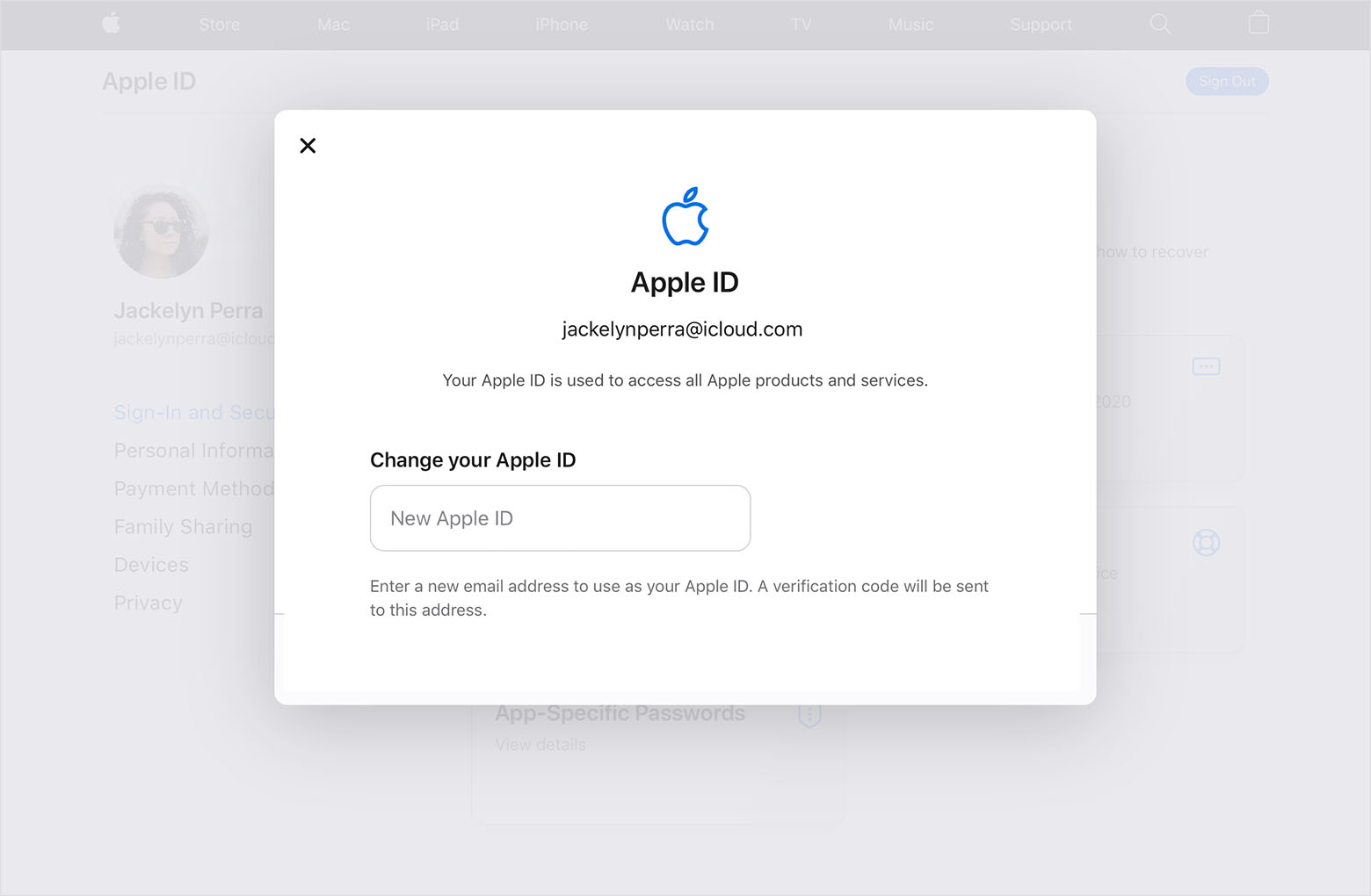
4. Choose Change Apple ID.
5. If you changed your Apple ID to a third-party email address, check your email for a verification code, then enter the code. Learn what to do if you didn't get the email.
6. If you use services like iCloud or Messages to share with friends and colleagues, sign in to those services with your updated Apple ID.
Take care!
Hi pietrina,
Thanks for contacting Apple Support Communities!
We understand that you'd like to know if you're required to change the email address associated with your Apple ID.
You don't have to change your email address to an iCloud email address if you don't want to. If you do choose to change your Apple ID email address, this resource will guide you through the process: Change your Apple ID - Apple Support
3. Enter the email address that you want to use as your Apple ID.
4. Choose Change Apple ID.
5. If you changed your Apple ID to a third-party email address, check your email for a verification code, then enter the code. Learn what to do if you didn't get the email.
6. If you use services like iCloud or Messages to share with friends and colleagues, sign in to those services with your updated Apple ID.
Take care!
Changing to iCloud.com

