Messages
all my messages are going to my MacBook and I don’t receive any messages to my phone
iPhone 12, iOS 16
all my messages are going to my MacBook and I don’t receive any messages to my phone
iPhone 12, iOS 16
Hi there Sarsooraa,
If you are not receiving messages on one device, we would recommend following these steps from If you can't send or receive messages on your iPhone or iPad since they can resolve what's happening:
If you receive messages on one device but not the other
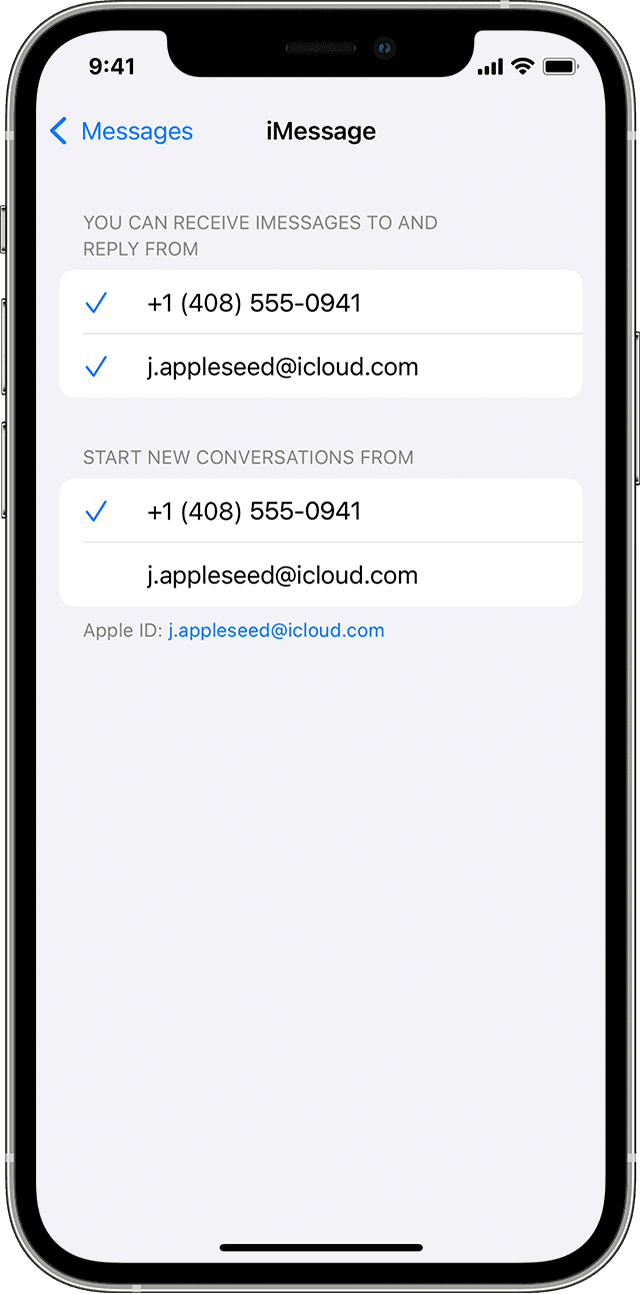
If you have an iPhone and another iOS or iPadOS device, like an iPad, your iMessage settings might be set to receive and start messages from your Apple ID instead of your phone number. To check if your phone number is set to send and receive messages, go to Settings > Messages, and tap Send & Receive.
If you don't see your phone number, you can link your iPhone number to your Apple ID so you can send and receive iMessages from your phone number. You can also set up Text Message Forwarding so you can send and receive MMS and SMS messages on all of your Apple devices.
If this continues after looking over that, follow the 'If you still need help' section of that article to see if this behavior continues.
If something else is happening, please provide more details so that we can narrow down this issue further.
Cheers!
Hi there Sarsooraa,
If you are not receiving messages on one device, we would recommend following these steps from If you can't send or receive messages on your iPhone or iPad since they can resolve what's happening:
If you receive messages on one device but not the other
If you have an iPhone and another iOS or iPadOS device, like an iPad, your iMessage settings might be set to receive and start messages from your Apple ID instead of your phone number. To check if your phone number is set to send and receive messages, go to Settings > Messages, and tap Send & Receive.
If you don't see your phone number, you can link your iPhone number to your Apple ID so you can send and receive iMessages from your phone number. You can also set up Text Message Forwarding so you can send and receive MMS and SMS messages on all of your Apple devices.
If this continues after looking over that, follow the 'If you still need help' section of that article to see if this behavior continues.
If something else is happening, please provide more details so that we can narrow down this issue further.
Cheers!
Messages