Purchased macbook Air with PRO bundle app , but how can i use these apps?

i have recently purchased Macbook air m2 with PRO bundle app in educational pricing , Macbook delivered on time , but how can i use these apps , usually PRO apps redeem codes are delivered in mail right? i didnt receive any mail regarding the same ,

MacBook Air (M2, 2023)

Posted on Oct 4, 2023 11:28 PM

Reply
Question marked as Top-ranking reply

Posted on Oct 6, 2023 1:36 PM

Hey yaduyksm,


If you're referring to the Pro Apps bundle outlined here:


Then you'd actually be on the lookout for an email to the email addressed used during checkout.


"After purchasing the Pro Apps Bundle, you’ll receive an email with content codes that can be redeemed on the Mac App Store. Codes are usually delivered within one business day but may occasionally take longer."


If you don't see the email, check your spam folder as well. After locating it, you can redeem the codes like any other code in the Mac App Store:


Redeem a gift card on your Mac
1. Find the 16-digit code on the back of the card. For some gift cards, you might need to peel or gently scratch off the label to see the code.
2. On your Mac, open the App Store.
3. Click your name or the sign-in button in the sidebar. 
4. Click Redeem Gift Card.
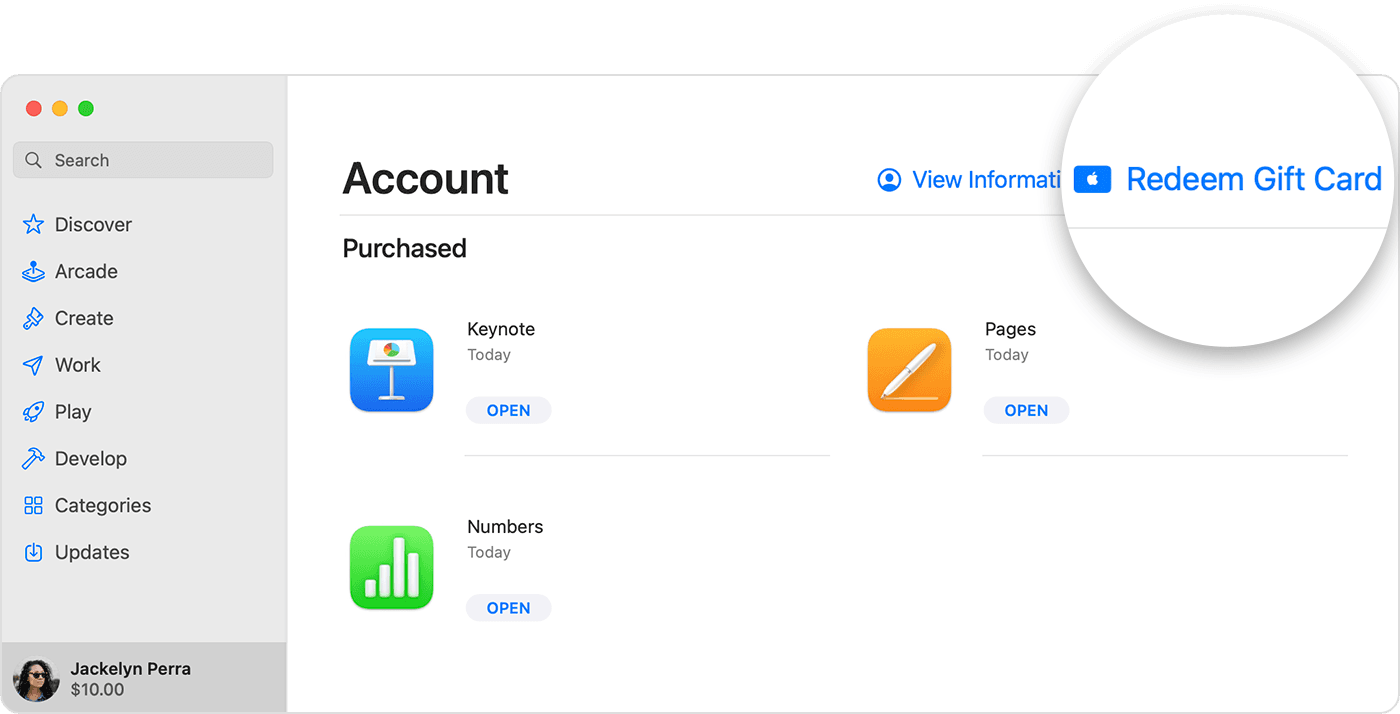
Mac showing the Redeem Gift Card button in the App Store.
6. Click Use Camera and follow the instructions on the screen. If you have trouble redeeming the card, enter your code manually.
Can't redeem your gift card?


Cheers!

3 replies
Question marked as Top-ranking reply

Oct 6, 2023 1:36 PM in response to yaduyksm

Hey yaduyksm,


If you're referring to the Pro Apps bundle outlined here:


Then you'd actually be on the lookout for an email to the email addressed used during checkout.


"After purchasing the Pro Apps Bundle, you’ll receive an email with content codes that can be redeemed on the Mac App Store. Codes are usually delivered within one business day but may occasionally take longer."


If you don't see the email, check your spam folder as well. After locating it, you can redeem the codes like any other code in the Mac App Store:


Redeem a gift card on your Mac
1. Find the 16-digit code on the back of the card. For some gift cards, you might need to peel or gently scratch off the label to see the code.
2. On your Mac, open the App Store.
3. Click your name or the sign-in button in the sidebar. 
4. Click Redeem Gift Card.
Mac showing the Redeem Gift Card button in the App Store.
6. Click Use Camera and follow the instructions on the screen. If you have trouble redeeming the card, enter your code manually.
Can't redeem your gift card?


Cheers!

Oct 6, 2023 1:56 PM in response to yaduyksm

Welcome back Yaduyksm,


Got it! Let's complete the following steps to confirm the purchase:


"Once an item is shipped or picked up, Apple will create an invoice for your order. To view or print your invoice, go to your Order Listing page and select an item to go to the order details. Then, select View Invoice at the top of your order details page to access your invoice."


More details here: Shopping Help - Viewing & Changing Orders


If you need further assistance with your Pro Apps bundle purchase, follow this link to connect with Apple: Get Support


Best wishes.


This thread has been closed by the system or the community team. You may vote for any posts you find helpful, or search the Community for additional answers.

Purchased macbook Air with PRO bundle app , but how can i use these apps?

Welcome to Apple Support Community
A forum where Apple customers help each other with their products. Get started with your Apple Account.