Mac is not scanning photos for people or duplicates
iPhoto does not appear to be scanning for duplicates or faces. Have tried restarting , selecting multiple faces manually.
iPhoto does not appear to be scanning for duplicates or faces. Have tried restarting , selecting multiple faces manually.
Hi ev226,
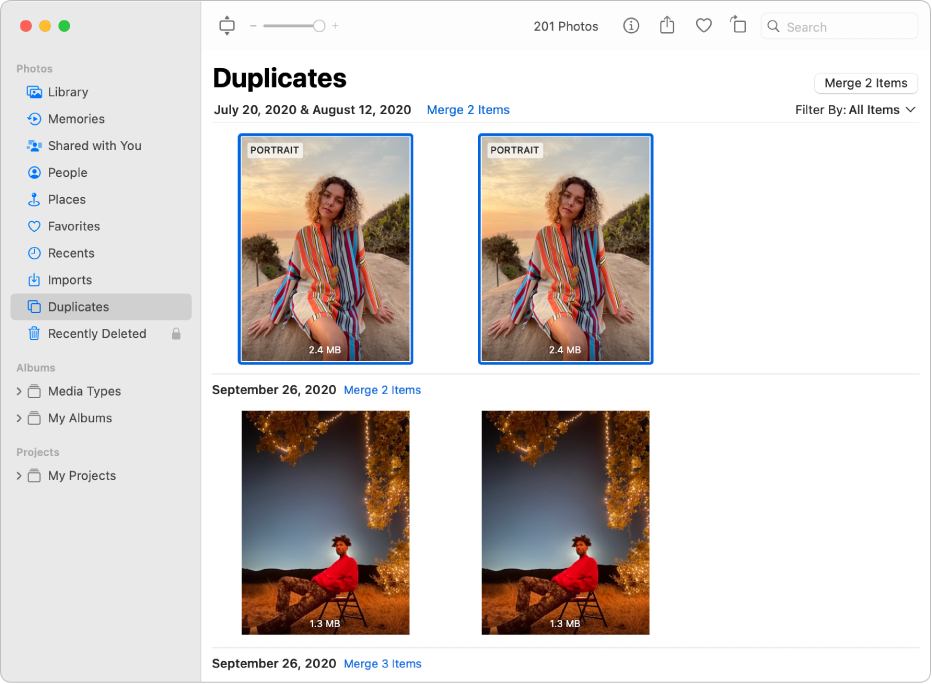
To locate and remove duplicate photos in the Photos app on your Mac, we recommend that you try the steps here: Remove duplicate photos in Photos on Mac
To perform the recommended troubleshooting steps via the link above, complete the steps in the section below.
You can easily remove duplicate photos and videos from your library. Duplicates appear automatically in the Duplicates album in the sidebar. (Depending on the size of your library, duplicates may take some time to appear as Photos analyzes your photos.)
1. In the Photos appon your Mac, click Duplicates in the sidebar.
Note: If you’re using iCloud Shared Photo Library, click the Library pop-up menu in the toolbar, then choose Both Libraries.
2. Select the duplicates you want to merge.
You can select individual items in a single row and merge them, or select multiple rows of duplicates and merge them all at once.
3. Click Merge [number] Duplicates.
One original photo or video appears where the selected duplicates were located in your library. Deleted duplicates appear in the Recently Deleted album, where you can recover or permanently delete them.
We recommend the steps above because they will show you how to remove duplicate photos in the Photos app on your Mac.
Please let us know the outcome after giving the above steps a try.
Thanks for using the Apple Support Communities.
Cheers!
Mac is not scanning photos for people or duplicates