Quell113 wrote:
I am having trouble opening a tgz file on Mac. I have tried several methods, including using the Terminal command and downloading third-party software, but none of them seem to work.
Whenever I try to open the file, I either get an error message or the file opens as a compressed folder with no visible contents. I am not sure what else to try and any advice or guidance on this issue would be greatly appreciated.
Sorry to hear about your troubles with the .tgz file. A .tgz file is essentially a compressed archive, much like .zip or .rar, but it uses the GZIP and TAR utilities. On a Mac, these files typically can be opened natively, but if you're having trouble, you can explore some solutions.
Using Terminal Approach:
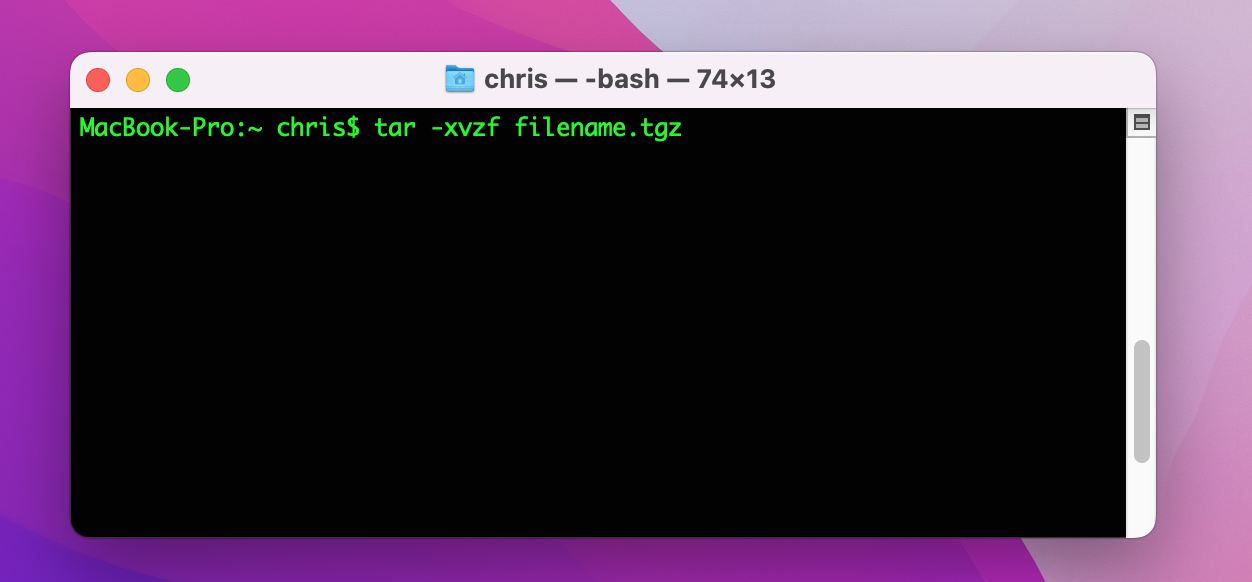
- Navigate to the directory where the TGZ file is using the cd command in the Terminal.
- Run: tar -zxvf filename.tgzz is for decompressing the gzip,
- x stands for extract,
- v is for verbose (i.e., show the progress in the terminal), and
- f means file, and it implies that a filename should follow.
If there's an error, the terminal will give more detailed information than a GUI tool, which might help pinpoint the issue.
Using Third-party Applications:
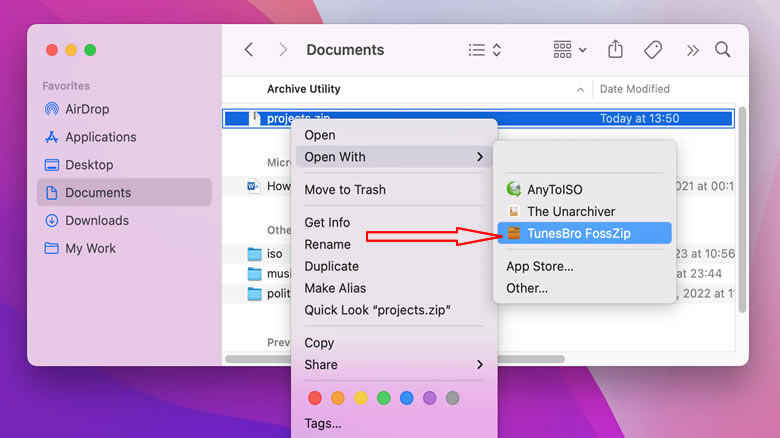
- While you mentioned you've tried third-party software, some of the reliable ones for handling TGZ files include:The TunesBro FossZIP: This tool supports a wide variety of compressed formats.
- Stuffit Expander: This is another popular choice for decompressing files on Mac.
Source: https://www.sysgeeker.com/blog/3-ways-to-open-a-tgz-file-on-mac.html
If none of these solutions work, it's possible the file is corrupted beyond recovery or isn't what it's purported to be.



 on your Mac, enter the tar command with the x flag, then press Return. To see progress messages, also use the v flag. For example:
 on your Mac, double-click the tar file.