Hi Meg-1017,
For help with viewing the difference between iMessages and SMS text messages, check out the information below found in the article here: What is the difference between iMessage and SMS/MMS?
"What is the difference between iMessage and SMS/MMS?
Learn why some of your message bubbles are blue or green.
You can use the Messages app on your iPhone, iPad, or iPod touch to send messages. Those messages are sent as iMessage or SMS/MMS. Learn more about the difference between the message types.
iMessage
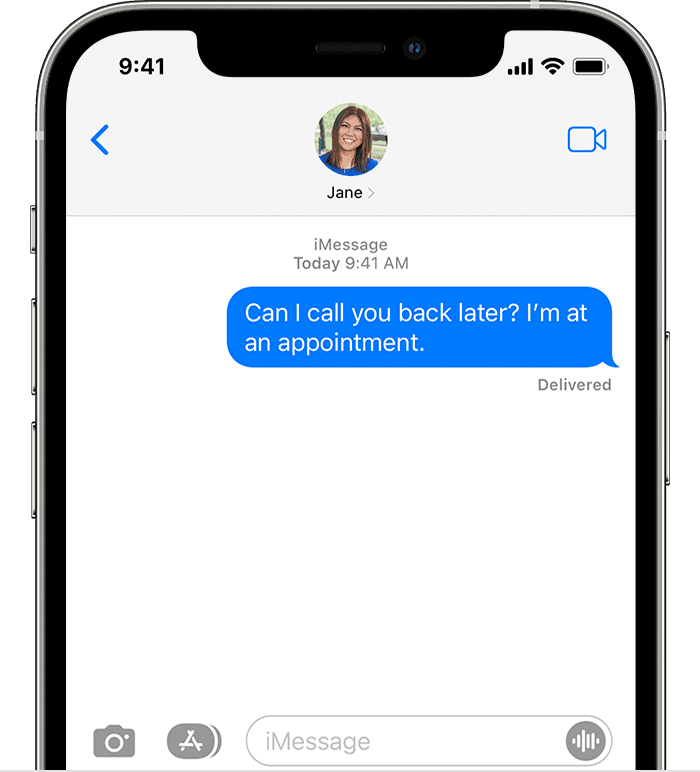
iMessages are texts, photos, or videos that you send to another iPhone, iPad, iPod touch, or Mac over Wi-Fi or cellular-data networks. These messages are always encrypted and appear in blue text bubbles. To turn iMessage on or off, go to Settings > Messages.
SMS/MMS
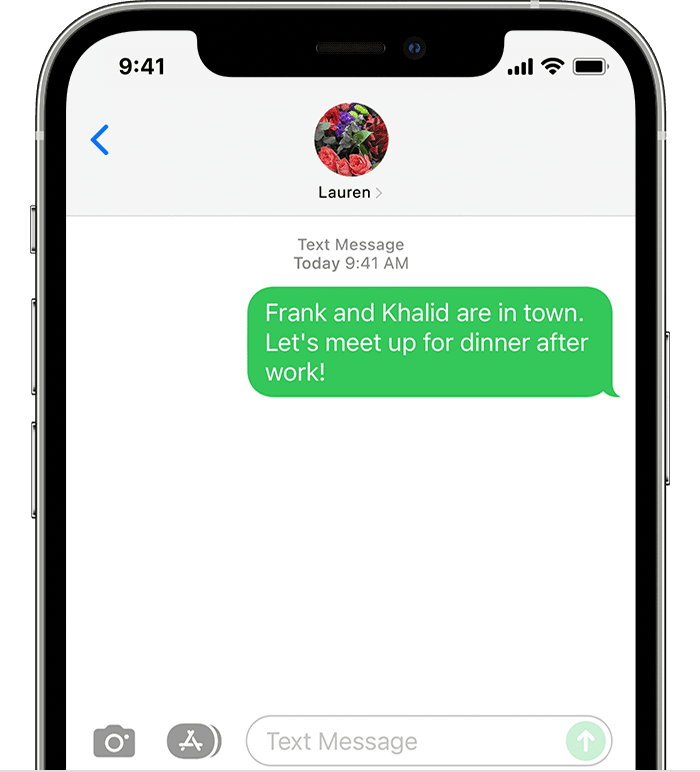
If you aren’t using iMessage, you can use SMS/MMS. These messages are texts and photos that you send to other cell phones or another iPhone, iPad, or iPod touch. SMS/MMS messages aren't encrypted and appear in green text bubbles on your device.
To use SMS/MMS on an iPhone, you need a text-messaging plan. Contact your wireless carrier for more information. You can also set up your other Apple devices to send and receive messages from any Apple device."
If you prefer to have iMessages sent between you both, make sure you're both connected to a strong network or Wi-Fi. You can also ensure you're both updated to the latest iOS version available for your devices Update your iPhone or iPad, and check your settings with the help of the steps here: Set up Messages on iPhone.
Let us know if the information helps or if you have additional questions.
Cheers.


