
How to keep stopwatch from turning off?
Hi id like to keep the stopwatch on when i take the watch off and put it on the table. But every time i do the screen shuts to black. How do i keep it open? Thanks
Apple Watch Ultra, watchOS 9
Hi id like to keep the stopwatch on when i take the watch off and put it on the table. But every time i do the screen shuts to black. How do i keep it open? Thanks
Apple Watch Ultra, watchOS 9
Hello Blueswillneverdie,
We'd like to provide you with the directions to enable Nightstand Mode, on your Apple Watch:
"Set up Apple Watch as a nightstand clock with alarm
 on your Apple Watch.
When you connect your Apple Watch to its charger with nightstand mode turned on, it displays charging status, the current time and date, and the time of any alarm you’ve set. To see the time, tap the display or lightly nudge your Apple Watch. Even nudging or tapping the table might work.
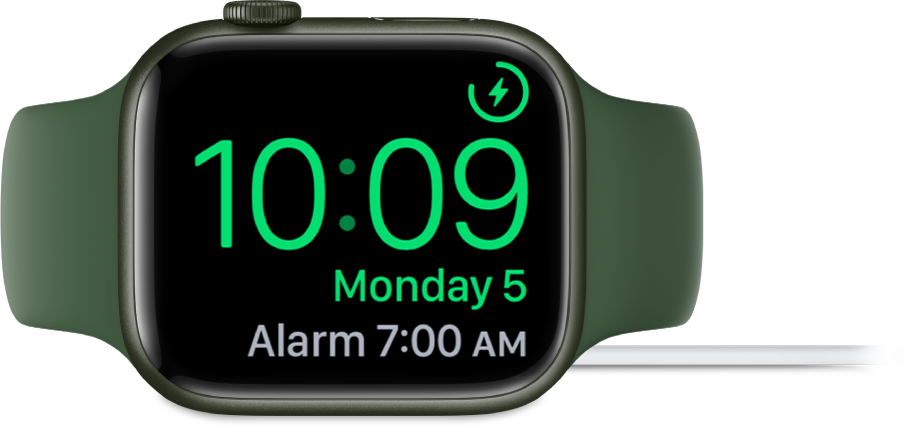
If you set an alarm using the Alarms app, your Apple Watch in nightstand mode will gently wake you with a unique alarm sound.
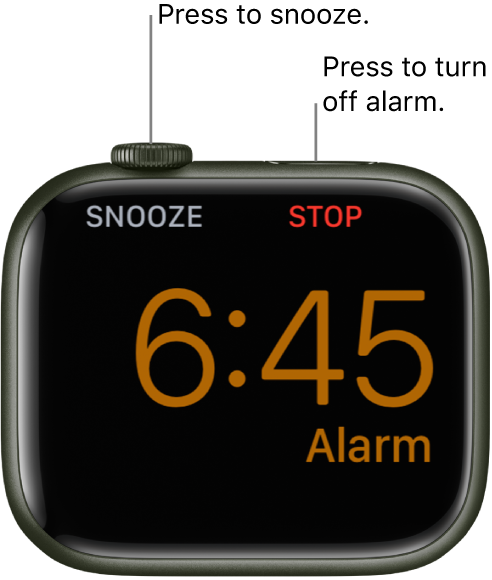
When the alarm sounds, press the side button to turn it off, or press the Digital Crown to snooze for another 9 minutes.
 "
"
More details here: Add an alarm on Apple Watch
Best wishes.
Blueswillneverdie wrote:
Hi id like to keep the stopwatch on when i take the watch off and put it on the table. But every time i do the screen shuts to black. How do i keep it open? Thanks
I don't believe that's possible.
How to keep stopwatch from turning off?


