Left bud is working, right one is not connected
left earbud is working, right earbud is silent. What can I do?
iPhone 14 Plus, iOS 16
left earbud is working, right earbud is silent. What can I do?
iPhone 14 Plus, iOS 16
Hey gv113,
It looks like you checked out the article about what to do if your AirPods won't connect. We'd like to share another relevant article on what to do if one side of your AirPod isn't working: If your left or right AirPod isn't working - Apple Support
If there's no sound in one AirPod
1. Make sure that your charging case is fully charged.
2. Place both AirPods in your charging case and let them charge for 30 seconds.
3. Open the charging case near your iPhone or iPad.
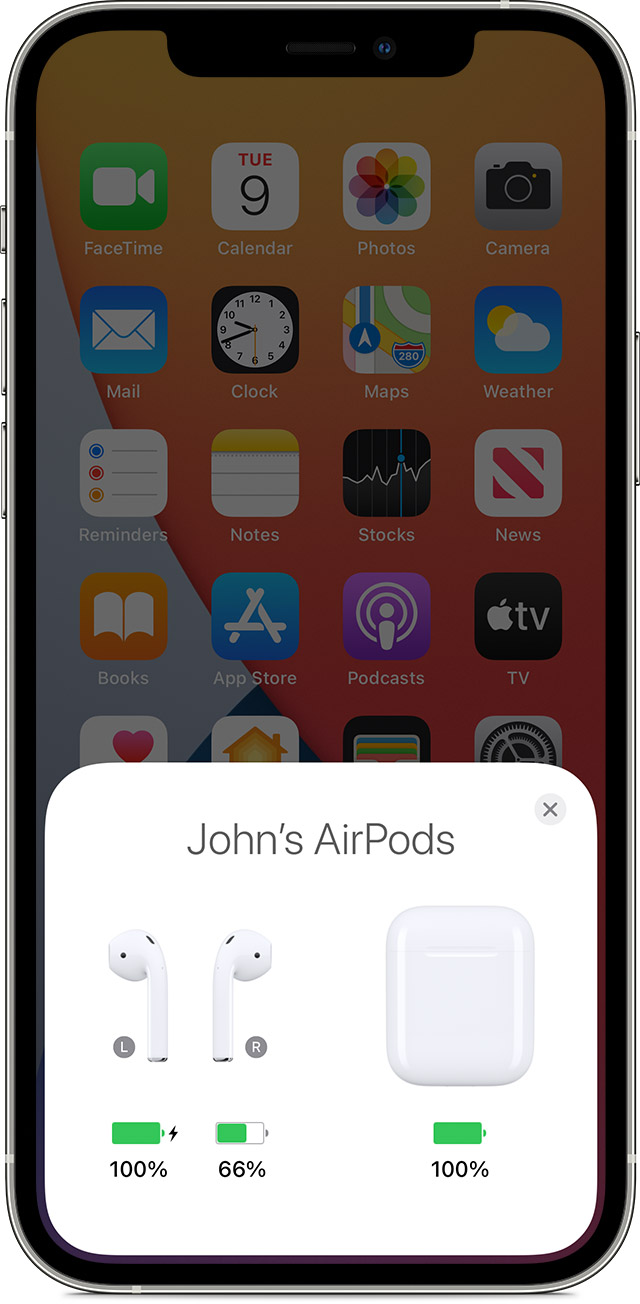
4. Check the charge status on your iPhone or iPad to make sure that each AirPod is charging.
5. Put both AirPods in your ears.
6. Play audio to test both AirPods.
7. If an AirPod still isn't working, reset your AirPods or contact Apple Support.
Let us know if this helps!
Best regards.
Hey gv113,
It looks like you checked out the article about what to do if your AirPods won't connect. We'd like to share another relevant article on what to do if one side of your AirPod isn't working: If your left or right AirPod isn't working - Apple Support
If there's no sound in one AirPod
1. Make sure that your charging case is fully charged.
2. Place both AirPods in your charging case and let them charge for 30 seconds.
3. Open the charging case near your iPhone or iPad.
4. Check the charge status on your iPhone or iPad to make sure that each AirPod is charging
5. Put both AirPods in your ears.
6. Play audio to test both AirPods.
7. If an AirPod still isn't working, reset your AirPods or contact Apple Support.
Let us know if this helps!
Best regards.
Left bud is working, right one is not connected