How do i block spam sms messages that have no contact info?

I keep getting these SMS messages, I don’t know if it is iMessage or regular SMS, since I don’t want to reply to find out if it is a blue bubble or green bubble. I keep blocking this contact, but it has no contact info to block via the standard iOS features. It comes back on a daily basis, even if I press the “Block Contact” button.


FYI… in Thai, it says “Your Parcel number …. Is being delivered” etc…


Thank you!


iPhone SE, iOS 15

Posted on Oct 13, 2023 9:53 PM

Reply
Question marked as Top-ranking reply

Posted on Oct 14, 2023 8:03 PM

Hi Thai_user89,


Thanks for posting here in Apple Support Communities. You can filter messages from unknown senders in messages. The following article will address the issue you're facing: Block phone numbers, contacts, and emails on your iPhone or iPad - Apple Support


Filter messages from unknown senders
You can filter messages from people who aren't saved in your Contacts.
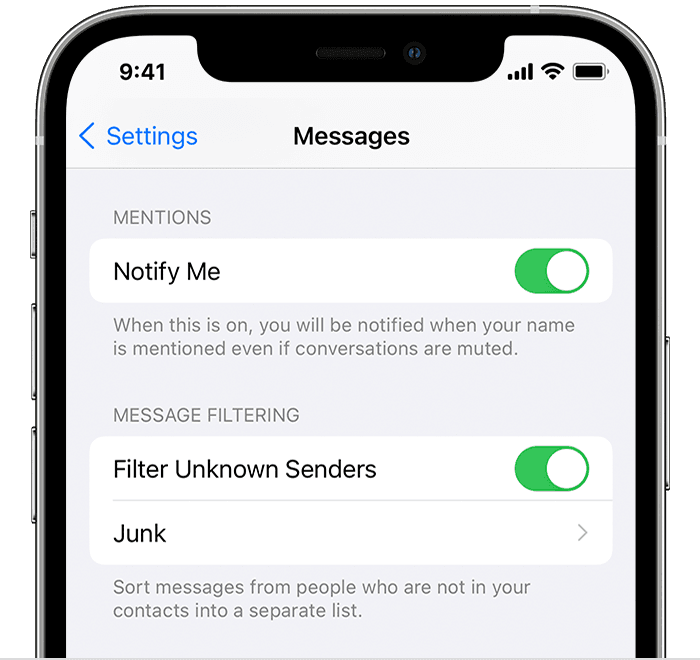
iPhone showing how to filter Unknown Senders
To filter messages, go to Settings > Messages, scroll down and turn on Filter Unknown Senders.
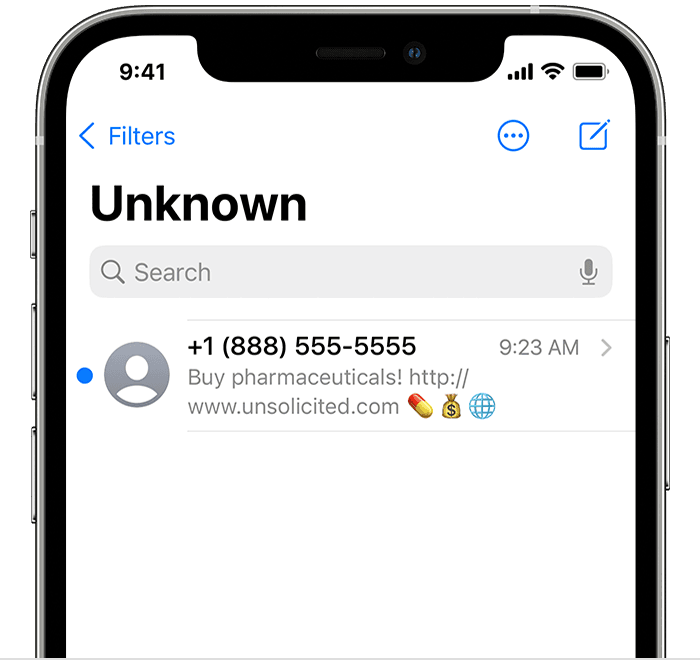
iPhone showing a filtered message
In Messages, tap Filters, then tap Unknown Senders. You won't get notifications for these messages.

Report spam or junk in the Messages app

You can report iMessages that look like spam or junk from the Messages app. If you get an iMessage from someone who's not saved in your Contacts, you'll see a Report Junk link under the message.
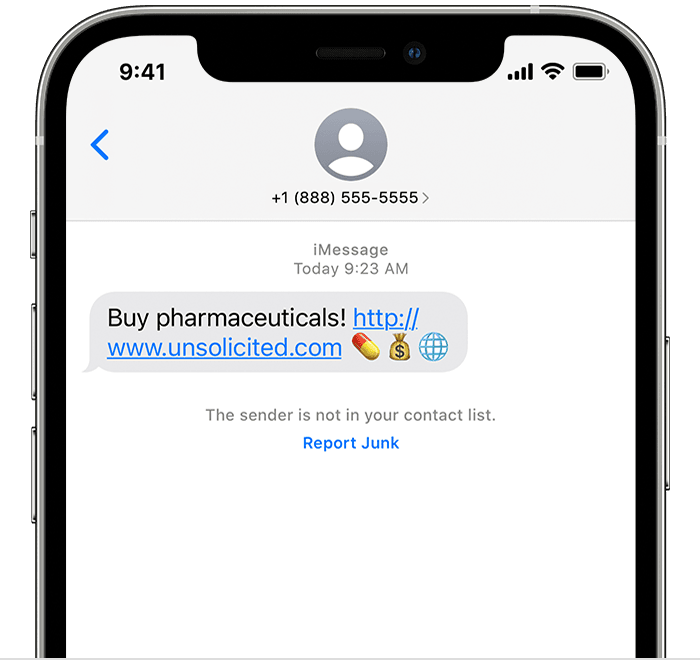
iPhone showing how to report junk in the Messages app
Tap Report Junk, then tap Delete and Report Junk. Messages will forward the sender's information and the message to Apple, as well as delete the message.
Reporting junk doesn't block the sender from being able to send another message. If you don't want to receive these messages, you need to block the contact.
To report SMS and MMS messages, contact your carrier.

Take care.

1 reply
Question marked as Top-ranking reply

Oct 14, 2023 8:03 PM in response to Thai_user89

Hi Thai_user89,


Thanks for posting here in Apple Support Communities. You can filter messages from unknown senders in messages. The following article will address the issue you're facing: Block phone numbers, contacts, and emails on your iPhone or iPad - Apple Support


Filter messages from unknown senders
You can filter messages from people who aren't saved in your Contacts.
iPhone showing how to filter Unknown Senders
To filter messages, go to Settings > Messages, scroll down and turn on Filter Unknown Senders.
iPhone showing a filtered message
In Messages, tap Filters, then tap Unknown Senders. You won't get notifications for these messages.

Report spam or junk in the Messages app

You can report iMessages that look like spam or junk from the Messages app. If you get an iMessage from someone who's not saved in your Contacts, you'll see a Report Junk link under the message.
iPhone showing how to report junk in the Messages app
Tap Report Junk, then tap Delete and Report Junk. Messages will forward the sender's information and the message to Apple, as well as delete the message.
Reporting junk doesn't block the sender from being able to send another message. If you don't want to receive these messages, you need to block the contact.
To report SMS and MMS messages, contact your carrier.

Take care.

This thread has been closed by the system or the community team. You may vote for any posts you find helpful, or search the Community for additional answers.

How do i block spam sms messages that have no contact info?

Welcome to Apple Support Community
A forum where Apple customers help each other with their products. Get started with your Apple Account.