Home Pods are not working as default speakers for the Apple TV

Hello everyone,


some of you reading this might have the same problem and I hope as much as you do that there will be a reply about it below my post.


I just got an Apple TV 4K with Ethernet latest version together with two home pod minis.


They all work fine independently but when I try connect the stereo pair of home pod minis it says "Unable to connect to HomePod.

You can switch to TV Speakers in Settings."


And gives me the option to try again, which does not work, or to change back to the crappy TV speakers.


It usually takes a while until this error message comes up and during this minute or so it looks like it would be working on screen but the sound is not coming from the home pods.


I tried restarting and resetting all three devices, nothing worked.

I can connect the home pods as an external speaker, so not as default one, but that can’t be the solution since it does not make them the main audio source of the Apple TV.


Another problem: When connected to the Apple TV as external speakers the Home Pods work but not with Spotify. When I play something in Spotify there is no sound at all when connected to the Home Pods. Playing Spotify was the main reason I bought these devices.


Also, they are all running the latest versions and just got updated two days ago.


If anyone could help that would be great!


Best Regards!

Apple TV 4K, tvOS 17

Posted on Oct 14, 2023 1:17 AM

Reply

Similar questions

1 reply

Oct 15, 2023 7:20 AM in response to CarloBlaze

Hello CarloBlaze,


Thanks for choosing the Apple Support Communities. We see you are having trouble setting up HomePods with your Apple TV 4K. We suggest following the steps below to run through setup again and see if it helps.


Set up home theater audio with HomePod or HomePod mini and Apple TV 4K - Apple Support


"Use a HomePod, HomePod mini, or a stereo pair with your Apple TV 4K to create a theater experience with Dolby Atmos or surround sound right in your home.


Here's what you need

HomePod mini doesn't support Dolby Atmos 5.1 or 7.1 surround sound. 


Set up home theater audio

  1. Assign your Apple TV and HomePod or HomePod mini to the same room in the Home app. If you want to use two HomePod or two HomePod mini speakers, create a stereo pair, then assign the stereo pair to the same room as your Apple TV in the Home app.
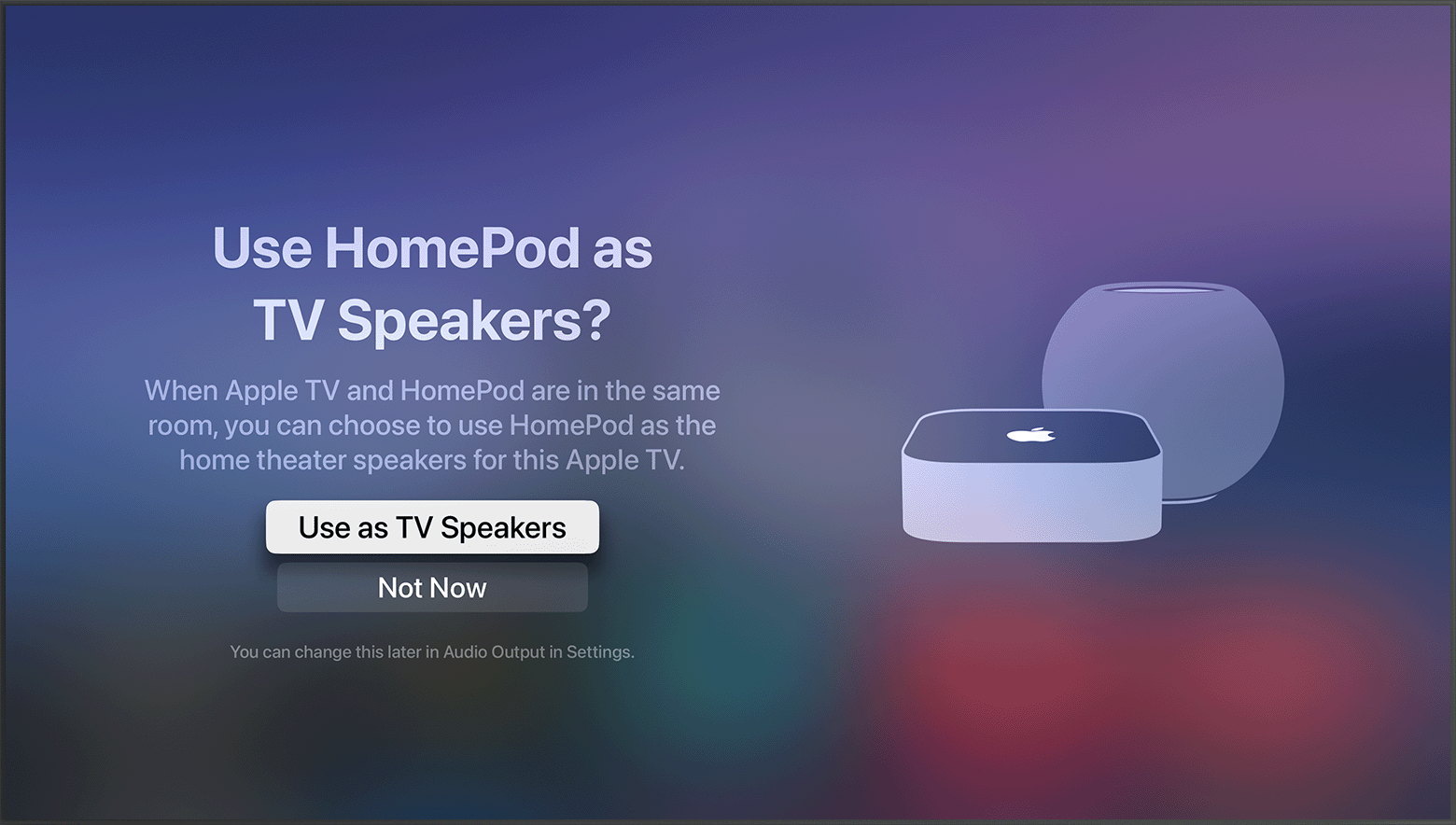
  2. Turn on your Apple TV. You'll be asked if you want to Use HomePod speakers as Apple TV speakers. 
  3. Select Use as TV Speakers to turn on home theater audio. 

tvOS screenshot showing the prompt to Use HomePod speakers as Apple TV speakersIf you don't see the setup screen

You can manually turn on home theater audio with your Apple TV, or your iPhone or iPad. 

  • With Apple TV: From the Home Screen on Apple TV, select Settings > Video and Audio > Audio Output. Select the HomePod or stereo pair that you want to use for home theater audio.
  • With iPhone or iPad: In the Home app, tap Apple TV, then scroll down and tap Default Audio Output. Select the HomePod or stereo pair that you want to use for home theater audio."


We hope this helps.


Cheers!


This thread has been closed by the system or the community team. You may vote for any posts you find helpful, or search the Community for additional answers.

Home Pods are not working as default speakers for the Apple TV

Welcome to Apple Support Community
A forum where Apple customers help each other with their products. Get started with your Apple Account.