
Roadside assistance
What is roadside assistance and how does it work? What devices are compatible with roadside assistance? Does it work with Apple Watch series 9 and Apple Watch Ultra 2?
Apple Watch Ultra 2
What is roadside assistance and how does it work? What devices are compatible with roadside assistance? Does it work with Apple Watch series 9 and Apple Watch Ultra 2?
Apple Watch Ultra 2
Hello Dominic_Smith,
Thank you for reaching out to Apple Support Communities, and we'll be happy to help in any way we can. We understand you have questions about roadside assistance on your Apple Watch. You can find information about this here: Use Roadside Assistance via satellite on your iPhone - Apple Support
"With iPhone 14, iPhone 14 Pro, iPhone 15, or iPhone 15 Pro, you can text for roadside assistance when you're off the grid with no cellular and Wi-Fi coverage.
How Roadside Assistance via satellite works
If you need help with car trouble while off the grid — for example, if you're locked out, have a flat tire, or run out of fuel or charge — you can contact AAA via satellite to request roadside assistance.
To connect to a satellite with your iPhone, you need to be outside with a clear view of the sky and horizon. When you use a satellite connection, the experience is different than sending or receiving a message via cellular.
Learn more about connecting to a satellite with your iPhone
Roadside Assistance via satellite is available only in the U.S. It's free for two years after the activation of an iPhone 14, iPhone 14 Pro, iPhone 15, or iPhone 15 Pro.
AAA provides roadside assistance for four-wheeled, motor-driven cars and trucks1. Roadside service is covered according to AAA membership, and is also available separately for non-members. Pricing information will be provided before help is dispatched.
Request Roadside Assistance via satellite on iPhone
 to start a conversation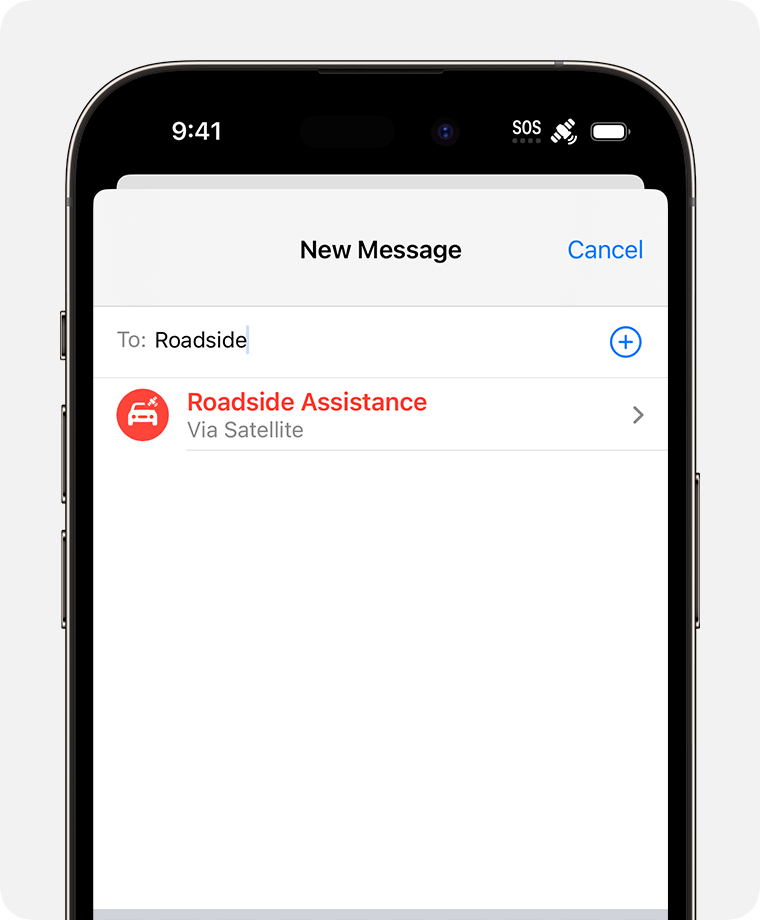
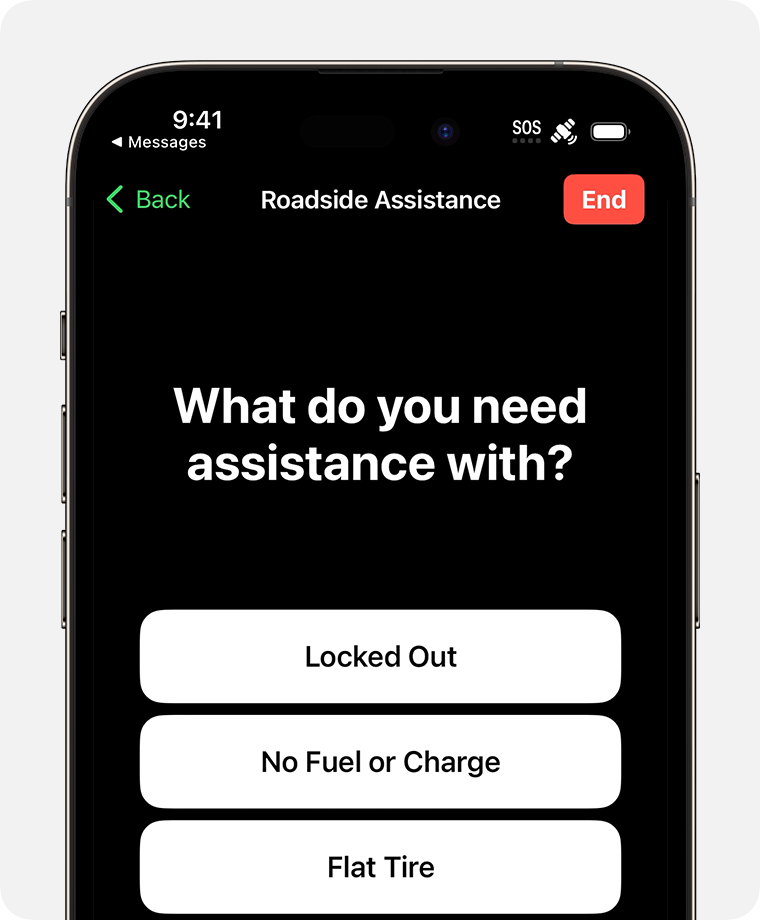
Alternatively, if you attempt to call 911 and your call won't connect, you'll have the option to text either emergency services or a roadside assistance provider via satellite.
Roadside Assistance via satellite availability
1. Roadside service is covered for AAA members as outlined in their AAA plan and is also available separately for non-members. Terms and conditions may apply.
2. Roadside Assistance via satellite is not available in the U.S. Virgin Islands.
3. Satellite connectivity isn't offered on iPhone models purchased in Armenia, Belarus, China mainland, Hong Kong, Macao, Kazakhstan, Kyrgyzstan, and Russia."
We understand you have feedback about an unavailable feature for Apple that you would like recognized. You can leave feedback for them here: Product Feedback - Apple
We hope this helps.
Cheers!
Roadside assistance

