Sharing pics on a Facebook page I manage

I took the pics with my iPhone, which shares them automatically with my MacBook Air. They all show up when I open "Photos," but I can only see one when I try to send them to my FB page.

MacBook Air 13″, macOS 12.6

Posted on Oct 19, 2023 8:52 AM

Reply
3 replies

Oct 20, 2023 9:07 AM in response to gmantwo7

Hi gmantwo7,


Thanks for posting in Apple Support Communities.


It sounds like you don't see all your photos when trying to share directly to Facebook. How are you trying to share them?


Try sharing them to Facebook directly from the Photos app. Choose the share button on the photo and choose Facebook.


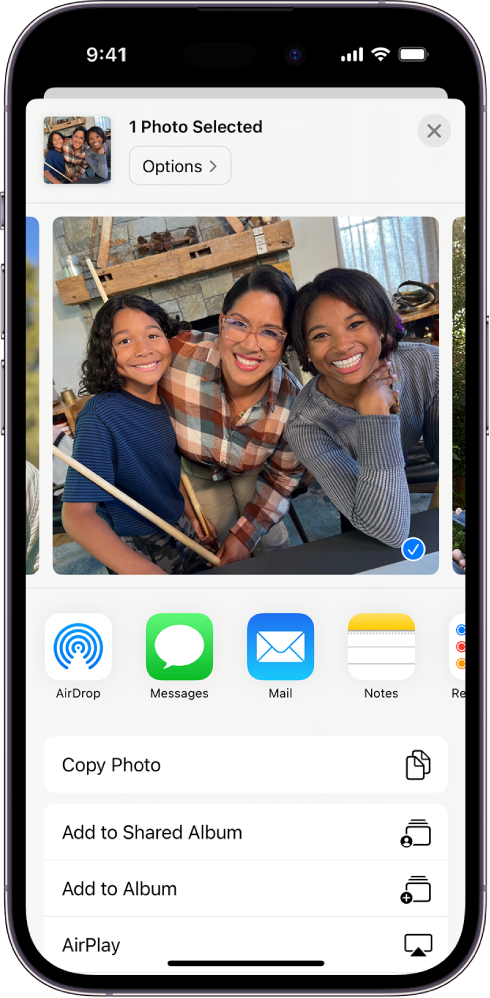
* Share a single photo or video: Open the photo or video, tap the Share button, then choose a share option such as Mail, Messages, or AirDrop.
* A selected photo is displayed in the top half of the iPhone screen, with share options beneath it: AirDrop, Messages, Mail, and Notes. Below these sharing options are other actions that can be made to the photo, including Copy Photo, Add to Shared Album, Add to Album, and AirPlay.

Share photos and videos on iPhone - Apple Support


Regards.


Oct 21, 2023 7:08 AM in response to ASTRO24

I tried to share them by creating a post on my FB page and then clicking on the pics I want from the folder that opens. What's weird is that only one of the pics that I took shows up, even though they're all there when I open Photos. I get what you're talking about and it looks like that could work, although I'm not sure if I could share them to the original post I made or would have to create a new one.


OK, I tried to share to FB, but it isn't one of the options that comes up. It's more like email, texting, and such.

This thread has been closed by the system or the community team. You may vote for any posts you find helpful, or search the Community for additional answers.

Sharing pics on a Facebook page I manage

Welcome to Apple Support Community
A forum where Apple customers help each other with their products. Get started with your Apple Account.