
iMessage on ipad
Keeps asking me to sign in but won’t except my password
iPhone 7 Plus, iOS 15
Keeps asking me to sign in but won’t except my password
iPhone 7 Plus, iOS 15
Hi Snowie4,
Thanks for contacting Apple Support Communities!
We understand that you're trying to sign into iMessage on your iPad but you're unable to use your password.
Are you referring to your Apple ID password? If so, you can reference this article which will show you how to reset your Apple ID password to sign into iMessage: If you forgot your Apple ID password - Apple Support
"Reset your Apple ID password on your iPhone or other trusted Apple device
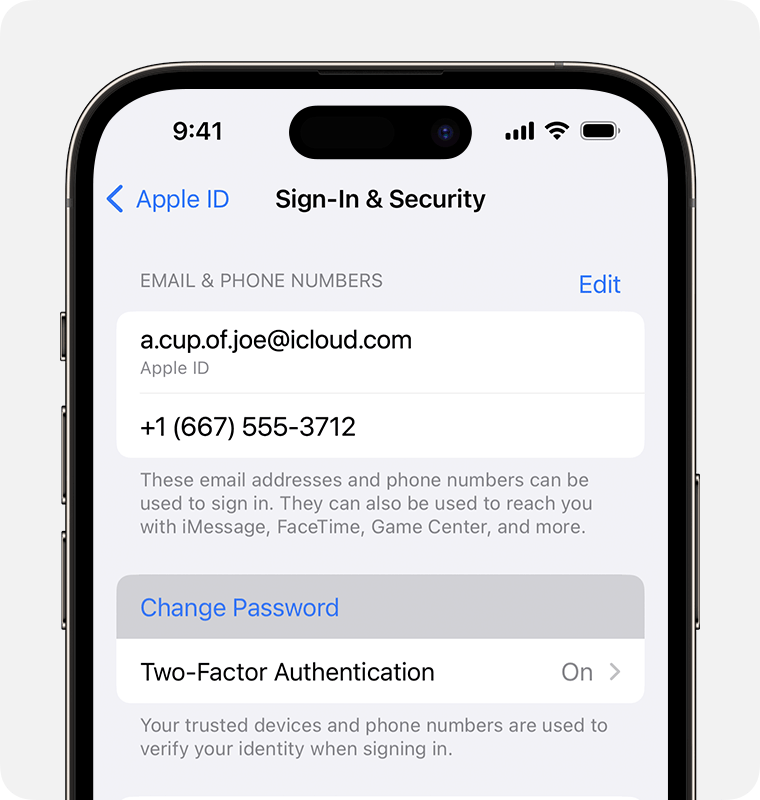
3. Follow the onscreen instructions to reset your password.
You can also follow this process on a trusted iPad or Apple Watch.
To reset your password on your trusted Mac, choose Apple menu > System Settings > your name. Then click Sign-In & Security, Change Password, and follow the onscreen instructions."
We hope this helps you.
Cheers!
iMessage on ipad

