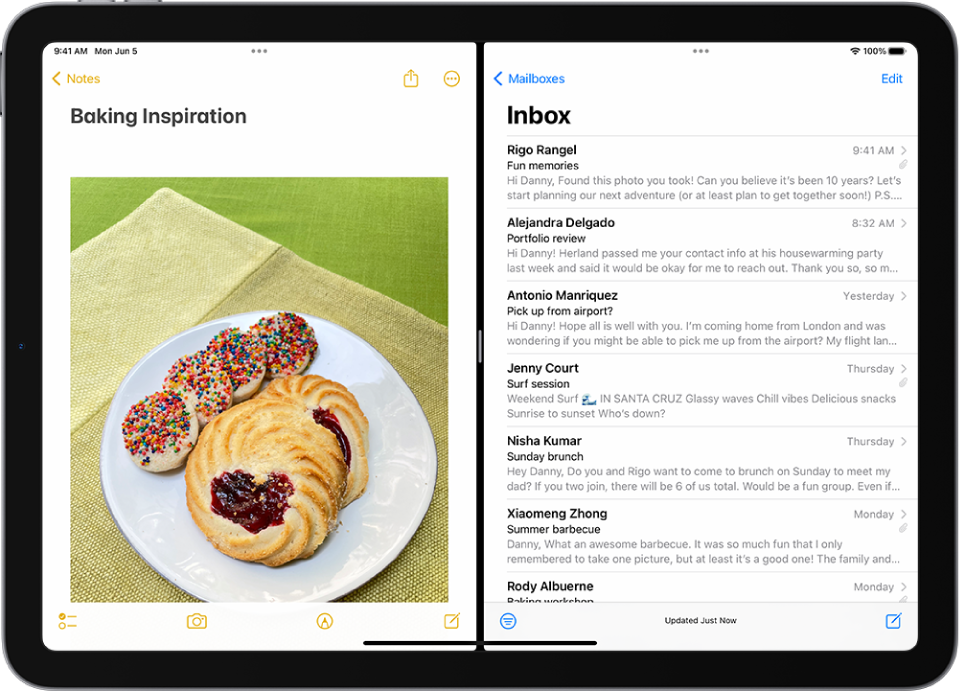
Inadvertently added second screen on iPad OS 16.6.1 How to remove one?
Inadvertently added second screen on iPad 2, OS16.6.1 How to remove one?
iPad, iPadOS 16
Inadvertently added second screen on iPad 2, OS16.6.1 How to remove one?
iPad, iPadOS 16
Thanks for reaching out P. Comeau,
It sounds like you might have used the Split Screen feature on your iPad. We can help.
Check out these steps to Open two items in Split View on iPad and to return to full screen:
Open a second app in Split View
1. While using an app, tap(the three dots at the top of the app), tap
, then tap
to have the current app appear on the left side of the screen, or
to place the current app on the right.
2. The app you’re using moves to the side to reveal your Home Screen and Dock.
3. Find the second app you want to open on your Home Screen or in the Dock, then tap it.
4. The two apps appear in Split View.
Return to full screen
When you have two apps or windows open in Split View, you can remove one of them and show the other in full screen. Do one of the following:
* Drag the center divider to the left or right edge of the screen.
* Tap.
* Touch and hold
Hope that helps.
Take care.
Thanks for reaching out P. Comeau,
It sounds like you might have used the Split Screen feature on your iPad. We can help.
Check out these steps to Open two items in Split View on iPad and to return to full screen:
Open a second app in Split View
1. While using an app, tap
2. The app you’re using moves to the side to reveal your Home Screen and Dock.
3. Find the second app you want to open on your Home Screen or in the Dock, then tap it.
4. The two apps appear in Split View.
Return to full screen
When you have two apps or windows open in Split View, you can remove one of them and show the other in full screen. Do one of the following:
* Drag the center divider to the left or right edge of the screen.
* Tap
* Touch and hold
Hope that helps.
Take care.
Inadvertently added second screen on iPad OS 16.6.1 How to remove one?