
AirPods Max battery draining to 1% overnight even in case
I woke up and my AirPods Max had 1% battery even after being in the Smart Case.
I tried resetting to factory settings and it still keeps doing it.
I woke up and my AirPods Max had 1% battery even after being in the Smart Case.
I tried resetting to factory settings and it still keeps doing it.
Hello Sushilover85,
Thank you for reaching out to Apple Support Communities, and we'll be happy to help in any way we can. We understand you're having issues with charging your AirPods Max. Try the steps here to see if they resolve the issue: If your AirPods won’t charge - Apple Support
"Check your connections
If you have AirPods, AirPods Pro (1st generation), or AirPods Pro (2nd generation) with MagSafe Charging Case (Lightning), make sure that the Lightning to USB cable is firmly plugged into the charging case and USB power adapter. If you have AirPods Pro (2nd generation) with MagSafe Charging Case (USB-C), make sure that the USB-C to USB-C cable is firmly plugged into the charging case and USB power adapter. Then make sure that the power adapter is correctly plugged into a power outlet.
If you're using a Qi-compatible charger with your AirPods or AirPods Pro, make sure that the cable is firmly plugged into the charger and that the other end is correctly plugged into a power outlet.
If you have AirPods Max, make sure that the Lightning to USB-C cable is firmly plugged into the USB power adapter. Then make sure that the power adapter is correctly plugged into a power outlet.
Charge your AirPods
If you have AirPods or AirPods Pro, place your AirPods in the charging case and close the lid. Charge your AirPods and case for at least 5 minutes using the cable that came with your AirPods.
If you have AirPods Max, charge them for at least 5 minutes using the cable that came with them. When you're not using your AirPods Max, keep them in the Smart Case to put them into an ultra-low power mode to preserve battery charge.
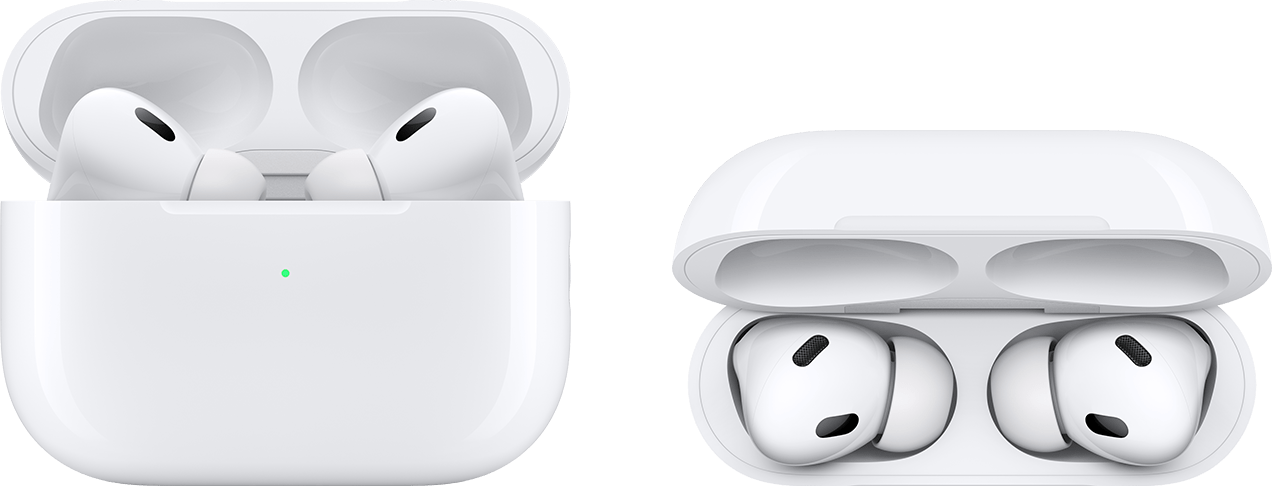
If your AirPods case isn’t charging
If you have the Wireless Charging Case or MagSafe Charging Case for your AirPods or AirPods Pro and you're using a Qi-compatible charger, remove any protective case, then place your charging case with the status light facing up.
The status light should turn on for several seconds, then turn off while continuing to charge. If the light doesn't turn on, reposition the case. If your AirPods case still isn't charging, try charging with the cable that came with your case.
Check the charge status
Make sure that you have the latest version of iOS or iPadOS.
If you have AirPods or AirPods Pro, open the case lid with your AirPods inside and hold your case close to your iPhone or iPad.
If you have AirPods Max, open the Smart Case and hold your case close to your iPhone or iPad. You should see a charging icon under your AirPods.
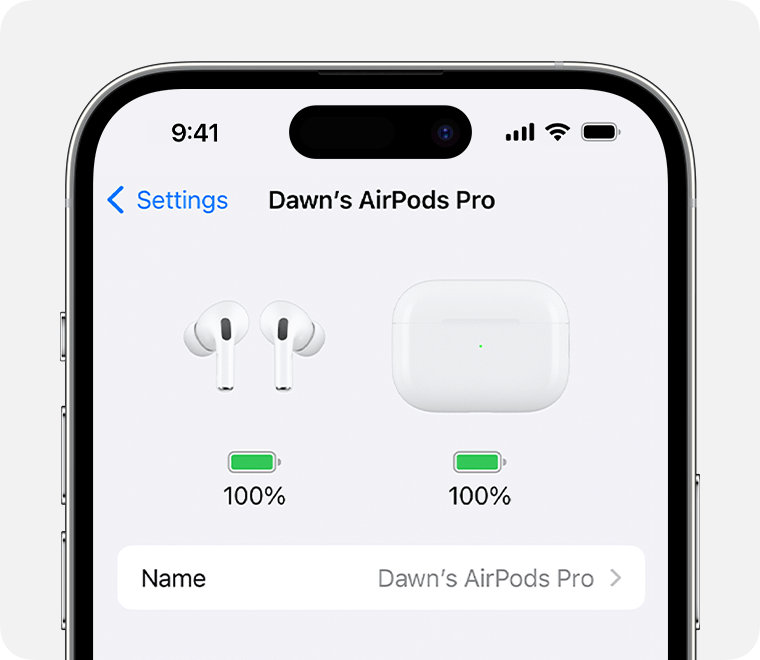
You can also check the charge status in the Settings app on your iPhone or iPad. With your AirPods or AirPods Pro in your ears and connected to your iPhone or iPad, go to Settings > [your AirPods]. If you have AirPods Max, connect them to your iPhone or iPad, then go to Settings > [your AirPods].
If you still can’t charge your AirPods, contact Apple Support."
We hope this helps.
Cheers!
AirPods Max battery draining to 1% overnight even in case

