
I lost all of my custom ringtones after upgrading to iOS 17.0.3. How can I get them back?
i Downloaded 17.0.3 and lost all my custom ringtones for my text message
[Re-Titled by Moderator]
iPhone 14 Pro, iOS 17
i Downloaded 17.0.3 and lost all my custom ringtones for my text message
[Re-Titled by Moderator]
iPhone 14 Pro, iOS 17
Hello Brebre37,
Thank you for reaching out to Apple Support Communities.
Here are the steps to redownload previously purchased ringtones:
"Redownload ringtones purchased with your Apple ID
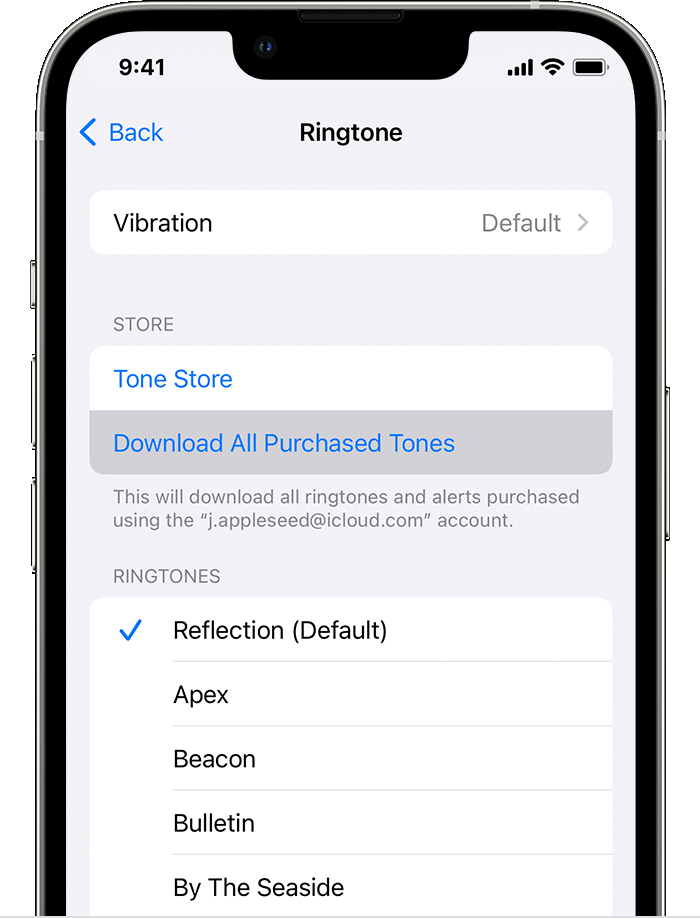
You might not be able to redownload some previously purchased tones."
Additional details can be found here: Use tones and ringtones with your iPhone or iPad
If the issue persists, can you provide a few more details? Are you missing all of them or just a few of them?
Cheers!
I lost all of my custom ringtones after upgrading to iOS 17.0.3. How can I get them back?

