Hi CNDMae,
We'd like to assist. If you mean swiping up to mute your Apple Watch, this should answer your question: Change the audio and notification settings on your Apple Watch - Apple Support
"Mute your Apple Watch
1) To open Control Center, press the side button (for watchOS 9 or earlier, touch and hold the bottom of the screen, then swipe up).
2) Tap the Silent Mode button  . This turns on Silent Mode. You can still receive haptic notifications.
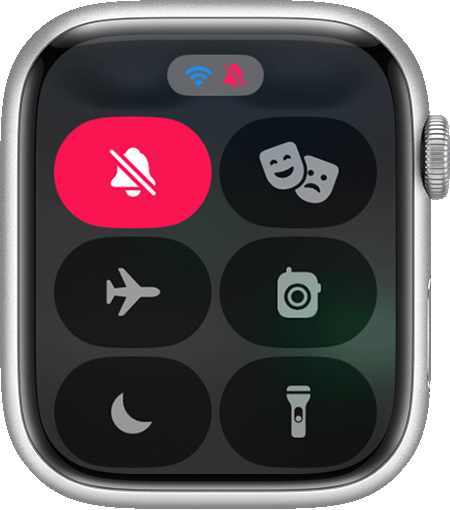
To silence an alert or notification as it sounds, rest your palm on the display for at least three seconds or until you feel a tap. If it doesn't work, make sure that the Cover to Mute setting is on: On your iPhone, open the Apple Watch app, go to the My Watch tab, then tap Sounds & Haptics."
Based on the above, the option to swipe up to mute was only available in watchOS 9 and earlier, so what you're seeing is normal for watchOS 10. We always welcome feedback and you can always submit any with this link: Get Support
Take care.


