Please let me know if I'm interpreting this incorrectly.
The smaller Finder window is the actual size (the live OS window). The image behind it is how it appears in Preview and is what's supposed to be a straight screen shot of that Finder window, but it has somehow been scaled up 200% in size.
If that's correct, then something is definitely wrong.
I can't replicate that here on an M2 Pro mini. I took a screen shot of the same folder in Ventura, then Sonoma. Both came out to 72 dpi, and are identical. All except for Apple replacing "at" in the date column in Sonoma with another comma.
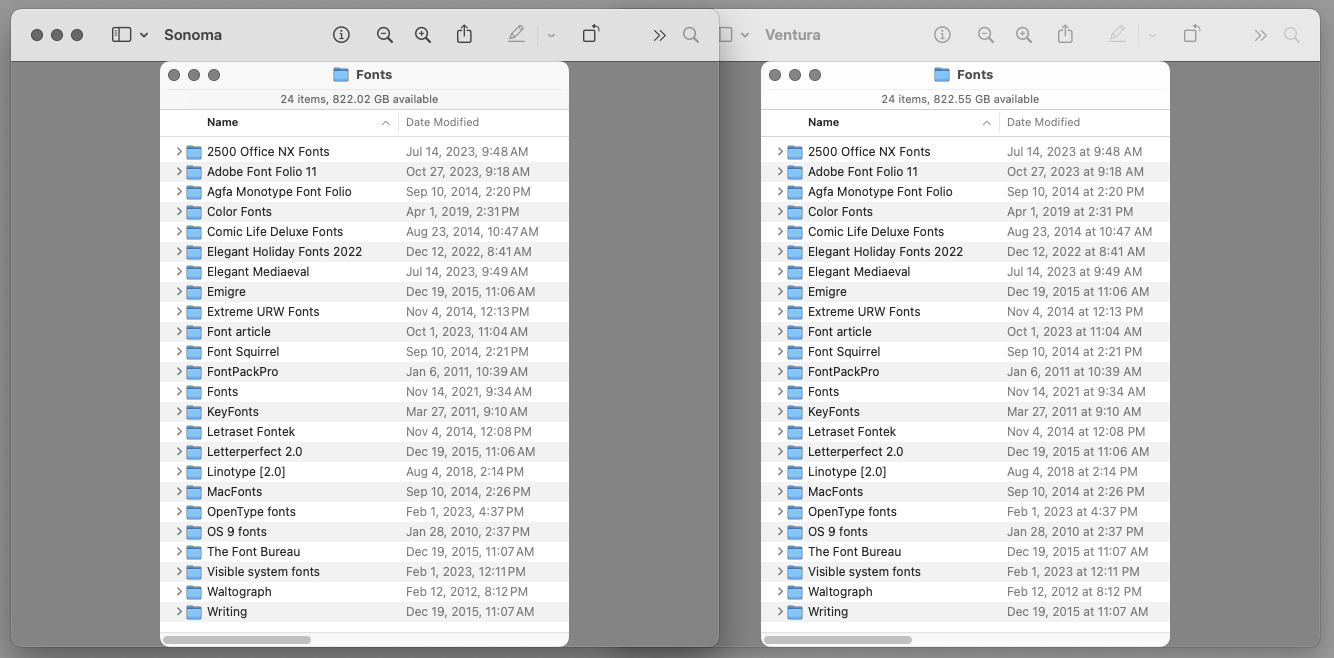
But, here's what is weird. If I take that same screen shot in Sonoma and scale it up to 144 in Preview, it does show that the pixel dimensions go from 409 x 586 to 818 x 1172. Just what you would expect, and it should then display twice as big when viewed as Actual Size. It doesn't! Preview displays it the same size as the original, as if it hasn't had any pixels added to the image at all.
Even weirder. It does that if I change the resolution from 72 to 144. But if I instead resize the image by putting in 200 …

… then the image displays twice the size. Just as it should in either case since the pixel dimensions are 818 x 1172 either way.
And it gets even weirder than that. If I scale the image again by changing the resolution to 144, which doubles the pixel count again to 1334 x 658, and should now be 4 times larger than the original, it then displays in Preview at the original size! That makes not even the slightest bit of sense. At least not in Preview.
Want even more weirdness? Who knows what in the world Preview did on the second scaling to 1334 x 658, which is how it reports the image size, but if I open the scaled screen shot in Photoshop, it's actually still 818 x 1172.
So, I opened the image in Preview again, and it also now reports the size as 818 x 1172, as if I had resized the image with Resample image turned off.
Good thing I never try to used Preview for any kind of image work, because it is seriously screwed up in Sonoma.


