
Control panel on apple watch gone

I just updated to watchOS 10.1.1 and I can't swipe up to get to my control panel anymore. It shows the weather and tips when I swipe up, nothing else. i used this all the time to ding my phone when I wasn't sure where I left it and now it's gone.

Posted on Nov 20, 2023 2:19 PM

Reply
Question marked as Top-ranking reply

Posted on Nov 20, 2023 2:22 PM

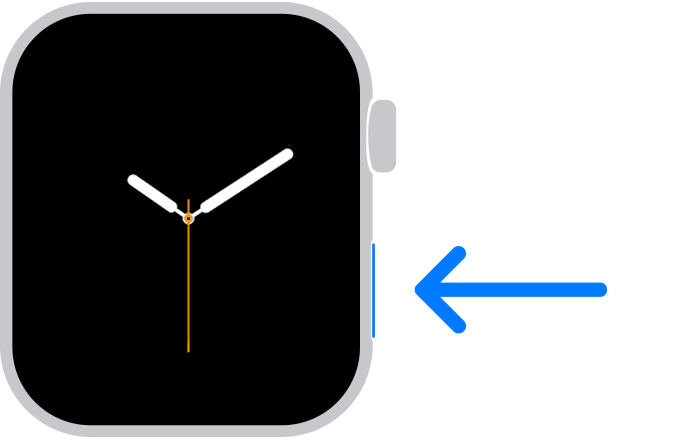
According to Use the buttons and screen on your Apple Watch:

Press the side button

  • Press to show or hide Control Center.
  • Press and hold to use Emergency SOS.
  • Double-click to use Apple Pay.
  • Press and hold to turn your watch on or off. 

If you have Apple Watch Ultra or later, you can customize the Action button to access your favorite features quickly.

If you haven't updated watchOS, learn how to use the side button. 

2 replies
Question marked as Top-ranking reply

Nov 20, 2023 2:22 PM in response to taxrelo

According to Use the buttons and screen on your Apple Watch:

Press the side button

  • Press to show or hide Control Center.
  • Press and hold to use Emergency SOS.
  • Double-click to use Apple Pay.
  • Press and hold to turn your watch on or off. 

If you have Apple Watch Ultra or later, you can customize the Action button to access your favorite features quickly.

If you haven't updated watchOS, learn how to use the side button. 

This thread has been closed by the system or the community team. You may vote for any posts you find helpful, or search the Community for additional answers.

Control panel on apple watch gone

Welcome to Apple Support Community
A forum where Apple customers help each other with their products. Get started with your Apple Account.