
iPhone 11 zoomed in lock screen
How do I remove zoom from my iPhone when I can’t see all the numbers on my screen
[Re-Titled by Moderator]
iPhone 11
How do I remove zoom from my iPhone when I can’t see all the numbers on my screen
[Re-Titled by Moderator]
iPhone 11
Hello~ Click on below..
If your Home Screen icons are magnified on your iPhone, iPad ...*
*If you can't access Settings because your Home Screen icons are magnified, double tap with three fingers on the display to zoom out.
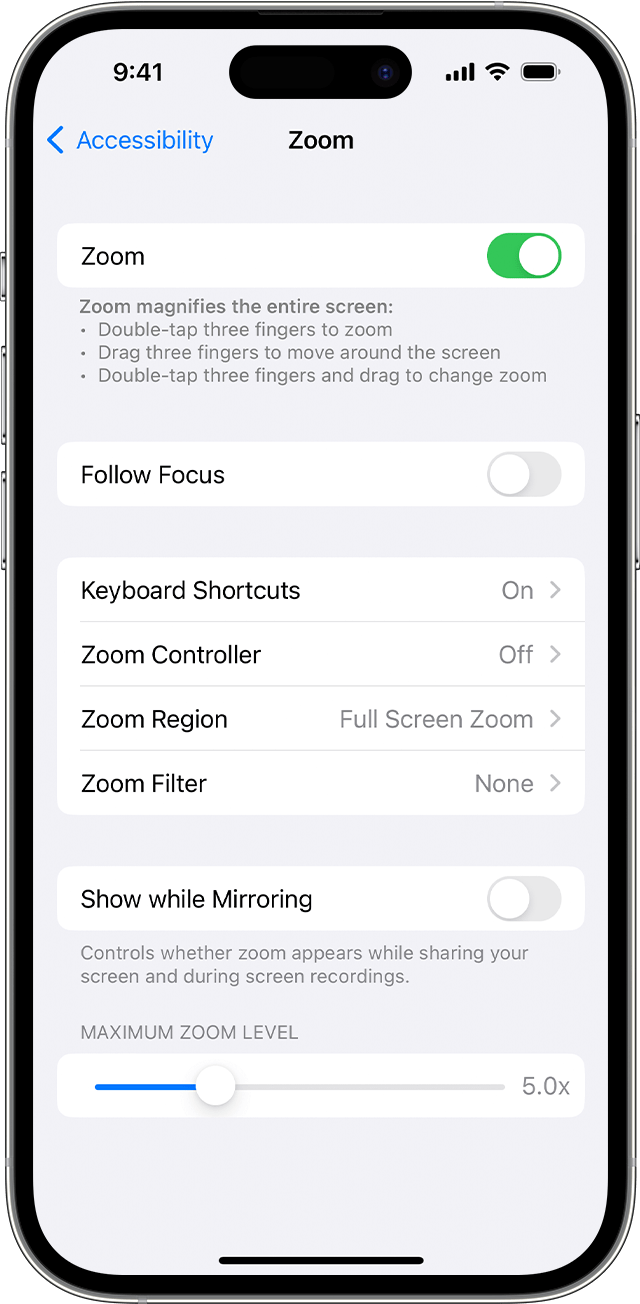
To turn off Zoom:
Also please give us time to collect the information to help you.
~Katana-San~
Hello~ Click on below..
If your Home Screen icons are magnified on your iPhone, iPad ...*
*If you can't access Settings because your Home Screen icons are magnified, double tap with three fingers on the display to zoom out.
To turn off Zoom:
Also please give us time to collect the information to help you.
~Katana-San~
Try double-tap the screen with 3 fingers.
You may need to vary the speed and timing of the double-tap to nail it.
iPhone 11 zoomed in lock screen

