nhannah2018 wrote:
I have three screenshots below of the required folders. If you have a moment, please take a look and see if there's anything malevolent within them.
Yes, most of them.
First, start your Mac in "Safe Mode": How to use safe mode on your Mac - Apple Support. Starting in Safe Mode takes longer than usual so let it finish.
While in that mode, drag the following files to the Trash:
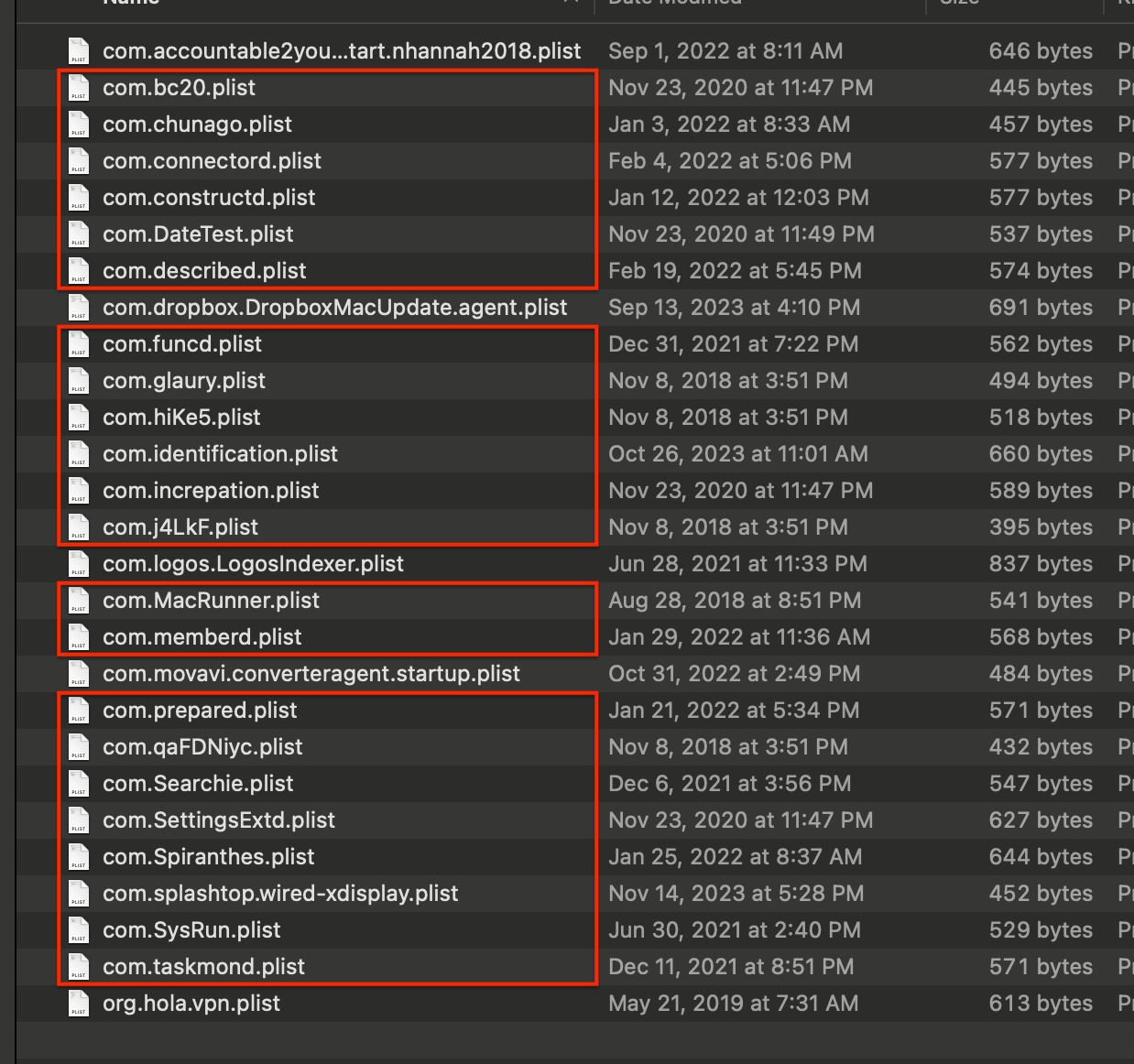

Note: I am unable to confirm whether the first file in your first screenshot is related to anything malicious. It is the one with "accountable2you..." in its name. Posting screenshots containing complete, readable file names helps to resolve that uncertainty. If you are not aware of having installed a program bearing that name, consider dragging it to the Trash.
Note: Regarding "MacHelper" it appears to be moribund and may no longer be supported. Its alleged purpose appears to be dubious anyway. If you are not aware of having installed it, or are not completely certain you need it, drag that file to the Trash along with the others.
Note: Regarding the VPN products that appear to have been installed, you may wish to familiarize yourself with its purpose. If you don't know where to start, read Don't use VPN services.
Then, restart your Mac normally and confirm the alert messages cease to appear.

