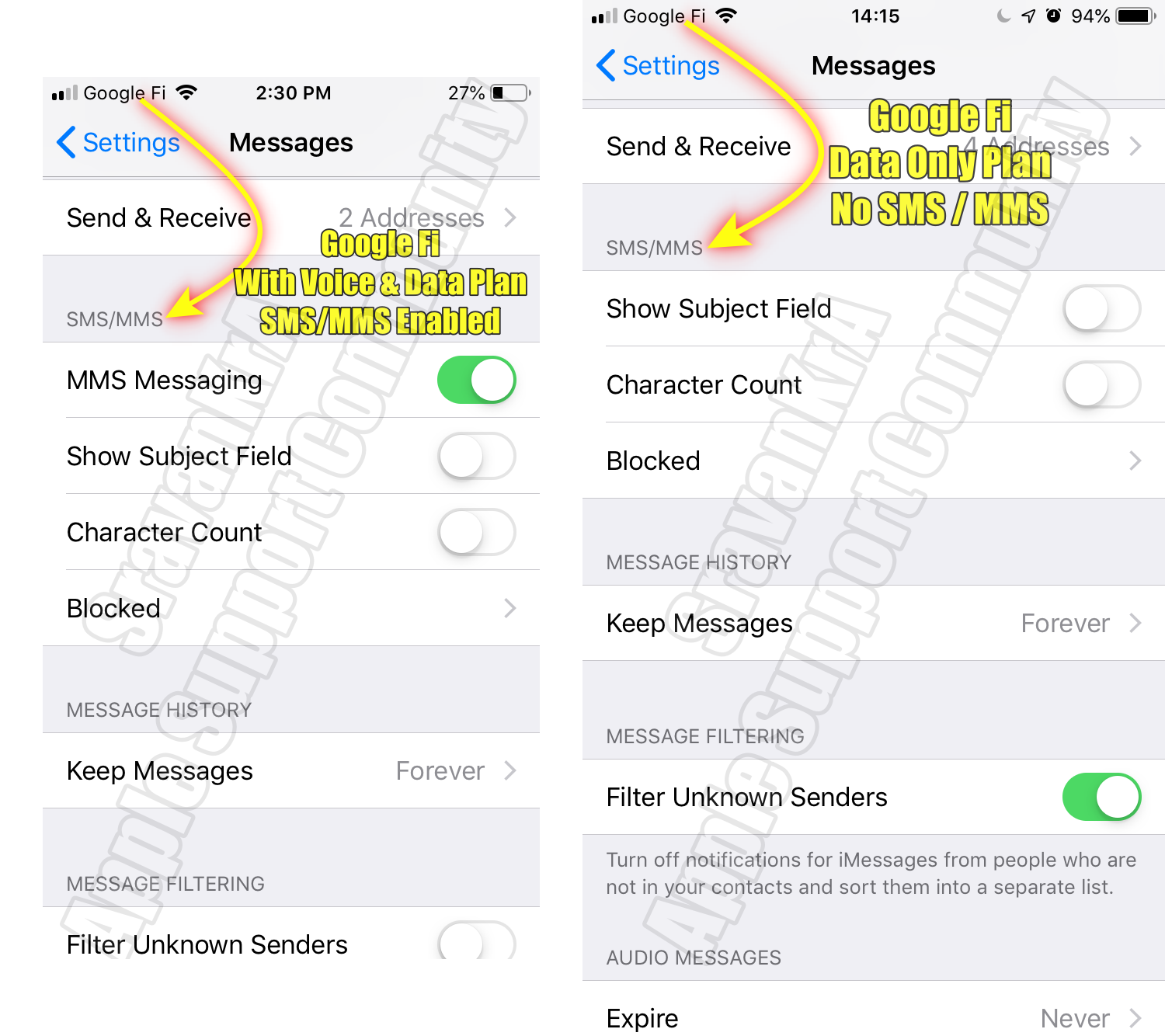
You need to have an SMS/MMS plan enabled by your carrier for the SIM/eSIM that you use on your device. Apple Inc does not provide SMS/MMS services.
To use MMS (Multimedia Messaging Service) on your phone, you rely on your mobile carrier to enable this feature for your account. Your carrier must support MMS and have it activated for your specific phone number or SIM card.
Sometimes, carriers may impose restrictions on MMS usage based on the type of SIM card you have, whether it's a traditional physical SIM or a newer eSIM. These limitations could be related to the specific service plans or network capabilities associated with your SIM.
It's important to note that the MMS service itself is not provided by Apple Inc. Instead, MMS functionality is entirely dependent on your carrier's network infrastructure and the services they offer.
If you encounter any difficulties with MMS, it's best to reach out to your carrier's customer support for assistance. They can help ensure that MMS is properly enabled for your account and address any potential limitations or issues related to your SIM card or device.
You need MMS enabled by your carrier. and in your Settings. See the Pic below