Freezing issue on iPhone after iOS 17.4.1 update

Ever since I updated to 17.4.1 my phone is more useless than a dial up computer from the 90’s.

Almost every app freezes, and I can’t access my emails anymore.

Has anyone figured out a solution to this mess?


[Re-Titled by Moderator]

Posted on Mar 23, 2024 9:11 AM

Reply
Question marked as Top-ranking reply

Posted on Mar 26, 2024 1:19 PM

I'm using 11 Pro and just updated to 17.4.1 2 days ago. Everything was good.


A few hours ago, the phone started playing up. No app could be launched, not even the System app. Pressing the side button won't switch the screen off, and I had to wait for screen timeout. When the phone is off, I could press the side button to turn it on.


I tried the restart by pressing the side button and either of the volume button (Restart your iPhone - Apple Support (NZ)) but even that screen (shown here) was frozen.
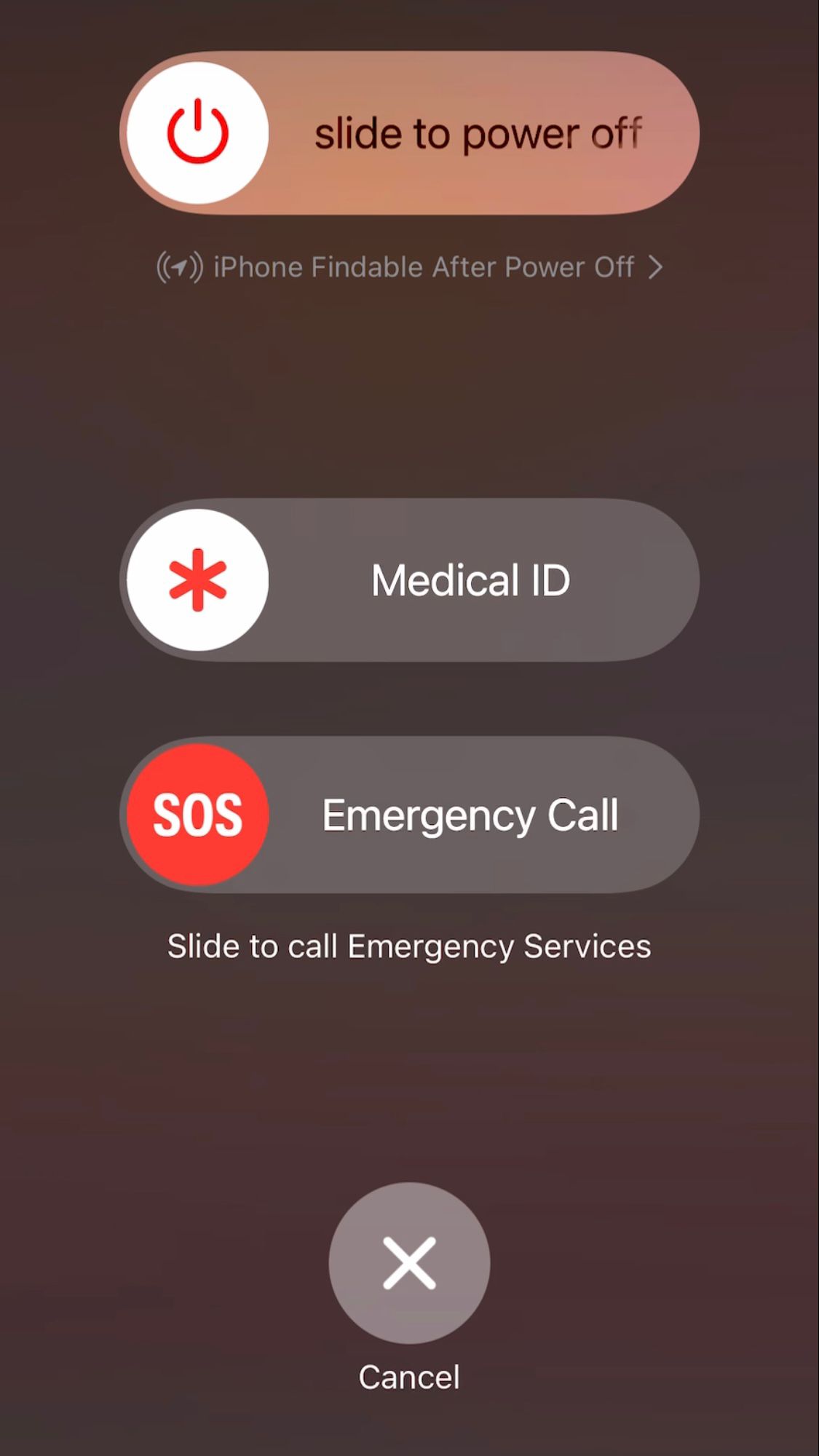


Thought I'll wait for the battery to drain. Until I found out that there's another restart method of pressing the up, then down then side buttons individually (Force restart iPhone - Apple Support (NZ)) which worked!



66 replies

Apr 17, 2024 12:20 PM in response to Boon20

I tried this too, and was very excited when it seemed to work. Until it didn't work! Within about 5 minutes my messages app started freezing again. I've done the up, down, side button trick (waiting until the Apple logo appears before releasing the side button, as instructed) about half a dozen times since finding out about it yesterday, and no success aside from a momentary unfreeze. My Google search app started freezing today in addition to Messages app. It is very difficult to send or respond to a message currently.

May 28, 2024 3:57 PM in response to Rodeodave720

Agree - this update is junk. Something definitely affected iMessage. Every time I open iMessage it freezes…when I go into settings and open iMessage in settings it freezes. All other apps and buttons are working correctly. Some developer did something to iMessage. I hope apple fixes this asap.


btw hard reset doesn’t work

opening and reopening and closing and reopening doesn’t work


Jun 9, 2024 7:05 AM in response to Rodeodave720

I have an IPhone 11 with plenty of storage and after the update when I go into apps and I scroll through phone freezes. 99% of the time I have to close the app and go back in. I have restarted my phone, Ddleted any app I don’t use any longer. Offloaded all my photos onto a thumb drive. Still locking up. I have Fiber for internet at the fastest speed.

This thread has been closed by the system or the community team. You may vote for any posts you find helpful, or search the Community for additional answers.

Freezing issue on iPhone after iOS 17.4.1 update

Welcome to Apple Support Community
A forum where Apple customers help each other with their products. Get started with your Apple Account.