A step by step guide to add email account on iPad and iPhone
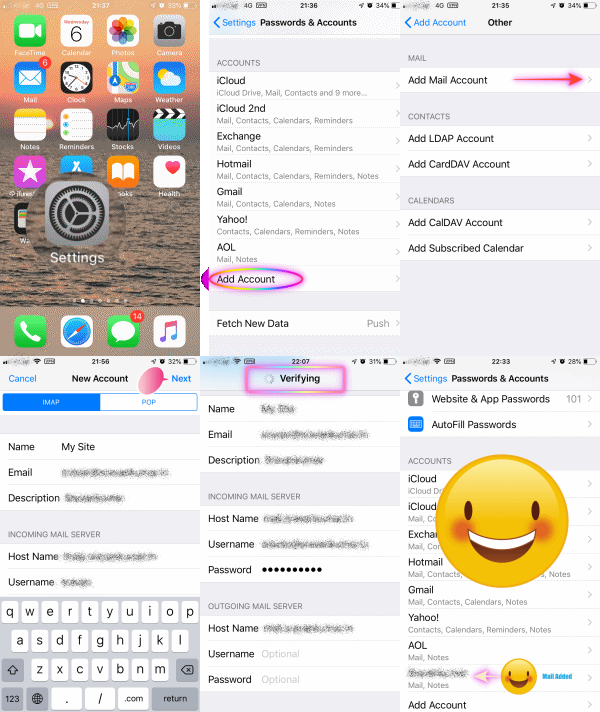
This process is valid for all mails, AOL, Google, Yahoo, Outlook, Hotmail, Exchange etc etc
- Keep your email id and password handy
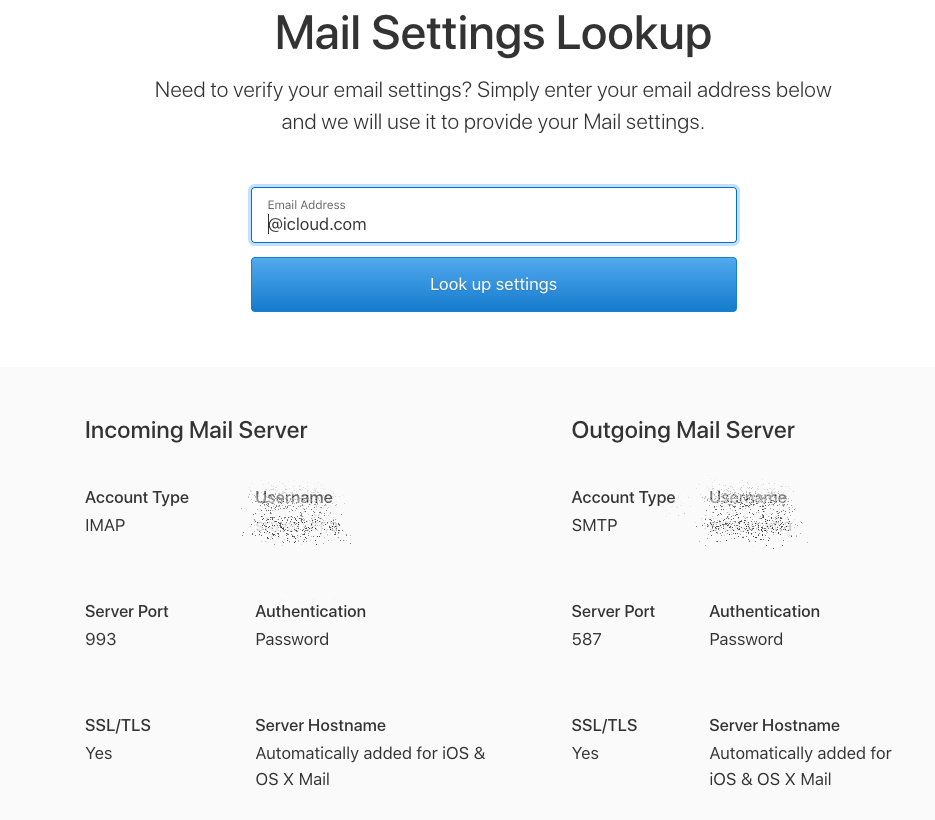
- Use this link to find out your Incoming and Outgoing server settings by entering your email address
Mail - Official Apple Support
If it is not available in the link above contact your email client
The GIF is self explanatory.
iCloud Account IMAP and SMTP
Comcast IMAP Settings
- Option Description IMAP Host: imap.comcast.net IMAP
- Port: 993
- Requires SSL: Yes
- IMAP Username: Your full mailbox address (name@domain.com)
- IMAP Password: Your email account password
Comcast SMTP Settings
If you have an account with Comcast and you want to configure your mail client to send emails, all you need to do is enter the following Comcast SMTP settings into the server configuration area of your mail client:
- Option Description SMTP Host: smtp.comcast.net SMTP
- Port: 465 or 587
- TLS (use SSL if TLS isn't shown)
- SMTP Username: Your full mailbox address (name@domain.com)
- SMTP Password: Your email account password