How can I prevent unauthorized access to Shortcuts on iPhone?

I’ve set up some shortcuts via the Shortcuts app on my iPhone, locking some of my apps, for example email, photos etc, in case my phone is snatched whilst unlocked, these work well other than I can’t lock the Shortcuts app itself, so if my phone were to be stolen the thief could just go into the app and remove the shortcuts that I’ve set up. Any ideas how I can get around this?


[Re-Titled by Moderator]

Posted on Apr 1, 2024 1:52 PM

Reply
Question marked as Top-ranking reply

Posted on Apr 1, 2024 4:48 PM

You are correct: you cannot create a personal automation in Shortcuts, triggered by the Shortcuts app.


The best you can do is to hide (as much as possible) the Shortcuts app. One solution would be to remove it from the Home Screen (you could always search for it and open it in the App Library.). A second solution would be to create a personal focus mode where the customized home screens do not contain the Shortcuts app.


These solutions are not bulletproof, though. I thought I read recently about an app that allows you to control access to other apps. Unfortunately, I can't remember the name. Look around on the App Store.

6 replies
Question marked as Top-ranking reply

Apr 1, 2024 4:48 PM in response to Anteater531

You are correct: you cannot create a personal automation in Shortcuts, triggered by the Shortcuts app.


The best you can do is to hide (as much as possible) the Shortcuts app. One solution would be to remove it from the Home Screen (you could always search for it and open it in the App Library.). A second solution would be to create a personal focus mode where the customized home screens do not contain the Shortcuts app.


These solutions are not bulletproof, though. I thought I read recently about an app that allows you to control access to other apps. Unfortunately, I can't remember the name. Look around on the App Store.

Jul 8, 2024 7:55 PM in response to 6x6

The more I’ve played with shortcuts, I’ve been thinking about how it could really help deter mishaps from anyone who got ahold of your phone. I got to this thread because I started to wonder if there was a way to lock a shortcut that needed PIN code or Face ID.

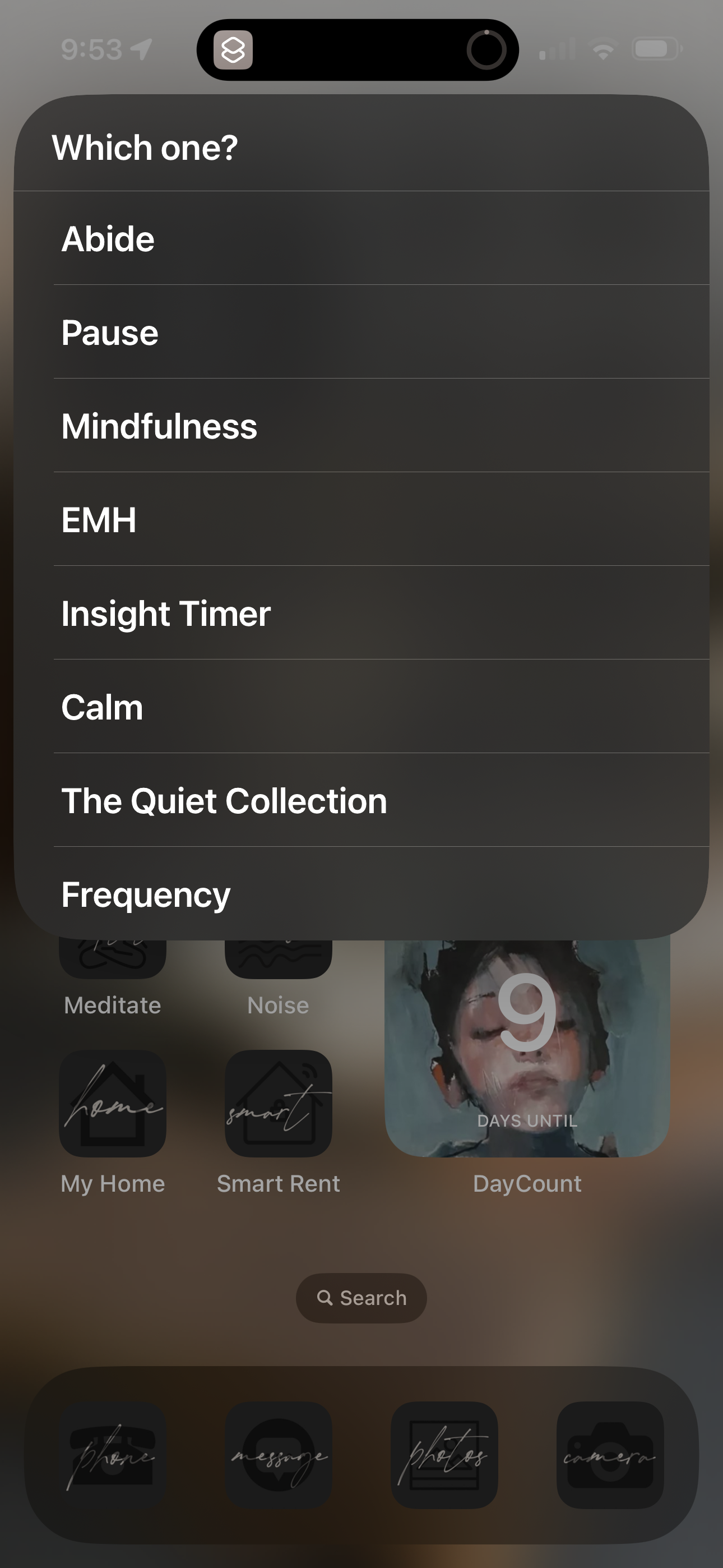
I spent time taking my folders such as Meditations, that were full of ugly icons of apps and creating a ‘dropdown menu’ shortcode so it’s a single icon that looks beautiful. As I was making a new one tonight, I thought, wait- if I had ‘code names’ for certain apps in the dropdown menu, to hide the real name of the app, it would confuse them too. Like make one of the dropdown names be Billy but it actually opens my bank.


The other steps would be like you mention and to not only hide the apps from the home screen (including ShortCuts app) but ALso to go in under Siri Settings and choose to remove from Siri Search.


Just to make things harder for others.

But you’d have to go in and change that setting if you absolutely needed to access an app because a shortcut broke etc.


Does that make sense? I’ll attach a pic of my home screen but it’s before I alter any names. This is just my Meditate one..


This thread has been closed by the system or the community team. You may vote for any posts you find helpful, or search the Community for additional answers.

How can I prevent unauthorized access to Shortcuts on iPhone?

Welcome to Apple Support Community
A forum where Apple customers help each other with their products. Get started with your Apple Account.