Yahoo redirect malware on my MacBook Pro

Google is my default browser but I am redirected to Yahoo every time I search. I've deleted most things that I do not recognize, but can't figure out where the malware is hiding. Has anyone successfully removed this?


[Re-Titled by Moderator]


MacBook Pro 15″, macOS 10.13

Posted on Apr 19, 2024 8:52 AM

Reply
Question marked as Top-ranking reply

Posted on Apr 23, 2024 1:43 PM

I suggest downloading and running EtreCheck and posting its report in a reply to this Discussion.


Instructions are here: How to use the Add Text Feature When Posting Large Amounts of Text, i.e. an Etrecheck Report - Apple Community


Nothing in those three folders ought to be the cause. EtreCheck is a more comprehensive tool and it is likely to reveal some actionable information.

Similar questions

13 replies
Question marked as Top-ranking reply

Apr 23, 2024 1:43 PM in response to Jeanenegoad

I suggest downloading and running EtreCheck and posting its report in a reply to this Discussion.


Instructions are here: How to use the Add Text Feature When Posting Large Amounts of Text, i.e. an Etrecheck Report - Apple Community


Nothing in those three folders ought to be the cause. EtreCheck is a more comprehensive tool and it is likely to reveal some actionable information.

Apr 24, 2024 12:23 PM in response to Jeanenegoad

That's very helpful. Those two google.com entries shouldn't be there.


To fix it, read Mr. Etresoft's instructions, here: Fixing a hacked /etc/hosts file - Apple Community. They are written a lot better than I could do. If you need help following any of it though, please write back.


  • The Bare Bones software BBEdit he writes about in Step 2 is not free. It is however priceless. Having said that you can probably use TextEdit, so try it first before buying anything you might not require.


Edit: I just noticed BBEdit offers a 30 day free evaluation period. In keeping with Etresoft's highly specific instructions, I suggest that you go ahead and download the trial version for the purposes of fixing this particular problem.

Apr 24, 2024 10:24 AM in response to Jeanenegoad

Thanks. I will have more suggestions but for now please do the following.


Open the Terminal app — it's in your Mac's Utilities folder and looks like this
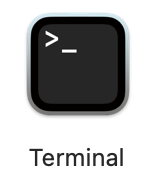


At the prompt, type (or copy/paste)

cat /etc/hosts


... followed by the Return or Enter key.


Copy the results of that command, and post them in a reply. A typical example of the Hosts file contents looks like this:

##
# Host Database
#
# localhost is used to configure the loopback interface
# when the system is booting.  Do not change this entry.
##
127.0.0.1	localhost
255.255.255.255	broadcasthost
::1             localhost
fe80::1%lo0 localhost


This is just a typical example. Yours may not look exactly like it. It may reveal a clue, or not.


Apr 24, 2024 3:28 PM in response to John Galt

John Galt wrote:

Edit: I just noticed BBEdit offers a 30 day free evaluation period. In keeping with Etresoft's highly specific instructions, I suggest that you go ahead and download the trial version for the purposes of fixing this particular problem.


The BBEdit “free mode” replaced TextWrangler a while back.


The 30 day trial gets full feature access, then BBEdit reverts to what is effectively better than TextWrangler.


https://www.barebones.com/products/bbedit/download.html

https://www.barebones.com/products/bbedit/comparison.html

This thread has been closed by the system or the community team. You may vote for any posts you find helpful, or search the Community for additional answers.

Yahoo redirect malware on my MacBook Pro

Welcome to Apple Support Community
A forum where Apple customers help each other with their products. Get started with your Apple Account.
