If I’m not mistaken, you can follow these steps to enable the reminders without a widget.
1.) Go to Settings
2.) While in settings find the “Reminders” app
3.) There should be a section called “All-Day Reminders” where you can set a time to show all day reminders on your Lock Screen, set your preferences and your default list if you have multiple.
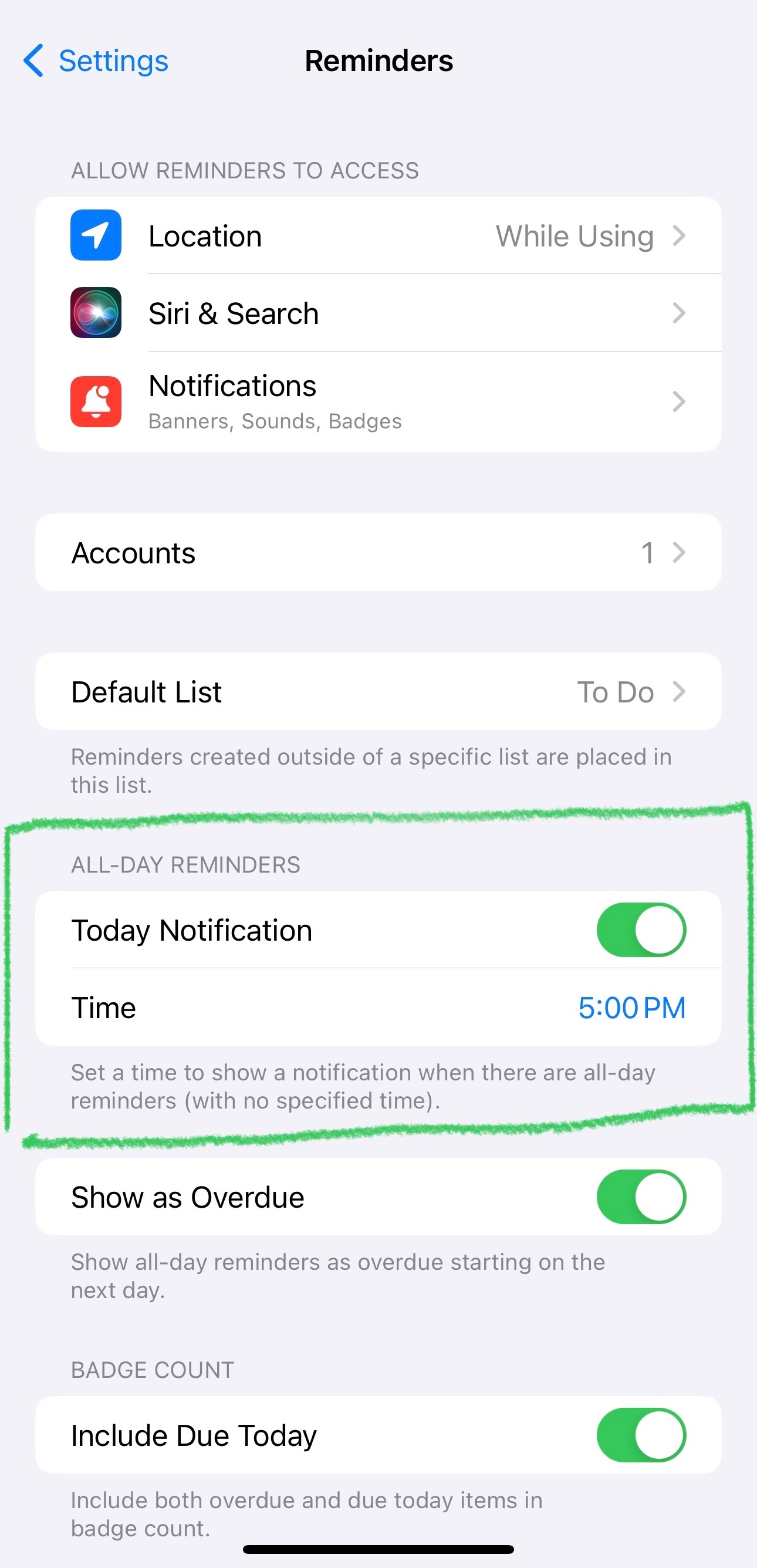
If you use the focus modes (Sleep, Work, Personal, Do Not Disturb) ensure you allow notifications from the reminder app so you can see them when the set time of day you select comes.
If you have time sensitive reminders, or reminders with a time set, there should be a toggle button to turn on in the “notifications” tab to allow immediate delivery of time sensitive reminders that will stay on the lock screen for an hour, and allow it to be on your lock screen.
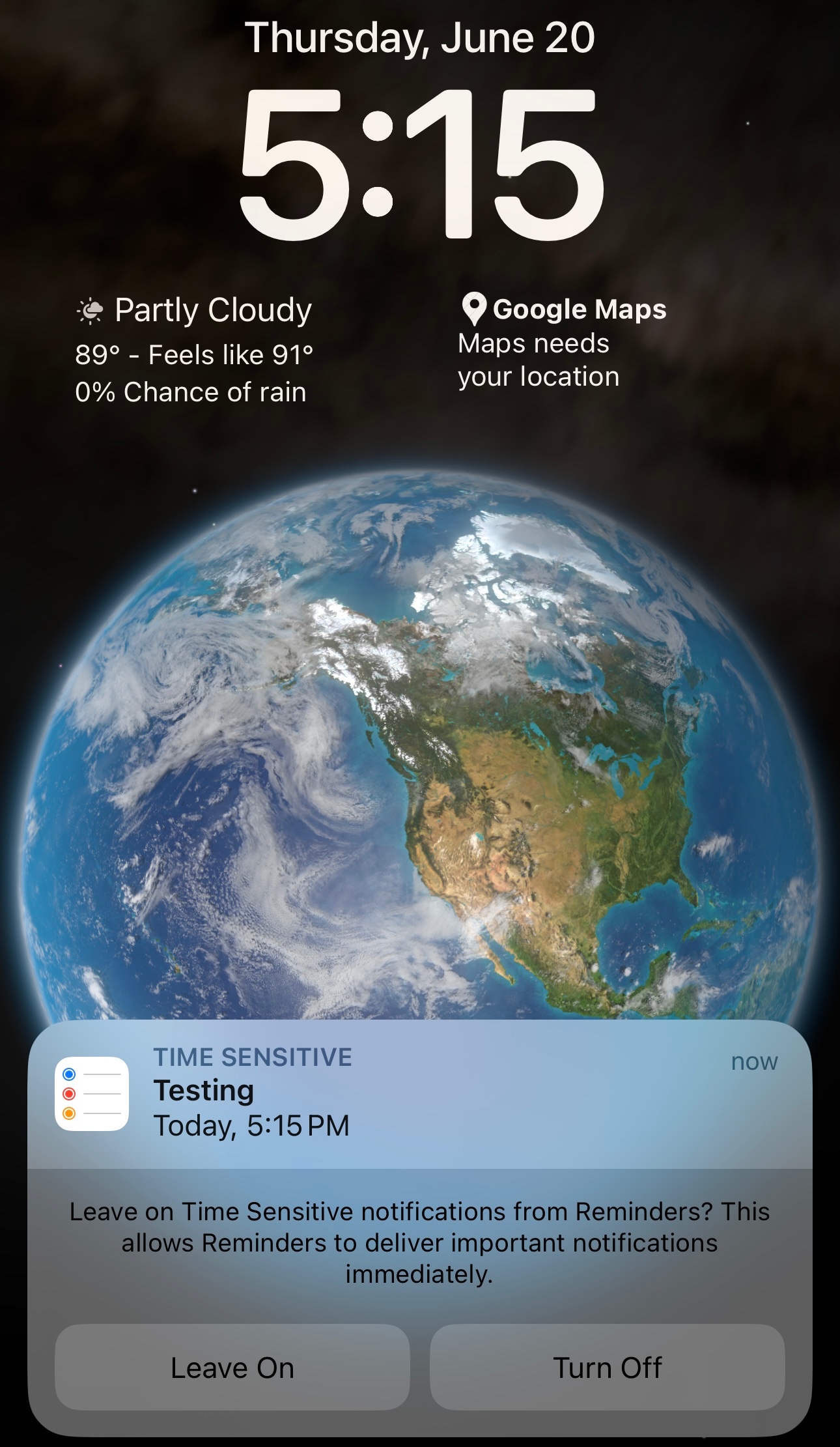
Regardless, if you set a reminder that is time sensitive, say at 7pm today, that should automatically display on your Lock Screen at the time you set in the reminder app like so:
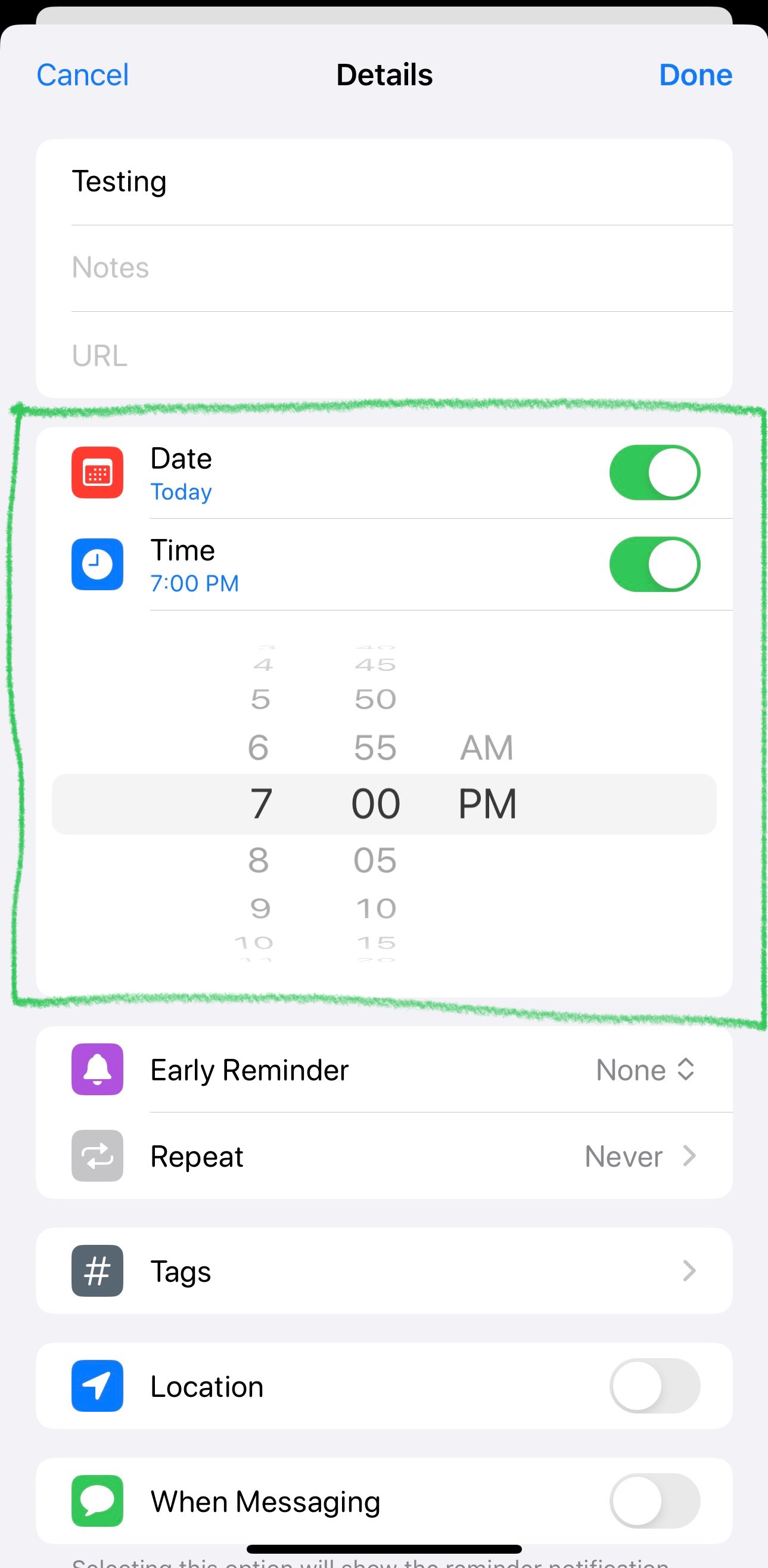
Set a test reminder in the app to reminder me at 5:15PM. This is before:

This is after 5:15PM
Hope this helps!
I am basing this off of my current device (iPhone 14 Pro Max with iOS 17.5.1)

