s7111bp wrote:
I recently noticed that my touchbar changed and cant seem to fix it. I used to have it shortened where i can tap and arrow and everything expands. As well as keyboards suggestions is gone. I looked on the settings and it is all turned on but nothing seemed to change whether i turned it on or off.
I tried resetting the touchbar using terminal as well.
What do you have...? Shift Command 6
you can post the screen shot here.
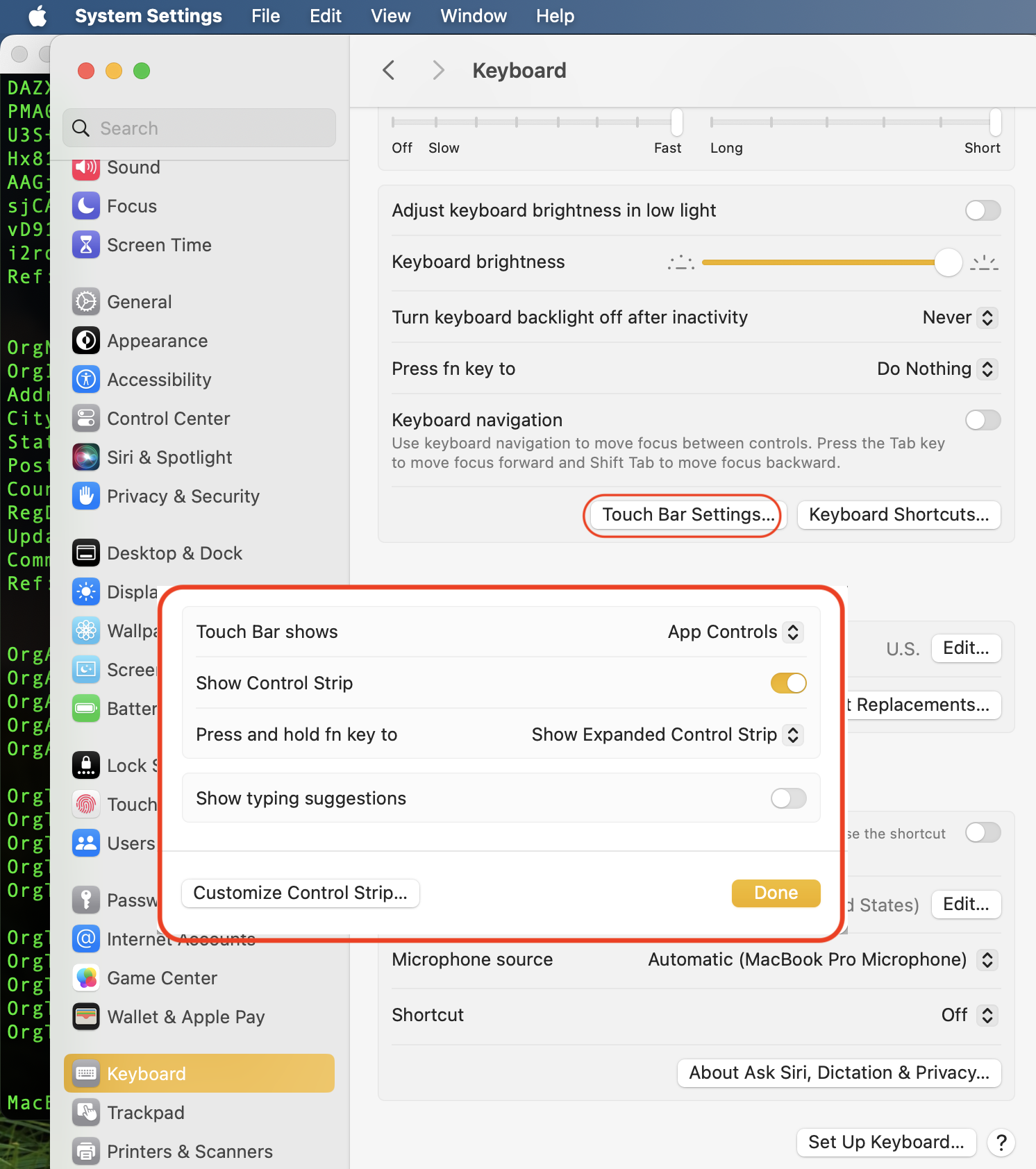
If this is an Intel Mac you can try both—
resetting the System Management Controller Reset the SMC of your Mac - Apple Support
resetting NVRAM/PRAM Reset NVRAM on your Mac - Apple Support
(get at least two-three rounds of the chimes when holding the NVRAM Reset)
if no resolve it can indicate a hard ware issue:
In or out of warranty you can get a free over the counter 'Apple Service Diagnostics' test /assessment
Make an appointment for a "hardware issue"
Genius Bar Reservation and Apple Support Options - Apple
Outside the USA
Contact Apple for support and service - Apple Support

