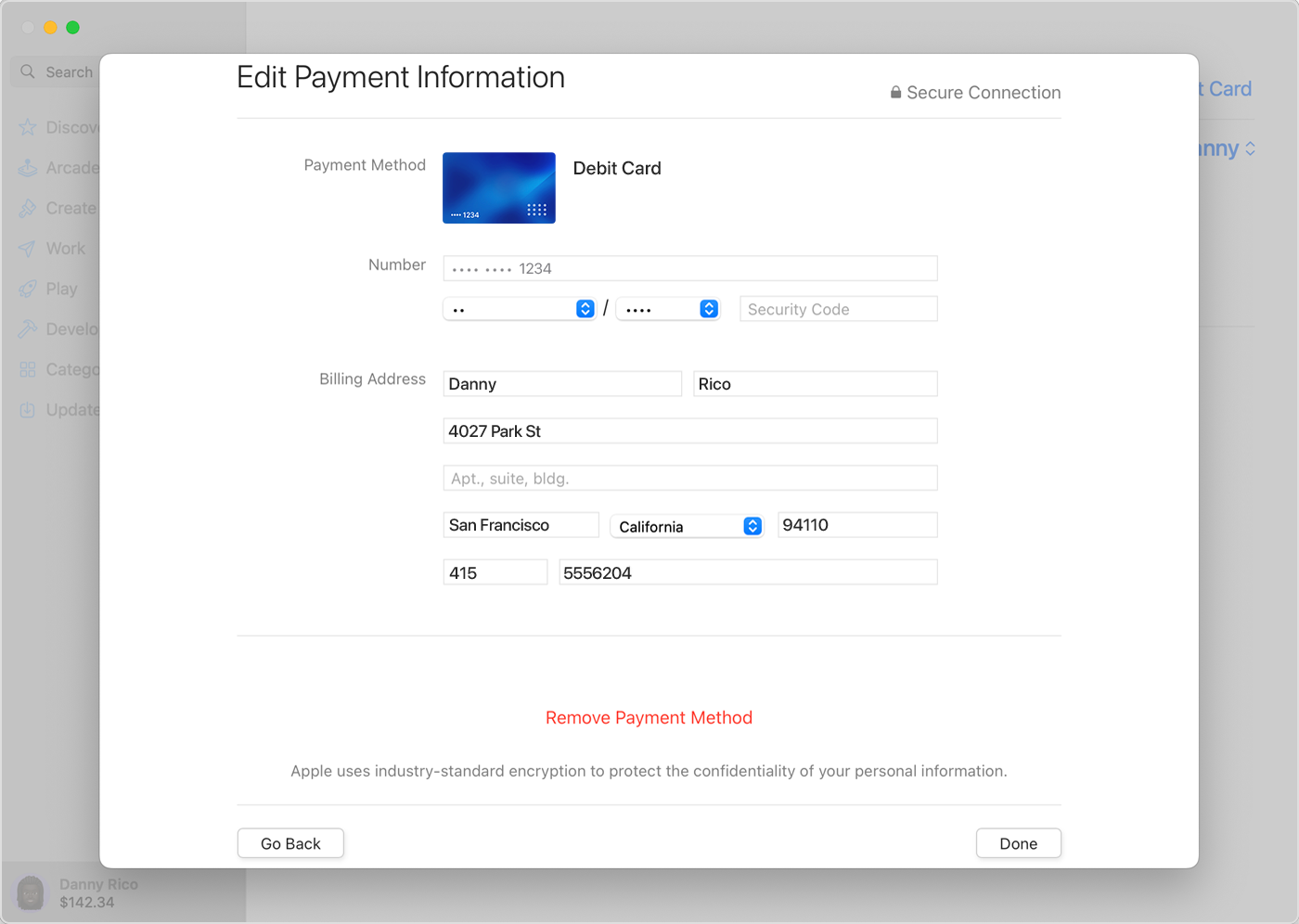
macOS choose a verification method

Cannot remove credit card from apple wallet on macOS 14.5

every time I click the card the dialog box says "a verification method must be chosen".

After that, it spins forever and I am never able to click the remove card button. I have to force quit system settings every time.


This is not the only card I have in the wallet. All the others work fine.

MacBook Pro 16″, macOS 14.5

Posted on Jun 28, 2024 8:56 AM

Reply
Question marked as Top-ranking reply

Posted on Jun 28, 2024 9:09 AM

Is this how you are trying to remove your credit card/Payment Method?


>>Remove a payment method on your Mac


  1. Open the App Store.
  2. Click your name or the Sign In button.
  3. Click Account Settings.
  4. Next to Payment Information, click Manage Payments.
  5. Click Edit, then click Remove Payment Method.


Remove a payment method from your Apple ID - Apple Support


9 replies
Question marked as Top-ranking reply

Jun 28, 2024 9:09 AM in response to moorecharles

Is this how you are trying to remove your credit card/Payment Method?


>>Remove a payment method on your Mac


  1. Open the App Store.
  2. Click your name or the Sign In button.
  3. Click Account Settings.
  4. Next to Payment Information, click Manage Payments.
  5. Click Edit, then click Remove Payment Method.


Remove a payment method from your Apple ID - Apple Support


This thread has been closed by the system or the community team. You may vote for any posts you find helpful, or search the Community for additional answers.

macOS choose a verification method

Welcome to Apple Support Community
A forum where Apple customers help each other with their products. Get started with your Apple Account.