Unable to save word doc on desktop forcthe first time

There is no possibility to save word doc on desktop at all. Forcthe first time. When click on save as it gives only icloud and tags. Unchecked icloud in system preferences and it’s the same again

MacBook Pro 13″, macOS 11.7

Posted on Aug 19, 2024 3:01 AM

Reply
2 replies

Aug 19, 2024 9:49 AM in response to julijana160

If you sync your Desktop with iCloud so you can access it on other devices, then the Desktop folder's location is moved on your Mac. When you sync the Desktop and Documents folders with iCloud, the Desktop folder is moved to your Mac's iCloud folder, and it is copied to iCloud.com. Here you can see
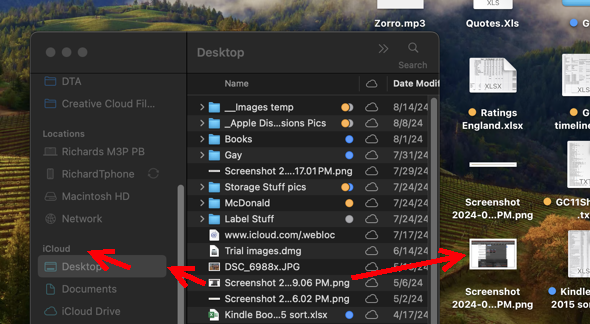
a file in my Desktop folder which is inside the iCloud folder. You can also see that this file appears on my computer's desktop, as well.


I wonder if you're pointing Word to the wrong location, or Word is confused about where the Desktop folder is. Here I've used "Save as..."
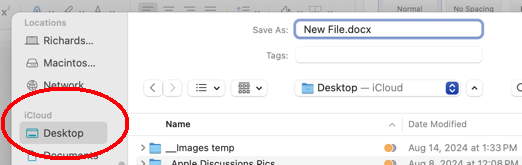
and pointed Word to Desktop in iCloud.


At System Settings>Apple ID>iCould >iCloud Drive are like this:
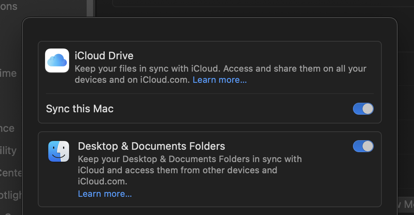

Is this what you have?

This thread has been closed by the system or the community team. You may vote for any posts you find helpful, or search the Community for additional answers.

Unable to save word doc on desktop forcthe first time

Welcome to Apple Support Community
A forum where Apple customers help each other with their products. Get started with your Apple Account.
