I followed RK9design after Cleanup began adding pixels to EVERYTHING in sight -- including Instagram next-image arrows. We're talking fashion runway images. These two images shows in my comments were shot by Torso for the Winter 2024 issue of Dazed Magazine.
RK9design's instructions were:
1.Select photo
2.Enter 'Edit' mode
3.Choose the 'Crop' tab
4.Zoom in to the area you want to touch up*
5.Choose the 'Clean Up' tab
6.Remove what you need to with the tool
7.Repeat steps 3-6 until all areas are touched up
8.Choose the 'Crop' tab
9.Zoom out to the full image
Following 3, I got rid of her face and head and proceeded through the cycle. But I never saved or stopped. Just exported, cleaning up about 10 images by advancing to next image w/laptop arrow. All worked perfectly and the images now had faces. This image -- which AI previously pixelated to death -- was fine.
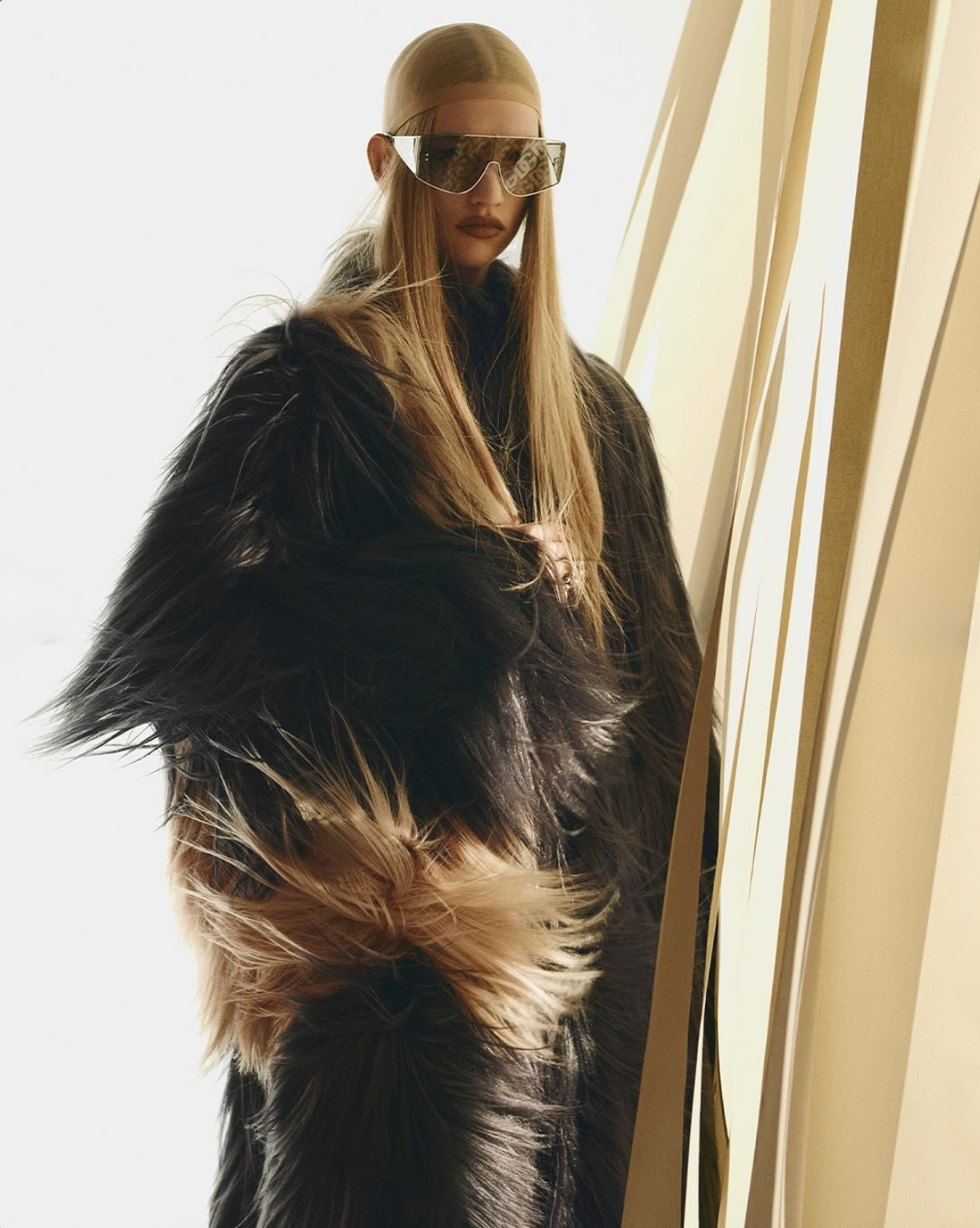
THEN, I did save everything and uploaded the Dazed cover below, which would have had a burka thrown over it -- forget pixels -- an hour ago. I did not follow the RK9design but returned to the old way.
I successfully removed little dots in her hair and had no problems. Working in her hair, I felt AI had to see her face and the entire image, and would it decide she was also too racy? After all, it bounced out pigtails in the first image. No problems.
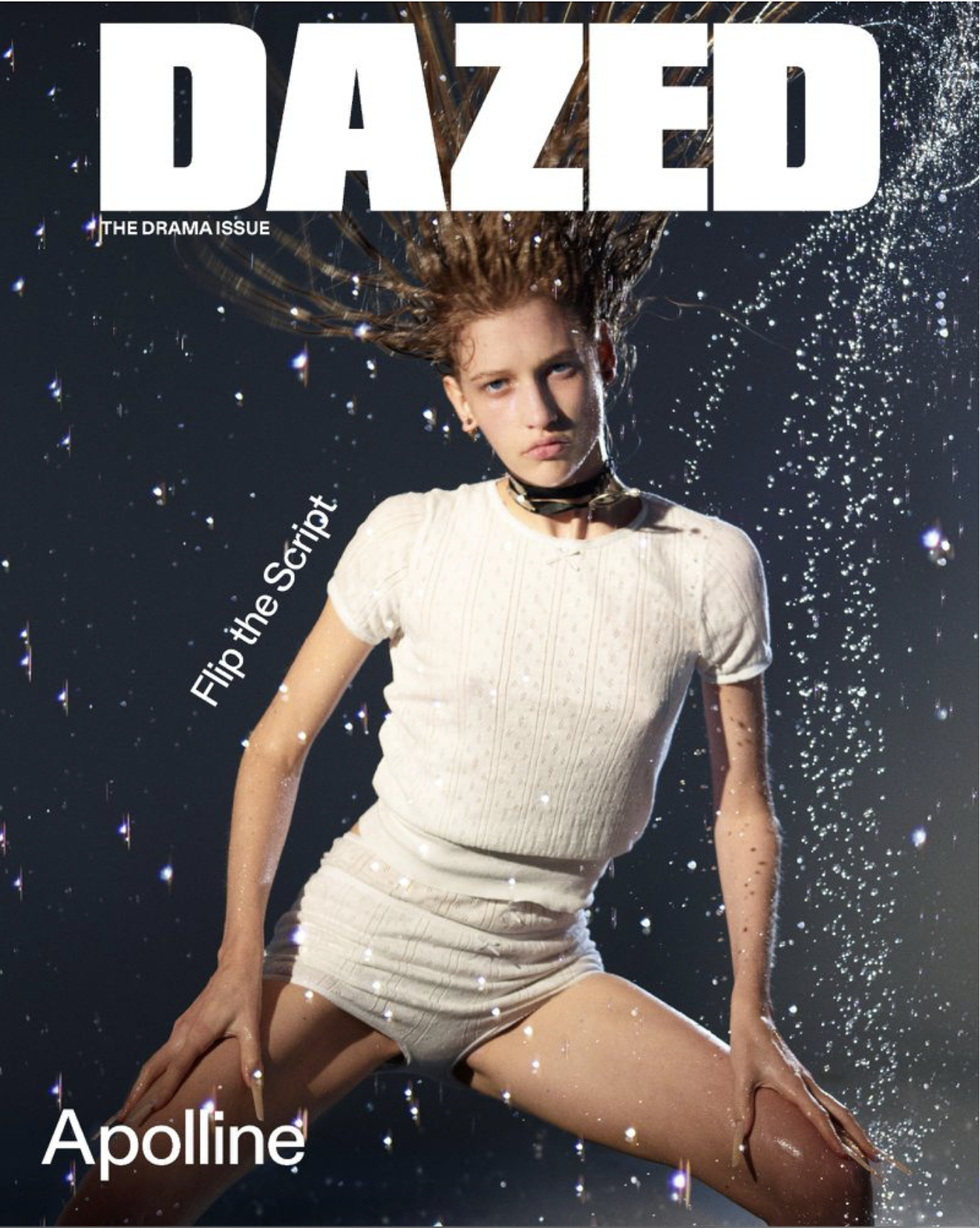
So I'm not saying my own Photo app is now good to go -- because Apple knows I went to Canva to get images corrected and then said "try again" with Mac, came here and followed RK9design's work-around.
I am saying that I was able to batch RK9design's solve at minor inconvenience to myself. And the edited images are in my folders, even though I didn't hit save until the end. And this new Dazed cover photo was no problem, even though the pigtails in coat image totally sent AI Cleanup into a naughty-girl frenzy and it began pixelating even advance arrows.
RK9's point was that context matters, hence the crop head-fake, and I agree. But I did follow the normal process with this cover below, so maybe it 'learned' something about my images. Who knows.
Is Apple Using Google AI on images?
I'm involved with this same issue on Pinterest -- including with their legal dept -- because I do not post adult images. And they are listening to me and agree that their Google AI is going wild. Also Pinterest legalize states that the suggestion of 'adult' is enough to get the image banned.
I've been on the platform since 2007 with 5 takedown requests in 17 years. All of a sudden, boom. I'm getting one a week. And you don't get to see the image.
I'm in a good place with Pinterest because I went to their legal dept for help -- not a fight. They have not removed any images in four months -- although the issue remains open while all is being sorted out.
Can we expect this challenge of 'adult' to get worse, given our politics? Yes. But for now I'm optimistic that I've got some equilibrium with Mac Photo Cleanup. It if all blows up in my face, I'll be back to share the details.







