No volume or the Volume icon is greyed out?


There are several potential reasons why your iPhone may have no sound on videos. Here are some troubleshooting steps you can try:
- Make sure that the volume is turned up on your iPhone. You can check the volume by using the volume buttons on the side of your iPhone or by going to Settings > Sounds & Haptics.
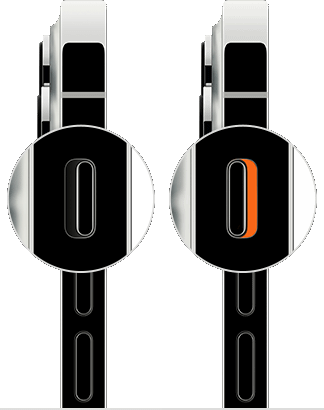
- Make sure that your iPhone isn't in silent mode or that the mute switch isn't turned on. The mute switch is located on the left side of your iPhone above the volume buttons.
- Restarting your iPhone can often solve many issues, including problems with sound.
- Restart the device. That's it.

- Still not solved --> Force restart iPhone - Apple Support

- Make sure that your iPhone is running the latest version of iOS. To check for updates, go to Settings > General > Software Update.
- If you are using YouTube or any Third-party app, try clearing the app data. You can do this by going to Settings > General > iPhone Storage > YouTube and then tapping "Delete App".
- If none of the above steps work, you can try resetting all settings on your iPhone. To do this, go to Settings > General > Reset > Reset All Settings.
- Reset All Settings which may include network settings, the keyboard dictionary, the Home screen layout, location settings, privacy settings, and Apple Pay cards—are removed or reset to their defaults. No data or media are deleted.
- Reset All Settings: Return iPhone settings to their defaults - Apple Support:- Return iPhone settings to their defaults
- You can return settings to their defaults without erasing your content.
- If you want to save your settings, back up your iPhone before returning them to their defaults. For example, if you’re trying to solve a problem but returning settings to their defaults doesn’t help, you might want to restore your previous settings from a backup.
If nothing above works probably it could be your iPhone may have a problem. In that case, take your device to an Apple Retail Store or Apple Authorized Service Provider, or contact Apple Support and get the hardware tested and if needed to be repaired/replaced.
Find Locations - Location Selector - Apple
Contact Apple for support and service - Apple Support
Get a Genius Bar Reservation and Apple Support Options - Apple
Contact Genius Bar. Manage Reservations - My Reservations - Apple

