Security notification for outdated iOS 16.3.1 on iPhone

Hi. I received a security notification stating that I must install the latest IOS version 16.7. The actual one is 16.3.1. According to information the notification, my phone is not secured. Should I really update to the 16.7. Thank tou


[Re-Titled by Moderator]

Posted on Jan 28, 2025 5:13 AM

Reply
Question marked as Top-ranking reply

Posted on Jan 28, 2025 5:22 AM

You cannot pick and choose an iOS version. What you get is Settings > General > Software update > [All options are available here]


You need to correctly Identify your iPhone model - Apple Support


These are the iOS options based on an iPhone Model

(Updated Jan 4, 2025 12:05 PM)


Know how to...


3 replies
Question marked as Top-ranking reply

Jan 28, 2025 5:22 AM in response to Rama3008

You cannot pick and choose an iOS version. What you get is Settings > General > Software update > [All options are available here]


You need to correctly Identify your iPhone model - Apple Support


These are the iOS options based on an iPhone Model

(Updated Jan 4, 2025 12:05 PM)


Know how to...


Jan 28, 2025 5:22 AM in response to Rama3008

Was your device Jailbroken? If that's the situation, please be informed that attributing the issues to iOS updates may not be accurate.


I have been updating my devices ever since I bought my first device in 2009. iPhone 3Gs, 4S, 5, 6, SE (1st Gen), 7, 8 and iPhone 12 Pro, iPad Pro, iPhone 13, Macbook Air 2019, MacBook Pro 16"
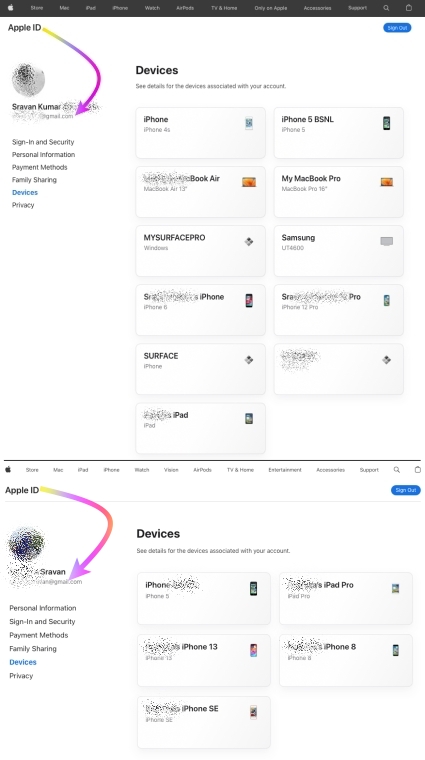


I never had any issues with any iOS, iPadOS, or macOS updates to date.


I would personally recommend everyone update their devices instead of listening to rumors from people who may not have kept their devices free from any spurious software.


iOS / iPadOS devices cannot be hacked or infected with Virus / Malware / Spyware if it is updated to the latest iOS/iPadOS unless you have intentionally downloaded spurious software or unauthorized apps directly from the internet and installed them on your device or/and have Jailbroken


iOS updates generally aim to enhance user experience, boost security, and fix bugs rather than disrupt core features. Issues after updates might stem from underlying, unmentioned factors. Updates won't typically alter personal data but may refine settings or features. Backup before major updates for safety. Review Apple's update details and backup advice for a smooth process.


This seems purely coincidental so please check the Setting on your device.


See what each update does: About iOS 18 Updates, About iOS 17 Updates, About iOS 16 Updates, About iOS 15 Updates, About iOS 14 Updates, About iOS 13 Updates, About iOS 12 Updates, and so on...



This thread has been closed by the system or the community team. You may vote for any posts you find helpful, or search the Community for additional answers.

Security notification for outdated iOS 16.3.1 on iPhone

Welcome to Apple Support Community
A forum where Apple customers help each other with their products. Get started with your Apple Account.
