Exclude ~/Library/CloudStorage from Time Machine backup. OneDrive, Dropbox, etc. create folders in that location and then use symbolic links to point Documents & Desktop to that location.
Settings > General > Time Machine > click the Options button and add ~/Library/CloudStorage to exclude it. Notice, I do the same with Virtual Machine because they will trigger a massive backup as well.
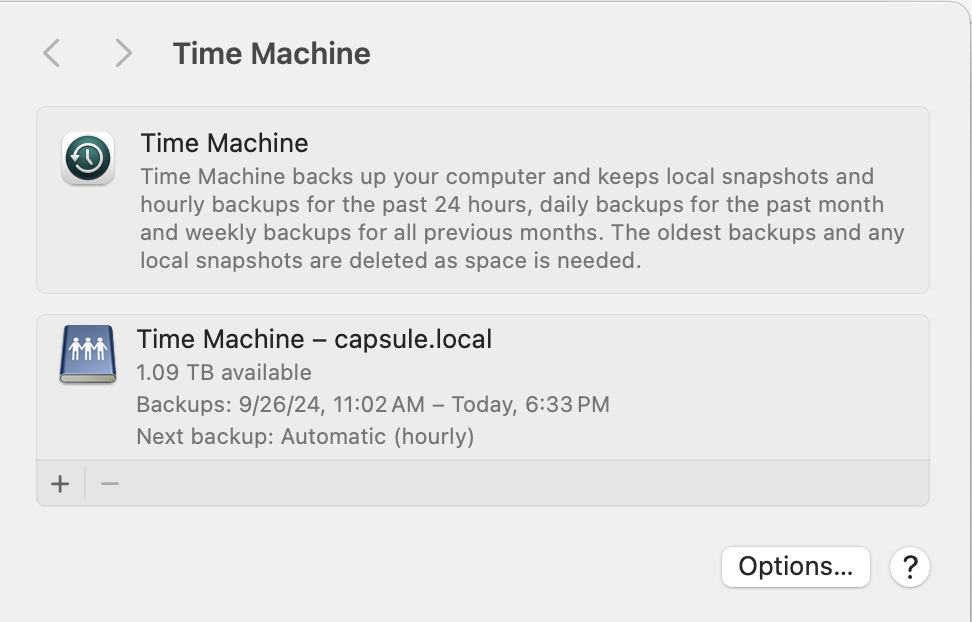
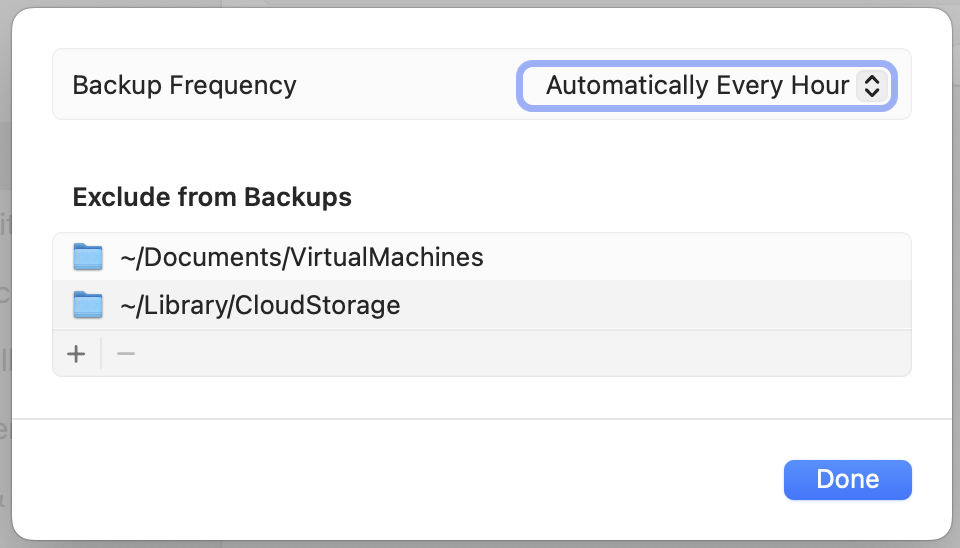
This should help with OneDrive touching files. Time Machine will ignore cloud drives like iCloud / OneDrive / Google Drive, etc.
Running multiple external USB HDDs can put undo stress on the Mac. If you need that many drives, I highly recommend that you consider a NAS instead. If you go with a NAS that uses the ZFS filesystem, even better. ZFS is superior to APFS, BTRFS, NTFS, etc. Once I setup a ZFS backed NAS and turned on the Time Capsule emulation. I stopped having failures with Time Machine backups. Time Machine creates an APFS sparse image which on the ZFS disk appears to be a folder with binary chunks called bands. ZFS ensures data integrity and as a result makes Time Machine backups more reliable.
Arq backup software has a very good reputation. Looks pricey but I haven't reviewed cloud backup pricing lately. https://www.arqbackup.com/




